







Question: Typed DataSet (Drag-N-Drop) and LINQ Query VB.NET Programming Microsoft Visual Studio 2015 Homework 5 Submission: Compress your complete VB project folder into a .zip file.
Typed DataSet (Drag-N-Drop) and LINQ Query
VB.NET Programming
Microsoft Visual Studio 2015
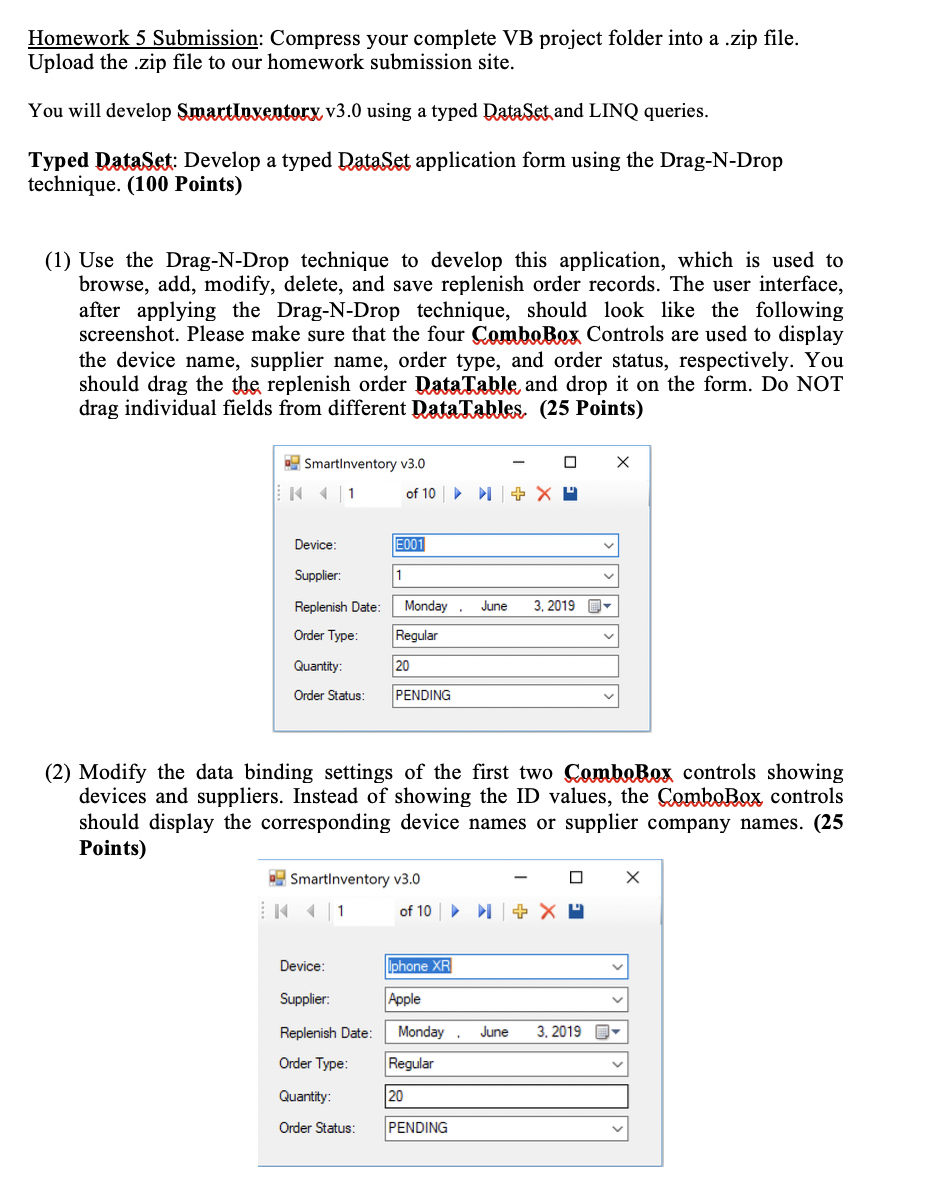
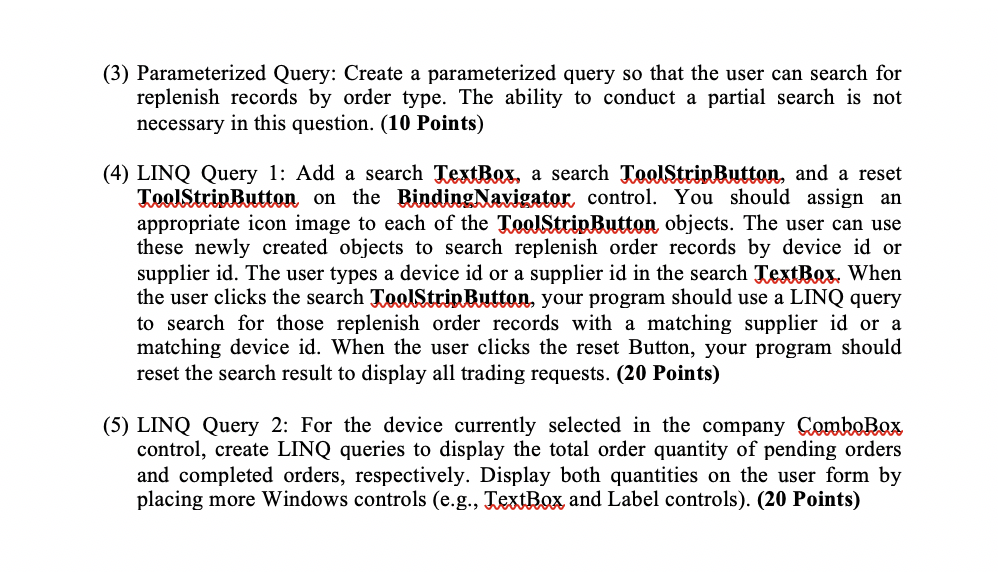
Homework 5 Submission: Compress your complete VB project folder into a .zip file. Upload the .zip file to our homework submission site. You will develop Smartloxentorx v3.0 using a typed Data Set and LINQ queries. Typed DataSet: Develop a typed DataSet application form using the Drag-N-Drop technique. (100 Points) (1) Use the Drag-N-Drop technique to develop this application, which is used to browse, add, modify, delete, and save replenish order records. The user interface, after applying the Drag-N-Drop technique, should look like the following screenshot. Please make sure that the four ComboBox Controls are used to display the device name, supplier name, order type, and order status, respectively. You should drag the the replenish order Data Table, and drop it on the form. Do NOT drag individual fields from different Data Tables. (25 Points) X SmartInventory v3.0 K 1 of 10 - 0 + XP Device: E001 Supplier: Replenish Date: Order Type: June 3, 2019 O 1 Monday, Regular 20 PENDING Quantity: Order Status: (2) Modify the data binding settings of the first two ComboBox controls showing devices and suppliers. Instead of showing the ID values, the ComboBox controls should display the corresponding device names or supplier company names. (25 Points) SmartInventory v3.0 - 0 X 1 of 10 + XP Device: Iphone XR Supplier: Apple June 3, 2019 O- Replenish Date: Order Type: Monday, Regular 120 Quantity: Order Status: PENDING (3) Parameterized Query: Create a parameterized query so that the user can search for replenish records by order type. The ability to conduct a partial search is not necessary in this question. (10 Points) (4) LINQ Query 1: Add a search TextBox, a search ToolStripButton, and a reset ToolStripButton on the BindingNavigator control. You should assign an appropriate icon image to each of the ToolStripButton objects. The user can use these newly created objects to search replenish order records by device id or supplier id. The user types a device id or a supplier id in the search TextBox. When the user clicks the search ToolStripButton, your program should use a LINQ query to search for those replenish order records with a matching supplier id or a matching device id. When the user clicks the reset Button, your program should reset the search result to display all trading requests. (20 Points) (5) LINQ Query 2: For the device currently selected in the company ComboBox control, create LINQ queries to display the total order quantity of pending orders and completed orders, respectively. Display both quantities on the user form by placing more Windows controls (e.g., TextBox and Label controls). (20 Points) Homework 5 Submission: Compress your complete VB project folder into a .zip file. Upload the .zip file to our homework submission site. You will develop Smartloxentorx v3.0 using a typed Data Set and LINQ queries. Typed DataSet: Develop a typed DataSet application form using the Drag-N-Drop technique. (100 Points) (1) Use the Drag-N-Drop technique to develop this application, which is used to browse, add, modify, delete, and save replenish order records. The user interface, after applying the Drag-N-Drop technique, should look like the following screenshot. Please make sure that the four ComboBox Controls are used to display the device name, supplier name, order type, and order status, respectively. You should drag the the replenish order Data Table, and drop it on the form. Do NOT drag individual fields from different Data Tables. (25 Points) X SmartInventory v3.0 K 1 of 10 - 0 + XP Device: E001 Supplier: Replenish Date: Order Type: June 3, 2019 O 1 Monday, Regular 20 PENDING Quantity: Order Status: (2) Modify the data binding settings of the first two ComboBox controls showing devices and suppliers. Instead of showing the ID values, the ComboBox controls should display the corresponding device names or supplier company names. (25 Points) SmartInventory v3.0 - 0 X 1 of 10 + XP Device: Iphone XR Supplier: Apple June 3, 2019 O- Replenish Date: Order Type: Monday, Regular 120 Quantity: Order Status: PENDING (3) Parameterized Query: Create a parameterized query so that the user can search for replenish records by order type. The ability to conduct a partial search is not necessary in this question. (10 Points) (4) LINQ Query 1: Add a search TextBox, a search ToolStripButton, and a reset ToolStripButton on the BindingNavigator control. You should assign an appropriate icon image to each of the ToolStripButton objects. The user can use these newly created objects to search replenish order records by device id or supplier id. The user types a device id or a supplier id in the search TextBox. When the user clicks the search ToolStripButton, your program should use a LINQ query to search for those replenish order records with a matching supplier id or a matching device id. When the user clicks the reset Button, your program should reset the search result to display all trading requests. (20 Points) (5) LINQ Query 2: For the device currently selected in the company ComboBox control, create LINQ queries to display the total order quantity of pending orders and completed orders, respectively. Display both quantities on the user form by placing more Windows controls (e.g., TextBox and Label controls). (20 Points)
Step by Step Solution
There are 3 Steps involved in it

Get step-by-step solutions from verified subject matter experts
 Study Help