



Question: uctions: e purpose of grading the project you are required to perform the following tasks: Instructions Step Start Access. Open the downloaded Access file named
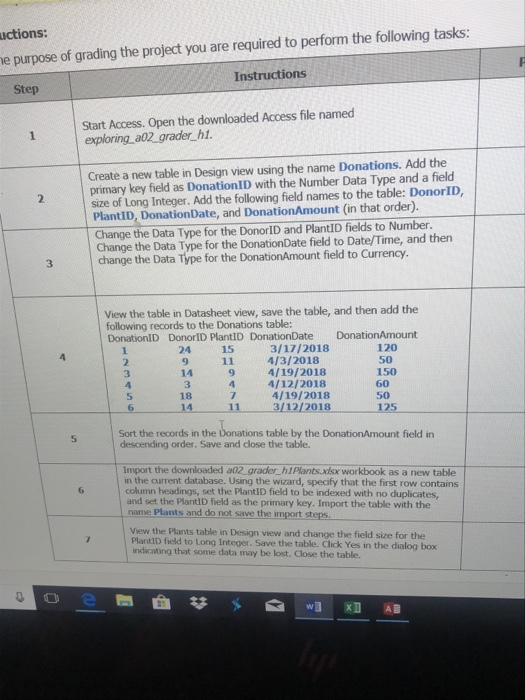
uctions: e purpose of grading the project you are required to perform the following tasks: Instructions Step Start Access. Open the downloaded Access file named exploring a02 grader hi. Create a new table in Design view using the name Donations. Add the primary key field as DonationID with the Number Data Type and a fielo size of Long Integer. Add the following field names to the table: DonorID, PlantID, DonationDate, and DonationAmount (in that order). Change the Data Type for the DonorID and Plant!D fields to Number. Change the Data Type for the DonationDate field to Date/Time, and then 3 change the Data Type for the DonationAmount field to Currency. View the table in Datasheet view, save the table, and then add the following records to the Donations table: DonationID DonorID PlantID DonationDate DonationAmount 24 9 14 3 18 14 3/17/2018 4/3/2018 4/19/2018 120 50 150 60 50 15 11 9 3 4 4/12/2018 4/19/2018 3/12/2018 5 11 Sort the records in the Donations table by the DonationAmount field in descending order. Save and close the table. Import the downloaded a02 grader_h1Plants.xlsx workbook as a new table in the current database. Using the wizard, specify that the first row contains column headings, set the PlantID field to be indexed with no duplicates, and set the PlantID field as the primary key. Import the table with the name Plants and do not save the import st View the Plants table in Design view and change the field size for the PlantID field to Long Integer. Save the table. Click Yes in the dialog box ndicating that some data may be lost. Close the table
Step by Step Solution
There are 3 Steps involved in it

Get step-by-step solutions from verified subject matter experts