







Question: Use Access ...to show the steps,,,, step by step PROJECT STEPS 1. Competitive Swim Clubs Inc. is a national chain of swim clubs targeted to
Use Access ...to show the steps,,,, step by step
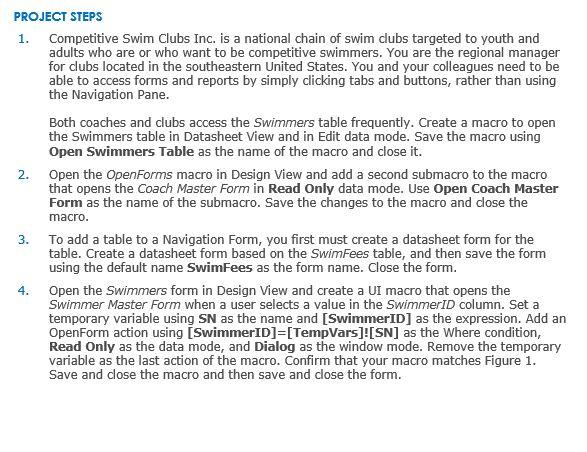

PROJECT STEPS 1. Competitive Swim Clubs Inc. is a national chain of swim clubs targeted to youth and adults who are or who want to be competitive swimmers. You are the regional manager for clubs located in the southeastern United States. You and your colleagues need to be able to access forms and reports by simply clicking tabs and buttons, rather than using the Navigation Pane. Both coaches and clubs access the Swimmers table frequently. Create a macro to open the Swimmers table in Datasheet View and in Edit data mode. Save the macro using Open Swimmers Table as the name of the macro and close it. 2. Open the OpenForms macro in Design View and add a second submacro to the macro that opens the Coach Master Form in Read Only data mode. Use Open Coach Master Form as the name of the submacro. Save the changes to the macro and close the macro. 3. To add a table to a Navigation Form, you first must create a datasheet form for the table. Create a datasheet form based on the SwimFees table, and then save the form using the default name SwimFees as the form name. Close the form. 4. Open the Swimmers form in Design View and create a UI macro that opens the Swimmer Master Form when a user selects a value in the SwimmerID column. Set a temporary variable using SN as the name and [SwimmerID] as the expression. Add an OpenForm action using [SwimmerID]=[TempVars]![SN] as the Where condition, Read Only as the data mode, and Dialog as the window mode. Remove the temporary variable as the last action of the macro. Confirm that your macro matches Figure 1. Save and close the macro and then save and close the form. Open the Swimmers table in Datasheet View and then create a data macro associated with the Before Change event for the table. The macro checks the LevelID field. If the value in the LevelID field is less than 1 , the macro should set the value to 1 . If the LevelID field is greater than 6 , then the macro should set the value to 6 . Save and close the macro and then save and close the Swimmers table
Step by Step Solution
There are 3 Steps involved in it

Get step-by-step solutions from verified subject matter experts
 Study Help