







Question: Use C++ to write this program! 1. Code Assignment/Exercise Exercise 1 A. Update the Fraction class given in the Lecture notes or as discussed in
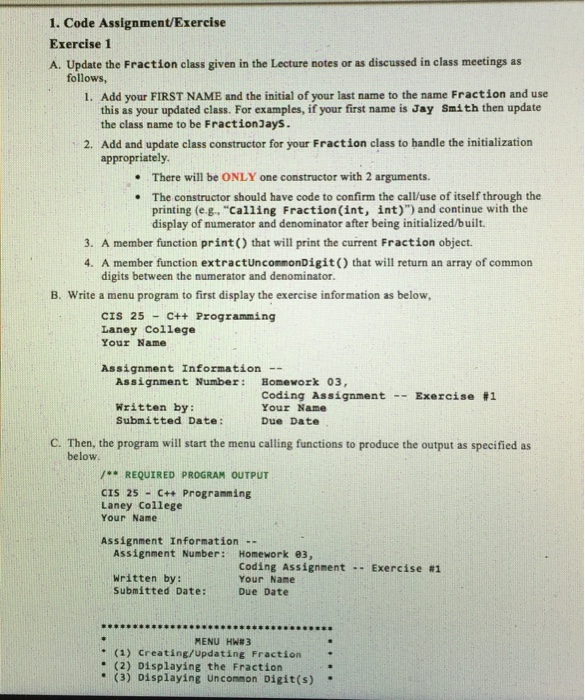
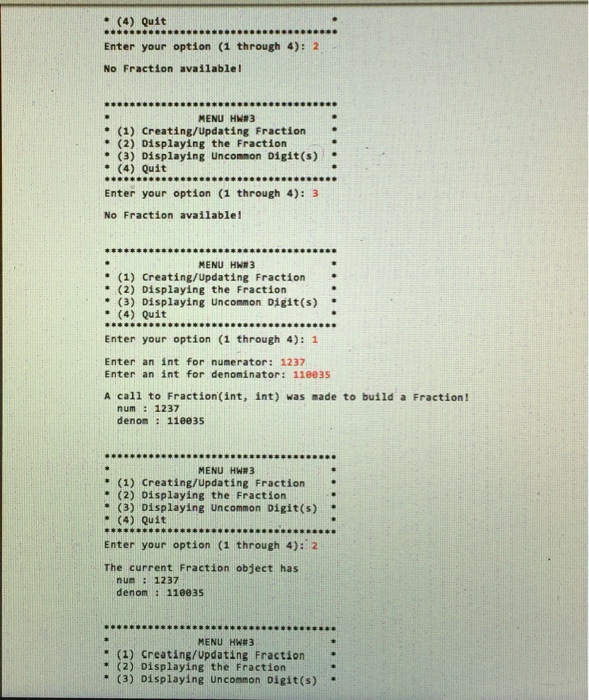
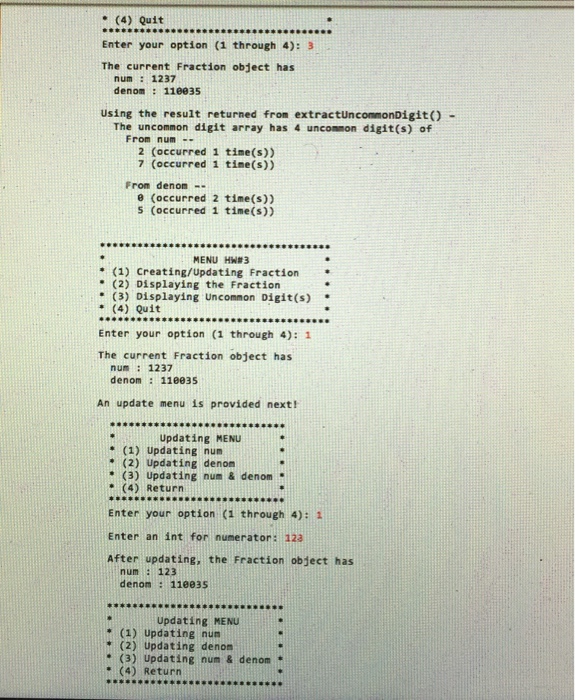
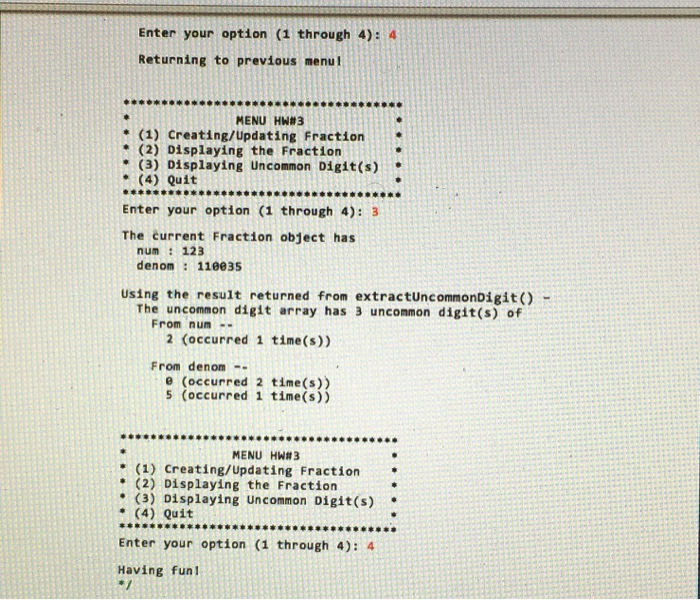
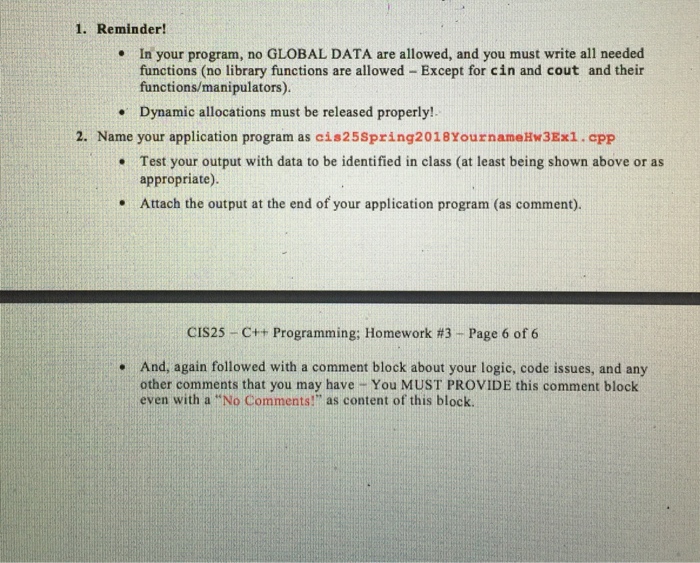
1. Code Assignment/Exercise Exercise 1 A. Update the Fraction class given in the Lecture notes or as discussed in class meetings as follows, 1. Add your FIRST NAME and the initial of your last name to the name Fraction and use this as your updated class. For examples, if your first name is Jay Smith then update the class name to be FractionJays. 2. Add and update class constructor for your Fraction class to handle the initialization appropriately There will be ONLY one constructor with 2 arguments. The constructor should have code to confirm the call/use of itself through the printing (e.g. "Calling Fraction(int, int)") and continue with the display of numerator and denominator after being initialized/built. . . 3. A member function print() that will print the current Fraction object. 4. A member function extractUncommonDigit) that will return an array of common digits between the numerator and denominator. B. Write a menu program to first display the exercise information as below CIS 25 C+t Programming Laney College Your Name Assignment Information Assignment Number: Homework 03 Coding Assignment -- Exercise #1 Your Nane Written by: Submitted Date: Due Date C. Then, the program will start the menu calling functions to produce the output as specified as below REQUIRED PROGRAM OUTPUT CIS 25-C++ Programming Laney College Your Name Assignment Information - Assignment Number: Homework 03, Written by: Submitted Date: coding Assignment -- Exercise #1 Your Name Due Date S999Os MENU HWR 3 +(1) Creating/updating Fraction. (2) Displaying the Fraction (3) Displaying Uncommon Digit(s)
Step by Step Solution
There are 3 Steps involved in it

Get step-by-step solutions from verified subject matter experts
 Study Help