







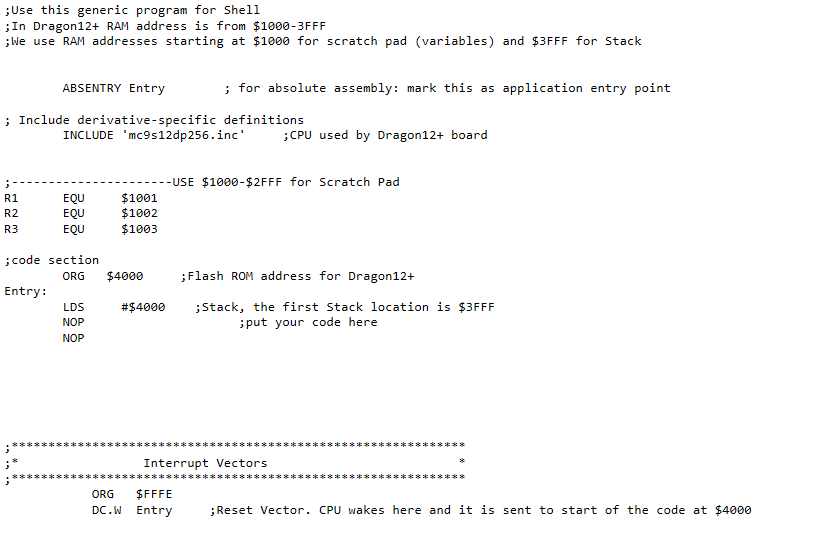
Question: use codewarrior to come up with a code to do this Reference: HCS Microcontroller and Embedded Systems, Mazidi: Chapter 2 http://www.microdigitaled.com/HCS12/Hardware/Dragon12-Plus-Support.htm the first picture with
use codewarrior to come up with a code to do this
Reference: HCS Microcontroller and Embedded Systems, Mazidi: Chapter 2
http://www.microdigitaled.com/HCS12/Hardware/Dragon12-Plus-Support.htm
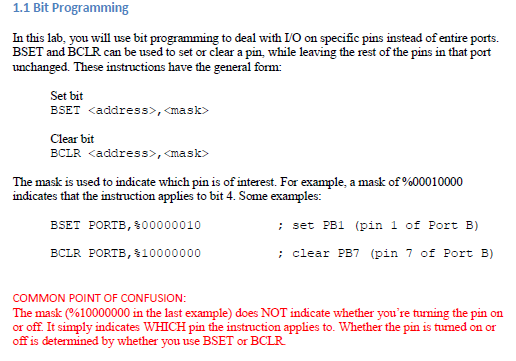
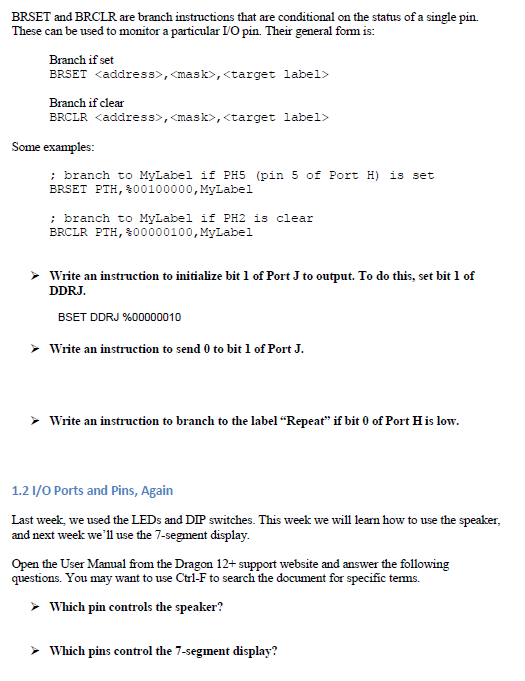
the first picture with "3Deliverables" is what i really needed to be done. the things after are some activities to lead you up to that. if you can clearly show that too. that would be helpful.
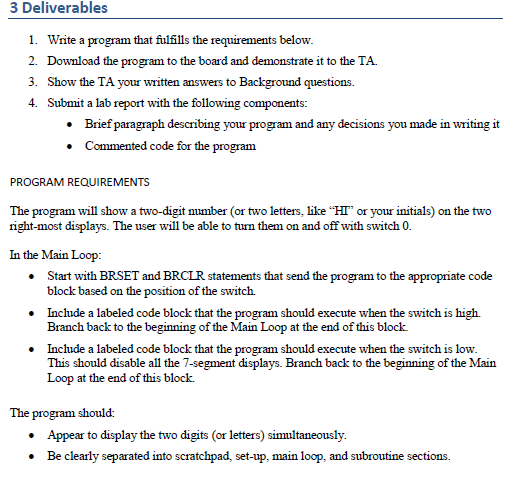
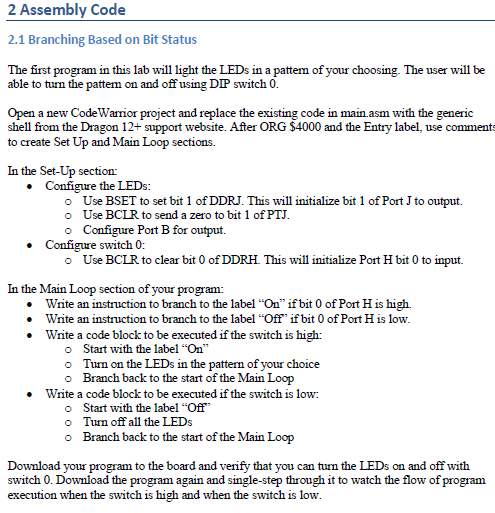
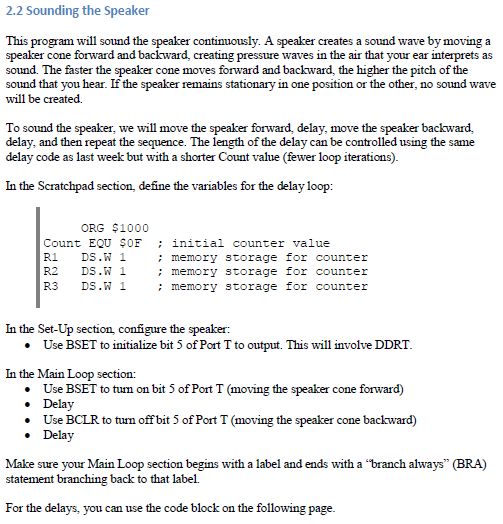
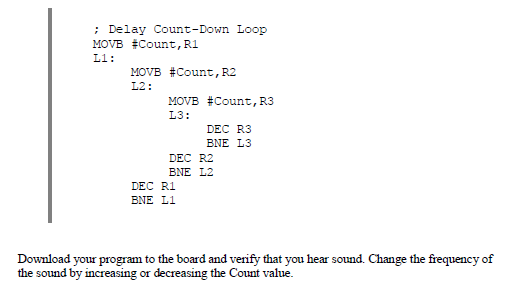
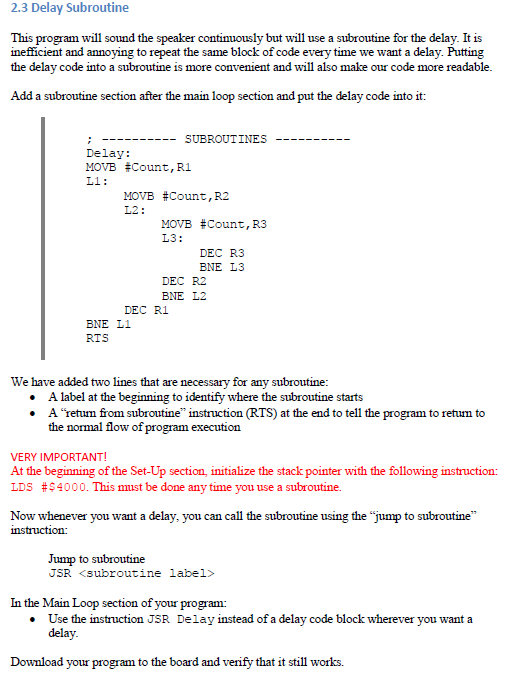
3 Deliverables 2. Download the program to the board and demonstrate it to the TA 3. Show the TA your wa wersto Backround uestions 4. Submit a lab report with the following components: Briefparagraph describing your program and any decisions you made in writing it Commented code for the program * . PROGRAM REQUIREMENTS The program will show a two-digit number (or two letters, like "HI" or your initials) on the two right-most displays. The user will be able to turn them on and off with switch 0. In the Main Loop: . Start with BRSET and BRCLR statements that send the program to the appropriate code block based on the position of the switch. Include a labeled code block that the program should execute when the switch is high. Inchude a labeled code block that the program should execute when the switch is low. This should disable all the 7-segment displays. Branch back to the beginning of the Main The program should: . Appear to display the two digits (or letters) siultaneously. . Be clearly separated into scratchpad, set-up, main loop, and subroutine sections. 3 Deliverables 2. Download the program to the board and demonstrate it to the TA 3. Show the TA your wa wersto Backround uestions 4. Submit a lab report with the following components: Briefparagraph describing your program and any decisions you made in writing it Commented code for the program * . PROGRAM REQUIREMENTS The program will show a two-digit number (or two letters, like "HI" or your initials) on the two right-most displays. The user will be able to turn them on and off with switch 0. In the Main Loop: . Start with BRSET and BRCLR statements that send the program to the appropriate code block based on the position of the switch. Include a labeled code block that the program should execute when the switch is high. Inchude a labeled code block that the program should execute when the switch is low. This should disable all the 7-segment displays. Branch back to the beginning of the Main The program should: . Appear to display the two digits (or letters) siultaneously. . Be clearly separated into scratchpad, set-up, main loop, and subroutine sections
Step by Step Solution
There are 3 Steps involved in it

Get step-by-step solutions from verified subject matter experts
 Study Help