







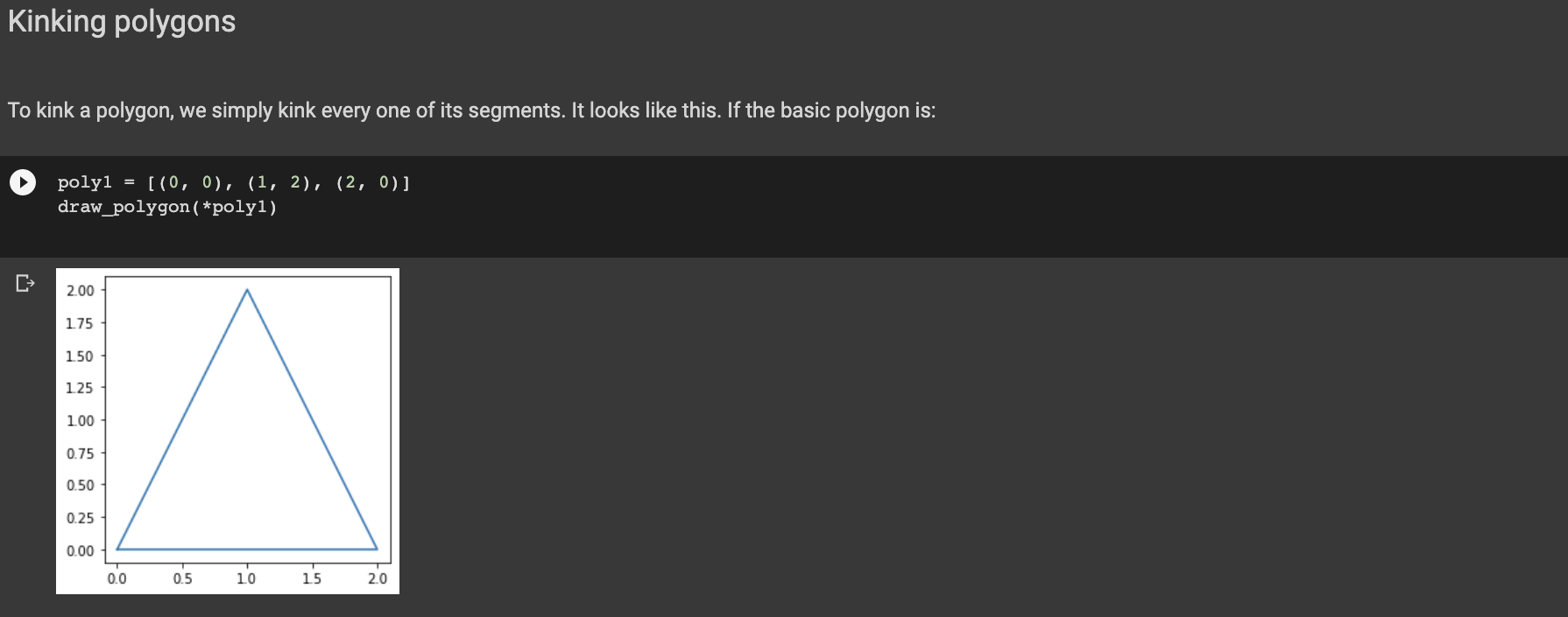
Question: Use matlab not turtle Kinking polygons To kink a polygon, we simply kink every one of its segments. It looks like this. If the basic

 Use matlab not turtle
Kinking polygons To kink a polygon, we simply kink every one of its segments. It looks like this. If the basic polygon is: poly1 = [(0, 0), (1, 2), (2, 0)) draw_polygon ( *polyl) 2.00 175 150 1.25 1.00 0.75 0.50 0.25 0.00 0.0 0.5 10 15 2.0 Then its kinked version has to look like this: 2.0 15 10 0.5 0.0 -0.5 0.0 0.5 10 1.5 2.0 Write below the kinked polygon function. [28] [] # You can use this space to debug your code. # YOUR CODE HERE Let us check that the solution works as intended. poly1 = [(0, 0), (1, 2), (2, 0)) poly2 = kink_polygon (polyi) draw_polygon ( *poly2) We can kink it one more time! poly3 = kink_polygon ( *poly2) draw_polygon ( *poly3)
Step by Step Solution
There are 3 Steps involved in it

Get step-by-step solutions from verified subject matter experts
 Study Help