







Question: use matlab or octave to code. do not use if statements, while or for loops, input statements, fprintf, or disp. only use functions and vectors
use matlab or octave to code. do not use if statements, while or for loops, input statements, fprintf, or disp. only use functions and vectors
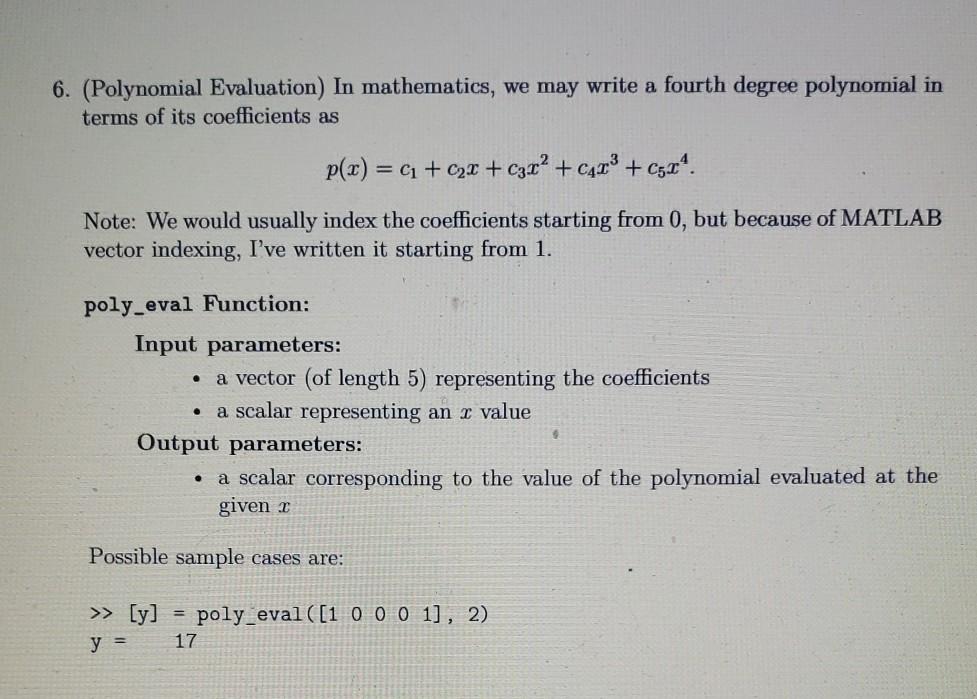
6. (Polynomial Evaluation) In mathematics, we may write a fourth degree polynomial in terms of its coefficients as p(x) = (1 + 2x + Car? + CAT? + C524. Note: We would usually index the coefficients starting from 0, but because of MATLAB vector indexing, I've written it starting from 1. poly_eval Function: . . Input parameters: a vector (of length 5) representing the coefficients a scalar representing an x value Output parameters: a scalar corresponding to the value of the polynomial evaluated at the given - Possible sample cases are: >> [y] y = = poly_eval([1 0 0 0 1], 2) 17
Step by Step Solution
There are 3 Steps involved in it

Get step-by-step solutions from verified subject matter experts
 Study Help