







Question: Use matlab to solve %2)defining constants h = 1.5 ; g = 9.8; v = 4; theta = 45; %3)generating 1000 linearly spaced values between
Use matlab to solve
%2)defining constants h = 1.5 ; g = 9.8; v = 4; theta = 45; %3)generating 1000 linearly spaced values between 0 and 1 t = linspace(0, 1, 1000);
% 4) solving x and y x = v * cos((theta * pi) / 180) * t; y = h + v .* sin((theta * pi) / 180) .* t - 0.5 .* g .* t .* t;
% 5) finding index when ball hits the ground [r c] = find(y
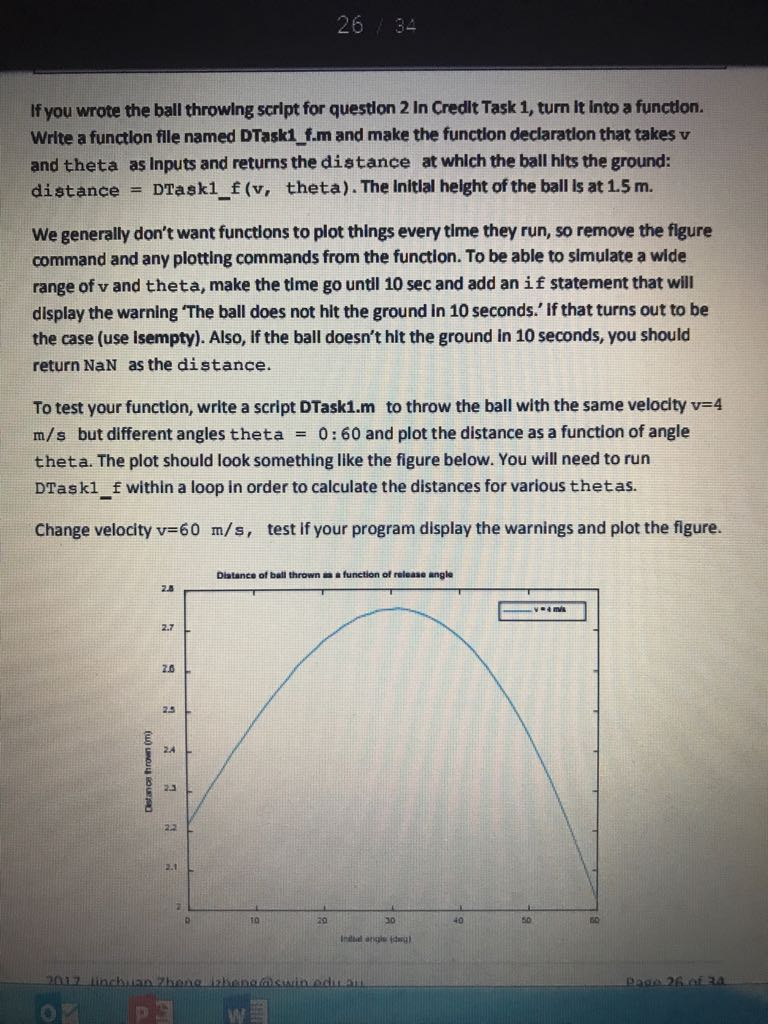
If you wrote the ball throwing script for question 2 In Credlt Task 1, turn it Into a functlon. Write a function flle named DTaski f.m and make the function declaration that takes v and theta as Inputs and returns the distance at which the ball hits the ground: distance= DTask-f(v, theta ) . The Initial helght of the ball ls at 1.5 m. We generally don't want functions to plot things every time they run, so remove the flgure command and any plotting commands from the function. To be able to simulate a wide range of v and theta, make the time go until 10 sec and add an i f statement that will display the warning 'The ball does not hit the ground in 10 seconds. If that turns out to be the case (use Isempty). Also, If the ball doesn't hit the ground in 10 seconds, you should return NaN as the distance. To test your function, write a script DTaski.m to throw the ball with the same velocity v-4 m/s but different angles theta = 0 : 60 and plot the distance as a function of angle theta. The plot should look something like the figure below. You will need to run DTaskl _f within a loop in order to calculate the distances for various thetas. Change velocity v-60 m/s, test if your program display the warnings and plot the figure. Diatanco of ball throwna a function of releaao angle 2.5 2.7 2.0 24 2.3 10 20 40 1 26 of
Step by Step Solution
There are 3 Steps involved in it

Get step-by-step solutions from verified subject matter experts
 Study Help