







Question: Use oracle database management to create tables: SUBMIT THE ASSIGNMENT IN A WORD DOCUMENT FORMAT 1. Use Oracle Database Management System Interface to create the
Use oracle database management to create tables:
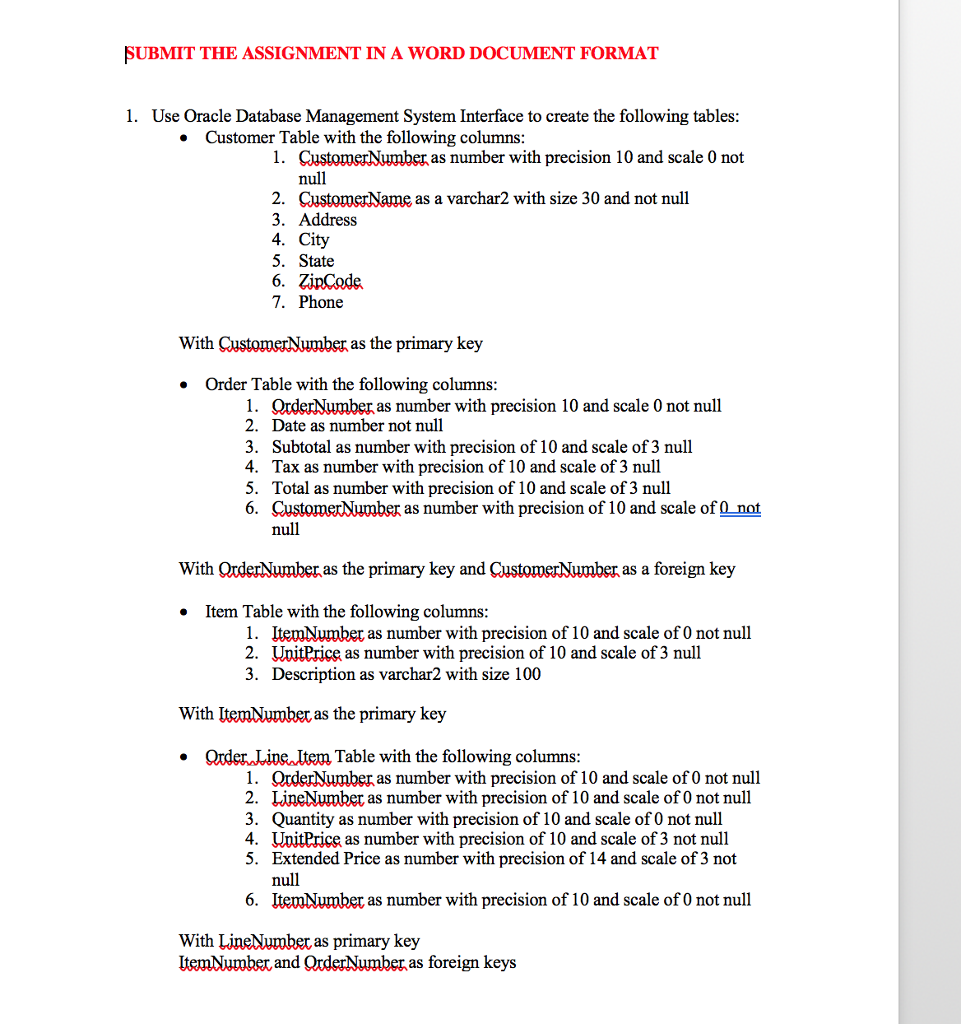
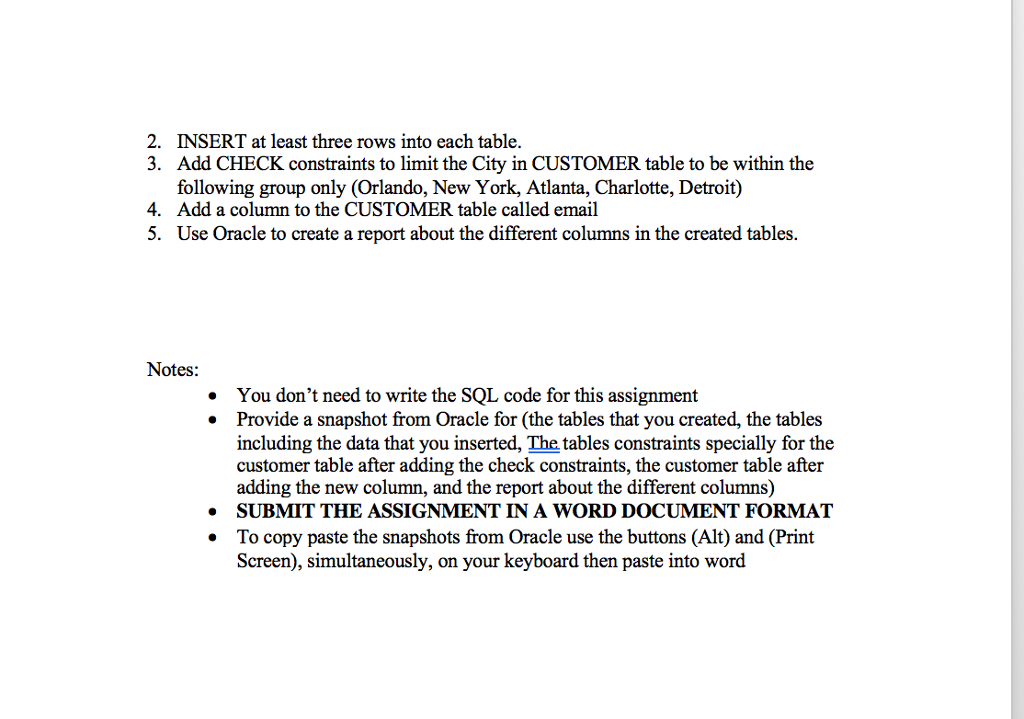
SUBMIT THE ASSIGNMENT IN A WORD DOCUMENT FORMAT 1. Use Oracle Database Management System Interface to create the following tables Customer Table with the following columns . 1. QustomerNumber as number with precision 10 and scale 0 not null 2. CustomerName as a varchar2 with size 30 and not null 3. Address 4. City 5. State 6. ZipCode 7. Phone With as the primary key Order Table with the following columns 1. QrderNumber as number with precision 10 and scale 0 not null 2. Date as number not null 3. Subtotal as number with precision of 10 and scale of 3 null 4. Tax as number with precision of 10 and scale of 3 null 5. Total as number with precision of 10 and scale of 3 null 6. QustomerNumber as number with precision of 10 and scale of 0 not null With QrderNumber as the primary key and CustomerNumber as a foreign key Item Table with the following columns . 1. ItemNumber as number with precision of 10 and scale of 0 not null 2. UxitPrice as number with precision of 10 and scale of 3 null 3. Description as varchar2 with size 100 With ItemNumber as the primary key . OrderLine ltem Table with the following columns 1. QrderNumber as number with precision of 10 and scale of 0 not null 2. LineNumber as number with precision of 10 and scale of 0 not null 3. Quantity as number with precision of 10 and scale of 0 not null 4. UvitPrice as number with precision of 10 and scale of 3 not null 5. Extended Price as number with precision of 14 and scale of 3 not null LtemNumber as number with precision of 10 and scale of 0 not null 6. With LineNumber as primary key ltemNumber and QrderNumber as foreign keys
Step by Step Solution
There are 3 Steps involved in it

Get step-by-step solutions from verified subject matter experts
 Study Help