







Question: Use Python 3 Write a program that takes a greyscale image and turns it into a black and white image. The program should ask the
Use Python 3
Write a program that takes a greyscale image and turns it into a black and white image.
The program should ask the user to enter a filename, open this file, asks the user to enter a 'threshold value' (described below), perform the transformation and then save the black and white version of the image to the file 'output.png'.
To turn a greyscale image into a black and white image given a threshold value:
Each greyscale pixel with a colour value greater than or equal to the threshold value should be set to white (1) in the output image.
Each greyscale pixel with a colour value less than the threshold value should be set to should be set to black (0) in the output image.
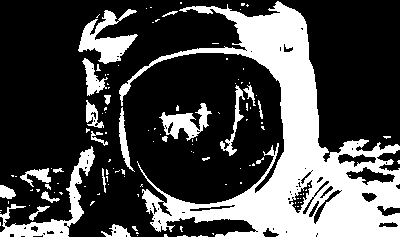
Here is an example of the effect your program should produce:
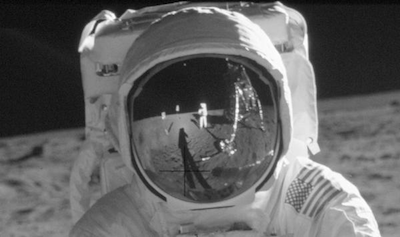
Enter a filename: astronaut.png Enter a threshold: 127
Step by Step Solution
There are 3 Steps involved in it

Get step-by-step solutions from verified subject matter experts
 Study Help