







Question: Use python 3 Write a program to apply a 'negative' filter on a greyscale image. The program should ask the user to enter a filename,
Use python 3
Write a program to apply a 'negative' filter on a greyscale image. The program should ask the user to enter a filename, open this file, perform the transformation (as described below) and then save the negative version of the image to the file 'output.png'.
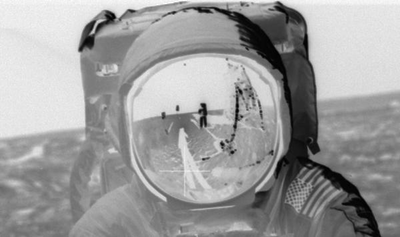
To perform the negative effect, set each pixel in the output image to the opposite colour value than the corresponding pixel in the input image. For example, a colour value of 0 would become 255, 1 would become 254, 253 would become 2, and so on.
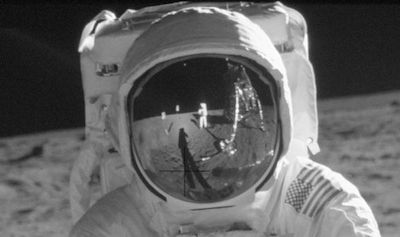
Here is an example of the effect your program should produce:
Enter a filename: astronaut.png
Step by Step Solution
There are 3 Steps involved in it
1 Expert Approved Answer
Step: 1 Unlock

Question Has Been Solved by an Expert!
Get step-by-step solutions from verified subject matter experts
Step: 2 Unlock
Step: 3 Unlock
 Study Help