







Question: Use python to solve these tasks, thank you. Task 3a: Tables We now know how to read a file and print out each line (task
 Use python to solve these tasks, thank you.
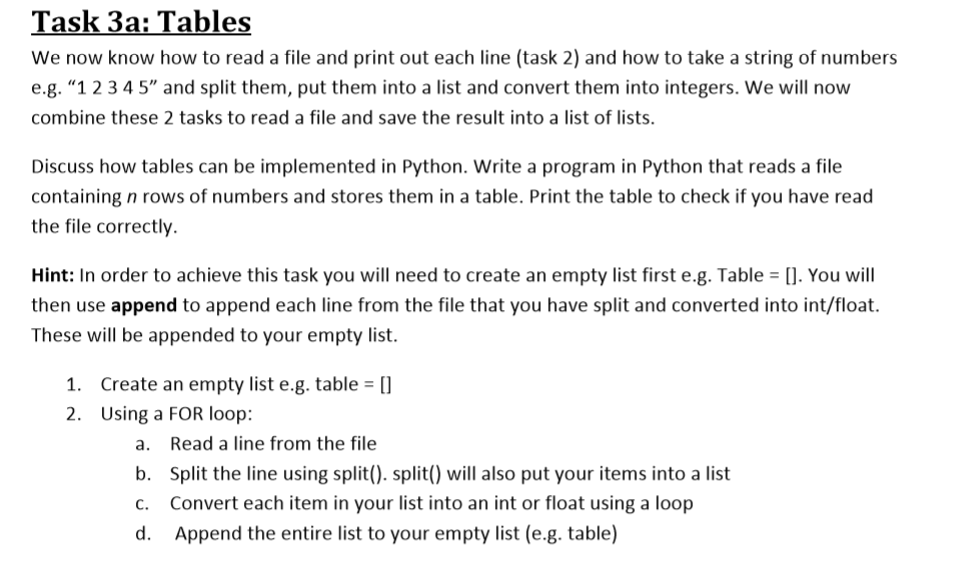
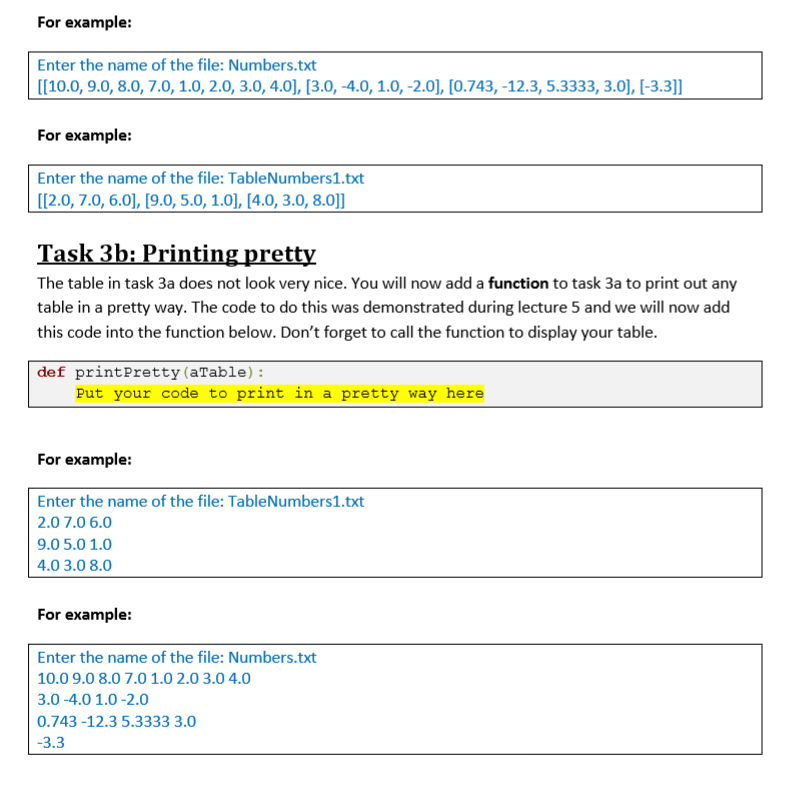
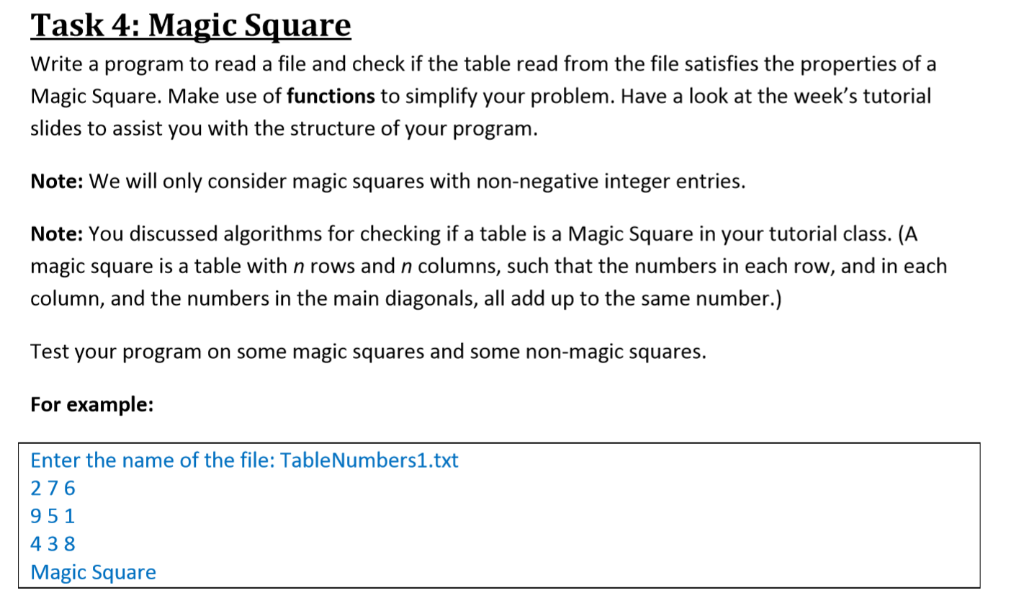
Task 3a: Tables We now know how to read a file and print out each line (task 2) and how to take a string of numbers e.g. "1234 5" and split them, put them into a list and convert them into integers. We will now combine these 2 tasks to read a file and save the result into a list of lists. Discuss how tables can be implemented in Python. Write a program in Python that reads a file containing n rows of numbers and stores them in a table. Print the table to check if you have read the file correctly Hint: In order to achieve this task you will need to create an empty list first e.g. Table . You will then use append to append each line from the file that you have split and converted into int/float. These will be appended to your empty list. 1. Create an empty list e.g. table 0 2. Using a FOR loop: a. Read a line from the file b. Split the line using split(). spwll also put your items into a list c. Convert each item in your list into an int or float using a loop d. Append the entire list to your empty list (e.g. table) For example: Enter the name of the file: Numbers.txt [10.0, 9.0, 8.0,7.0,1.0,2.0,3.0,4.0], [3.0,-4.0,1.0,-2.0], [0.743,-12.3, 5.3333,3.0], I-3.3] For example: Enter the name of the file: TableNumbers1.txt 112.0, 7.0,6.0), 19.0, 5.0, 1.01, [4.0, 3.0, 8.0]] Task 3b: Printing pretty The table in task 3a does not look very nice. You will now add a function to task 3a to print out any table in a pretty way. The code to do this was demonstrated during lecture 5 and we will now add this code into the function below. Don't forget to call the function to display your table. def printPretty (aTable) Put your code to print in a pretty way here For example: Enter the name of the file: TableNumbers1.txt 2.0 7.0 6.0 9.05.0 1.0 4.0 3.0 8.0 For example: Enter the name of the file: Numbers.txt 10.09.0 8.0 7.01.0 2.0 3.0 4.0 3.0-4.01.0-2.0 0.743-12.3 5.3333 3.0 -3.3 Task 4: Magic Square Write a program to read a file and check if the table read from the file satisfies the properties of a Magic Square. Make use of functions to simplify your problem. Have a look at the week's tutorial slides to assist you with the structure of your program. Note: We will only consider magic squares with non-negative integer entries. Note: You discussed algorithms for checking if a table is a Magic Square in your tutorial class. (A magic square is a table with n rows and n columns, such that the numbers in each row, and in each column, and the numbers in the main diagonals, all add up to the same number.) Test your program on some magic squares and some non-magic squares. For example: Enter the name of the file: TableNumbers1.txt 276 951 438 Magic Square
Step by Step Solution
There are 3 Steps involved in it

Get step-by-step solutions from verified subject matter experts
 Study Help