







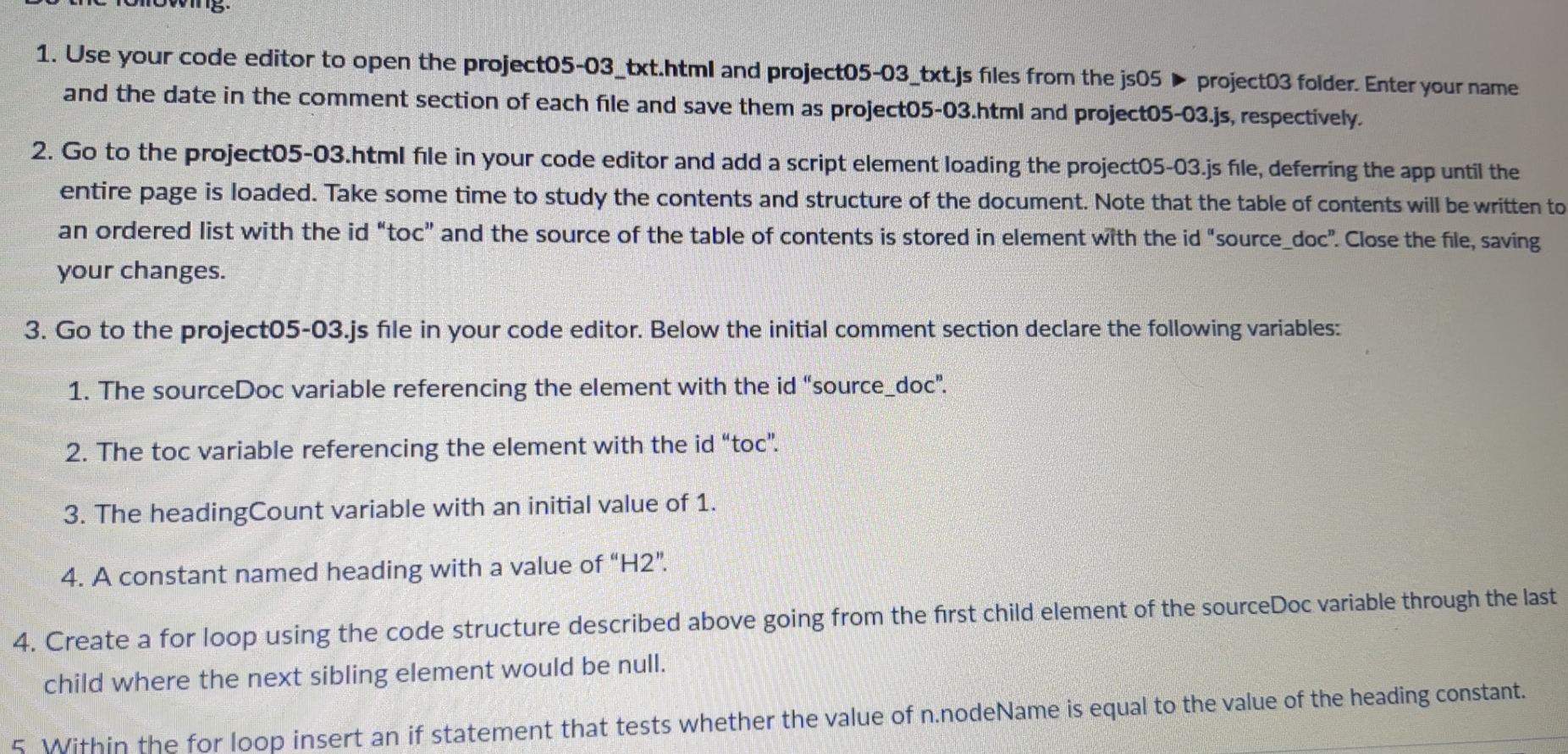
Question: Use your code editor to open the project 0 5 - 0 3 _ txt . html and project 0 5 - 0 3 _
Use your code editor to open the projecttxthtml and projecttxtjs files from the js project folder. Enter your name and the date in the comment section of each file and save them as projecthtml and projectjs respectively.
Go to the projecthtml file in your code editor and add a script element loading the projectjs file, deferring the app until the entire page is loaded. Take some time to study the contents and structure of the document. Note that the table of contents will be written to an ordered list with the id "toc" and the source of the table of contents is stored in element with the id "sourcedoc". Close the file, saving your changes.
Go to the projectjs file in your code editor. Below the initial comment section declare the following variables:
The sourceDoc variable referencing the element with the id "sourcedoc".
The toc variable referencing the element with the id "toc".
The headingCount variable with an initial value of
A constant named heading with a value of H
Create a for loop using the code structure described above going from the first child element of the sourceDoc variable through the last child where the next sibling element would be null.
Step by Step Solution
There are 3 Steps involved in it
1 Expert Approved Answer
Step: 1 Unlock

Question Has Been Solved by an Expert!
Get step-by-step solutions from verified subject matter experts
Step: 2 Unlock
Step: 3 Unlock
 Study Help