



Question: Using a table similar to that shown in Figure 3.6, show the steps of multiplying unsigned 6-bit integers 51 and 19 using the hardware described
Using a table similar to that shown in Figure 3.6, show the steps of multiplying unsigned 6-bit integers 51 and 19 using the hardware described in Figure 3.5. Here the multiplicand register should be 6 bits and the product register should be 12 bits. Since the multiplier is represented as a part of the product, your table should include the following columns only: Iteration, Step, Multiplicand (6 bits), and Product (12 bits).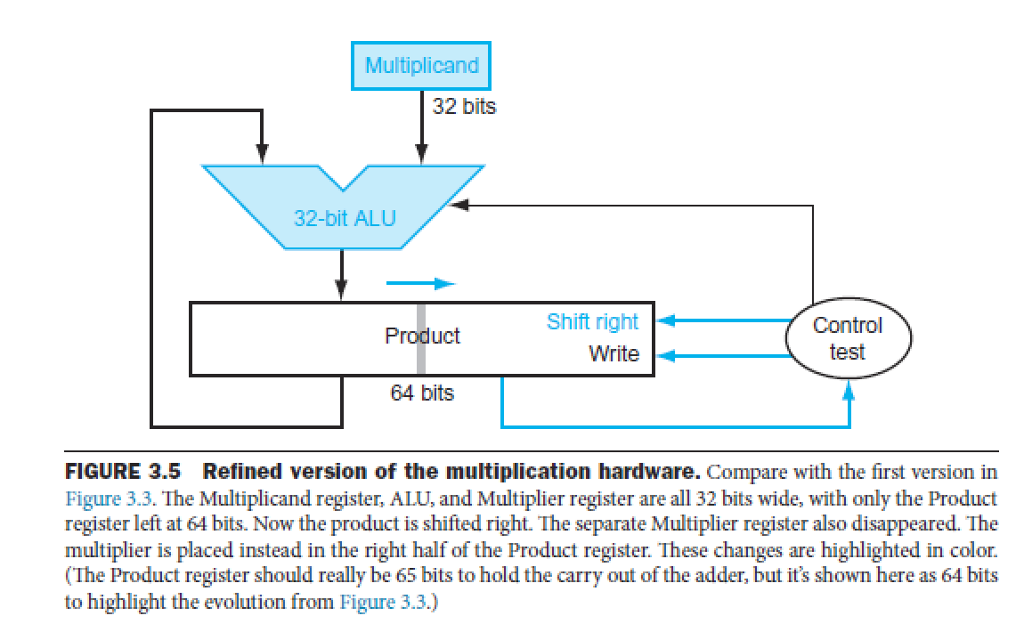
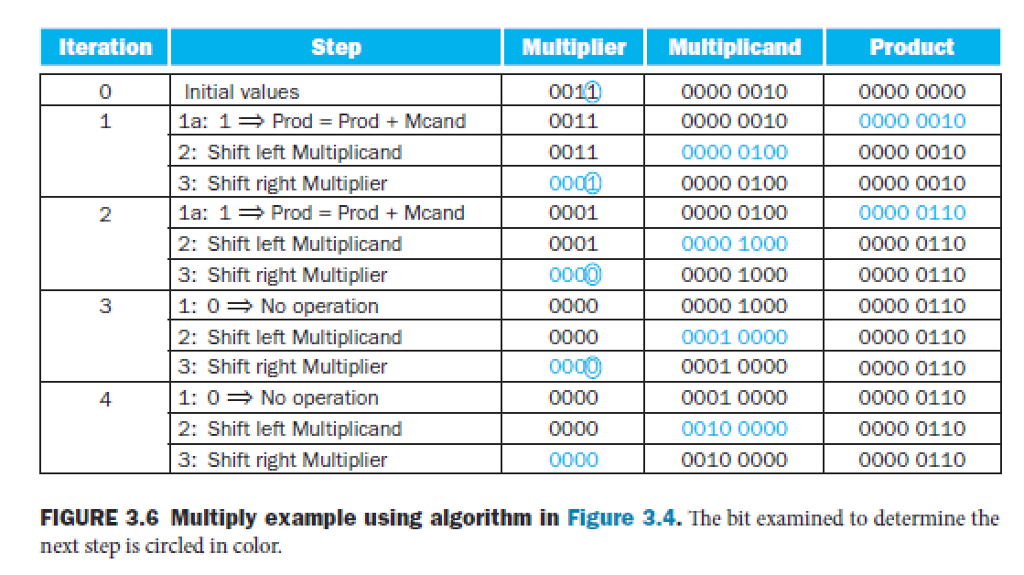
Multiplicand 32 bits 32-bit ALU Shift righl Writetest 64 bits FIGURE 3.5 Refined version of the multiplication hardware. Compare with the first version in Figure 3.3. The Multiplicand register, ALU, and Multiplier register are all 32 bits wide, with only the Product register left at 64 bits. Now the product is shifted right. The separate Multiplier register also disappeared. The multiplier is placed instead in the right half of the Product register. These changes are highlighted in color. (The Product register should really be 65 bits to hold the carry out of the adder, but it's shown here as 64 bits to highlight the evolution from Figure 3.3.) Multiplicand 32 bits 32-bit ALU Shift righl Writetest 64 bits FIGURE 3.5 Refined version of the multiplication hardware. Compare with the first version in Figure 3.3. The Multiplicand register, ALU, and Multiplier register are all 32 bits wide, with only the Product register left at 64 bits. Now the product is shifted right. The separate Multiplier register also disappeared. The multiplier is placed instead in the right half of the Product register. These changes are highlighted in color. (The Product register should really be 65 bits to hold the carry out of the adder, but it's shown here as 64 bits to highlight the evolution from Figure 3.3.)
Step by Step Solution
There are 3 Steps involved in it

Get step-by-step solutions from verified subject matter experts