







Question: Using android studio and Kotlin or java ( Please show steps and code and if java or Kotlin was picked ) build an offline -
Using android studio and Kotlin or java Please show steps and code and if java or Kotlin was pickedbuild an offlinefriendly Android app that allows a user to track a health aspect of their life and view and scroll through their past entries. To do this, store data without the internet with a local database and load and display it in a scrollable list in your app.
For this project, you will choose one or more specific metrics to track:
Nutrition Calories
Exercise Sessions
Moods
Menstrual Cycles
Habits
Hormone Treatments
Diary Entries
Sleep
Waterdrink consumption
Etc
GOALS:
Create a local SQLite database using the Room library
Define your data to save using Room entities
Create your own functions to interact with your database using Room DAOs
Update a RecyclerView with data from a database
Required Features:
At least one health metric is tracked based on user input
There is a "create entry" UI that prompts users to make their daily entry
New entries are saved in a database and then updated in the RecyclerView
On application restart, previously entered entries are preserved ie are persistent
Create a UI for tracking averages and trends in metrics
Improve and customize the user interface through styling and coloring
Make sure you're wrapping all DB operations in a Coroutine with the IO Dispatcher lifecycleScopelaunchIO
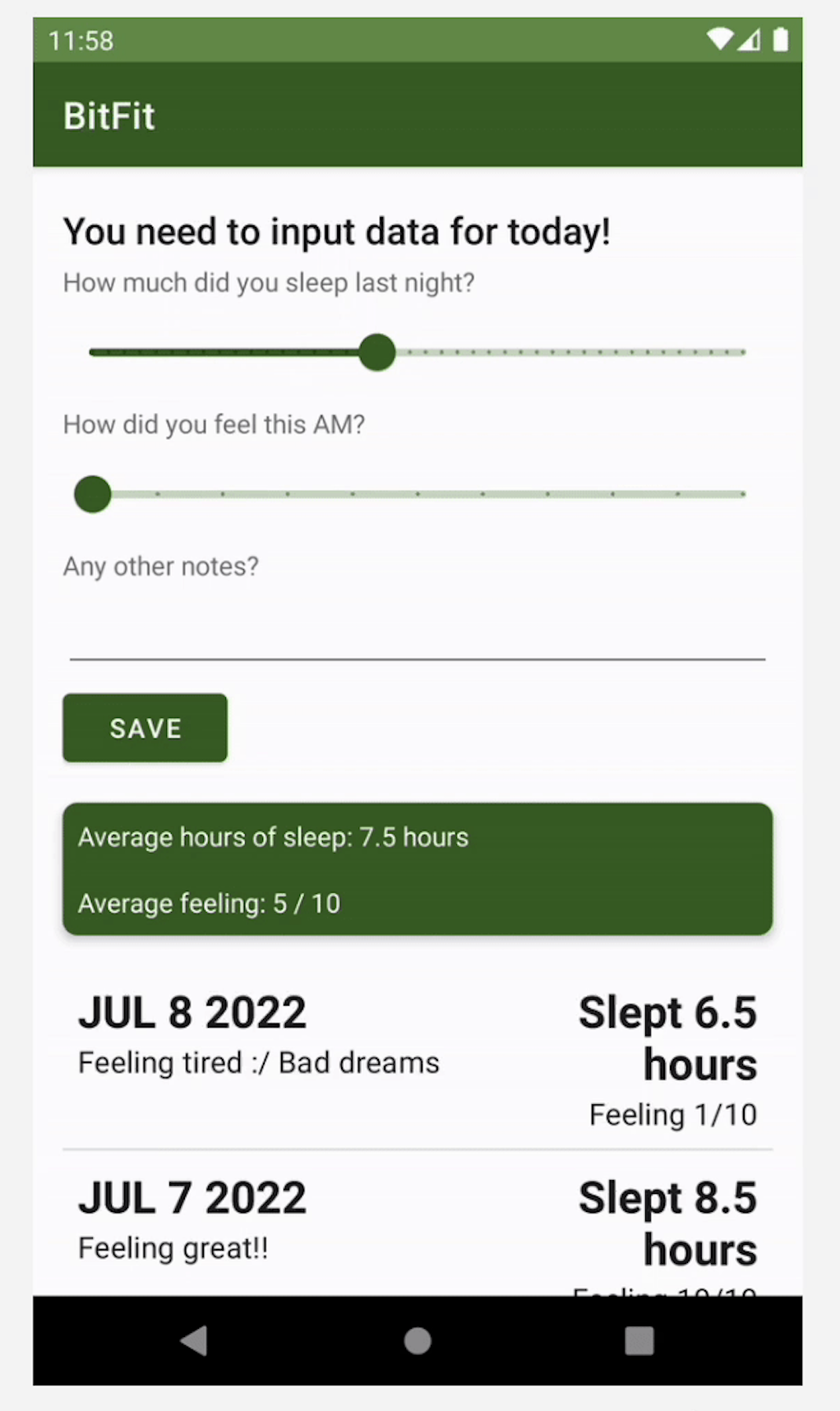
You need to input data for today!
How much did you sleep last night?
How did you feel this AM
Any other notes?
Average hours of sleep: hours
Average feeling:
JUL
Feeling tired Bad dreams
Slept
hours
Feeling
JUL
Feeling great!!
Slept
hours
BitFit
You need to input data for today!
How much did you sleep last night?
How did you feel this AM
Any other notes?
Slept so well!
BitFit
You need to input data for today!
How much did you sleep last night?
How did you feel this AM
Any other notes?
Slept so well!
b
BitFit
Step by Step Solution
There are 3 Steps involved in it
1 Expert Approved Answer
Step: 1 Unlock

Question Has Been Solved by an Expert!
Get step-by-step solutions from verified subject matter experts
Step: 2 Unlock
Step: 3 Unlock
 Study Help