







Question: Using C programming to write a code for Mp lab x for an infinite light sequence that goes from back to fourth in a pair
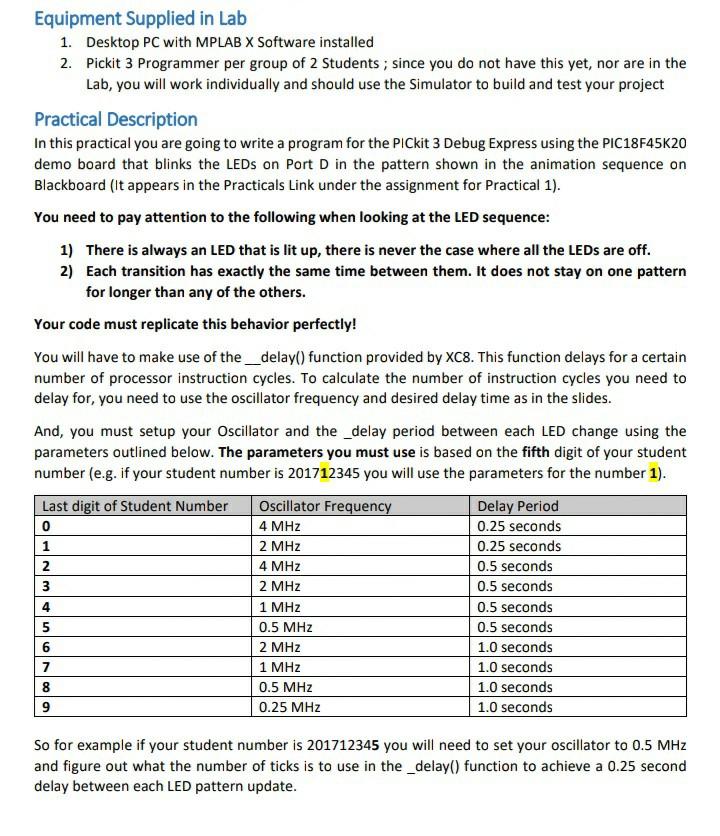
Using C programming to write a code for Mp lab x for an infinite light sequence that goes from back to fourth in a pair of lights
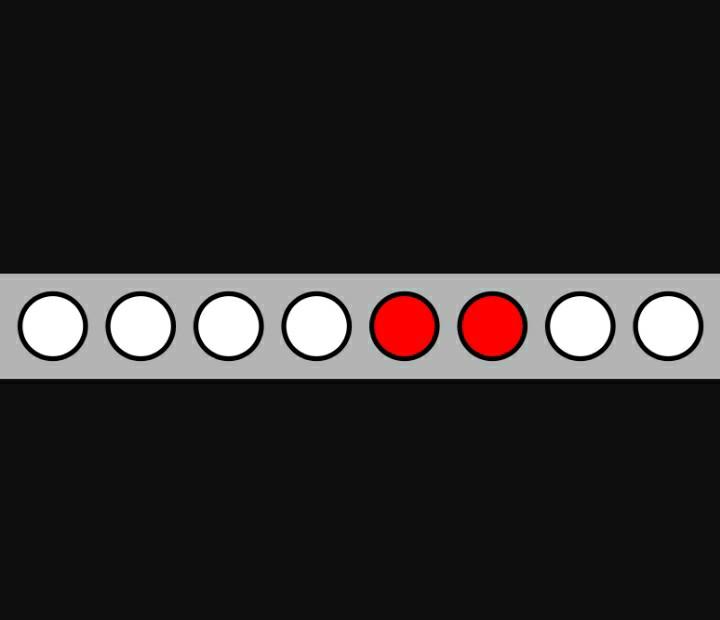
with oscillator frequency of 0.25 Mhz and _delay() function of 0.25 seconds
Equipment Supplied in Lab 1. Desktop PC with MPLAB X Software installed 2. Pickit 3 Programmer per group of 2 Students; since you do not have this yet, nor are in the Lab, you will work individually and should use the Simulator to build and test your project Practical Description In this practical you are going to write a program for the PICkit 3 Debug Express using the PIC18F45K20 demo board that blinks the LEDs on Port D in the pattern shown in the animation sequence on Blackboard (It appears in the Practicals Link under the assignment for practical 1). You need to pay attention to the following when looking at the LED sequence: 1) There is always an LED that is lit up, there is never the case where all the LEDs are off. 2) Each transition has exactly the same time between them. It does not stay on one pattern for longer than any of the others. Your code must replicate this behavior perfectly! You will have to make use of the_delay() function provided by XC8. This function delays for a certain number of processor instruction cycles. To calculate the number of instruction cycles you need to delay for, you need to use the oscillator frequency and desired delay time as in the slides. And, you must setup your Oscillator and the _delay period between each LED change using the parameters outlined below. The parameters you must use is based on the fifth digit of your student number (e.g. if your student number is 201712345 you will use the parameters for the number 1). Last digit of Student Number Oscillator Frequency Delay Period 0 4 MHz 0.25 seconds 1 2 MHz 0.25 seconds 4 MHZ 0.5 seconds 3 2 MHz 0.5 seconds 1 MHZ 0.5 seconds 5 0.5 MHz 0.5 seconds 6 2 MHz 1.0 seconds 7 1 MHz 1.0 seconds 0.5 MHz 1.0 seconds 9 0.25 MHz 1.0 seconds 2 4 8 So for example if your student number is 201712345 you will need to set your oscillator to 0.5 MHz and figure out what the number of ticks is to use in the _delay() function to achieve a 0.25 second delay between each LED pattern update. Equipment Supplied in Lab 1. Desktop PC with MPLAB X Software installed 2. Pickit 3 Programmer per group of 2 Students; since you do not have this yet, nor are in the Lab, you will work individually and should use the Simulator to build and test your project Practical Description In this practical you are going to write a program for the PICkit 3 Debug Express using the PIC18F45K20 demo board that blinks the LEDs on Port D in the pattern shown in the animation sequence on Blackboard (It appears in the Practicals Link under the assignment for practical 1). You need to pay attention to the following when looking at the LED sequence: 1) There is always an LED that is lit up, there is never the case where all the LEDs are off. 2) Each transition has exactly the same time between them. It does not stay on one pattern for longer than any of the others. Your code must replicate this behavior perfectly! You will have to make use of the_delay() function provided by XC8. This function delays for a certain number of processor instruction cycles. To calculate the number of instruction cycles you need to delay for, you need to use the oscillator frequency and desired delay time as in the slides. And, you must setup your Oscillator and the _delay period between each LED change using the parameters outlined below. The parameters you must use is based on the fifth digit of your student number (e.g. if your student number is 201712345 you will use the parameters for the number 1). Last digit of Student Number Oscillator Frequency Delay Period 0 4 MHz 0.25 seconds 1 2 MHz 0.25 seconds 4 MHZ 0.5 seconds 3 2 MHz 0.5 seconds 1 MHZ 0.5 seconds 5 0.5 MHz 0.5 seconds 6 2 MHz 1.0 seconds 7 1 MHz 1.0 seconds 0.5 MHz 1.0 seconds 9 0.25 MHz 1.0 seconds 2 4 8 So for example if your student number is 201712345 you will need to set your oscillator to 0.5 MHz and figure out what the number of ticks is to use in the _delay() function to achieve a 0.25 second delay between each LED pattern update
Step by Step Solution
There are 3 Steps involved in it

Get step-by-step solutions from verified subject matter experts
 Study Help