







Question: using c++ Write a C++ program to solve the following problem: prompt the user to enter the area A of a circle C, then compute
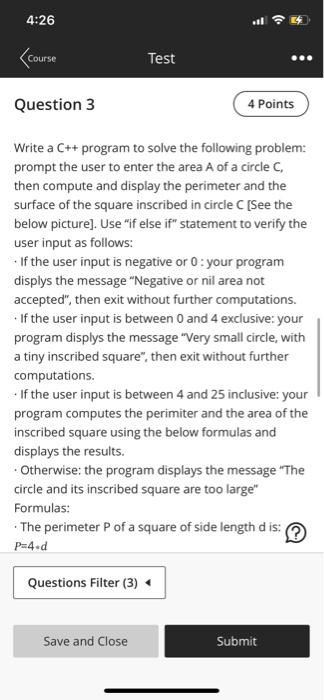
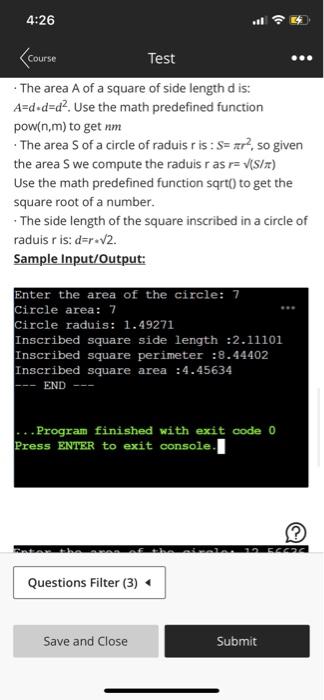
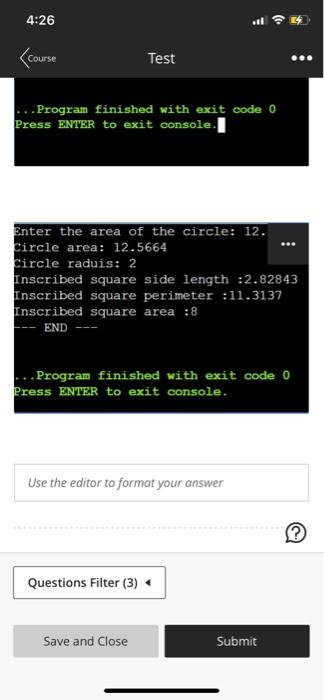
Write a C++ program to solve the following problem: prompt the user to enter the area A of a circle C, then compute and display the perimeter and the surface of the square inscribed in circle C [See the below picture]. Use "if else if" statement to verify the user input as follows: - If the user input is negative or 0 : your program displys the message "Negative or nil area not accepted", then exit without further computations. - If the user input is between 0 and 4 exclusive: your program displys the message "Very small circle, with a tiny inscribed square", then exit without further computations. - If the user input is between 4 and 25 inclusive: your program computes the perimiter and the area of the inscribed square using the below formulas and displays the results. - Otherwise: the program displays the message "The circle and its inscribed square are too large" Formulas: - The perimeter P of a square of side length d is: P=4d - The area A of a square of side length d is: A=dd=d2. Use the math predefined function pow(n,m) to get nm - The area S of a circle of raduis r is : S=r2, so given the area S we compute the raduis r as r=(S/) Use the math predefined function sqrt() to get the square root of a number. - The side length of the square inscribed in a circle of raduis r is: d=r2. Sample Input/Output: Enter the area of the circle: 7 Circle area: 7 Circle raduis: 1.49271 Inscribed square side length :2.11101 Inscribed square perimeter :8.44402 Inscribed square area :4.45634 -- END --- ...Program finished with exit code 0 Press BNTER to exit console. Enter the area of the circle: 12. Circle area: 12.5664 Circle raduis: 2 Inscribed square side length :2.82843 Inscribed square perimeter :11.3137 Inscribed square area : 8 END -- Press ENTER to exit console
Step by Step Solution
There are 3 Steps involved in it

Get step-by-step solutions from verified subject matter experts
 Study Help