







Question: using cisco packet tracer Part 1 Build the Network and Configure Basic Device Settings: 1. Cable the network as shown in the topology. 2. Initialize
using cisco packet tracer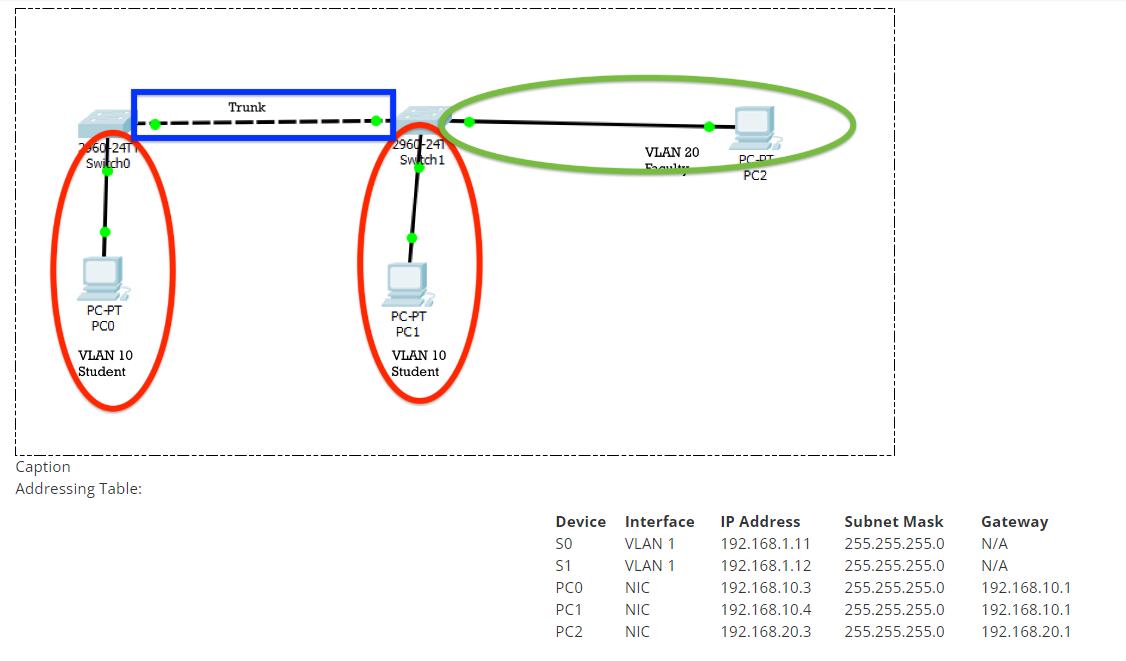
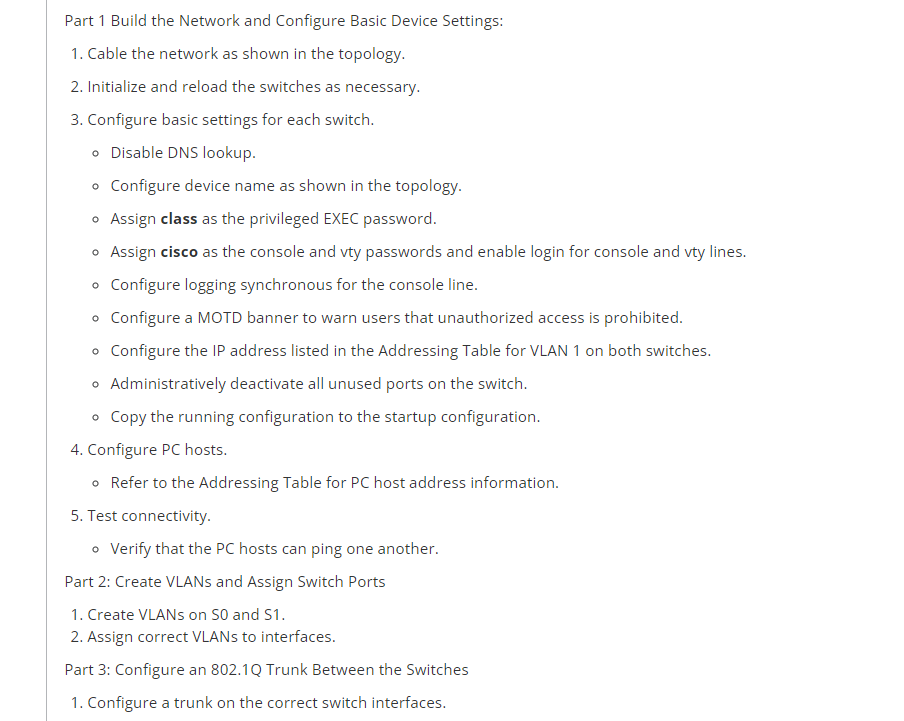
Part 1 Build the Network and Configure Basic Device Settings: 1. Cable the network as shown in the topology. 2. Initialize and reload the switches as necessary. 3. Configure basic settings for each switch. - Disable DNS lookup. - Configure device name as shown in the topology. - Assign class as the privileged EXEC password. - Assign cisco as the console and vty passwords and enable login for console and vty lines. - Configure logging synchronous for the console line. - Configure a MOTD banner to warn users that unauthorized access is prohibited. - Configure the IP address listed in the Addressing Table for VLAN 1 on both switches. - Administratively deactivate all unused ports on the switch. - Copy the running configuration to the startup configuration. 4. Configure PC hosts. - Refer to the Addressing Table for PC host address information. 5. Test connectivity. - Verify that the PC hosts can ping one another. Part 2: Create VLANs and Assign Switch Ports 1. Create VLANs on S0 and S1. 2. Assign correct VLANs to interfaces. Part 3: Configure an 802.1Q Trunk Between the Switches 1. Configure a trunk on the correct switch interfaces
Step by Step Solution
There are 3 Steps involved in it

Get step-by-step solutions from verified subject matter experts
 Study Help