







Question: USING HTML Part 1. Build a form has the following text fields which must be filled out by the user: Customer name: should starts with
USING HTML
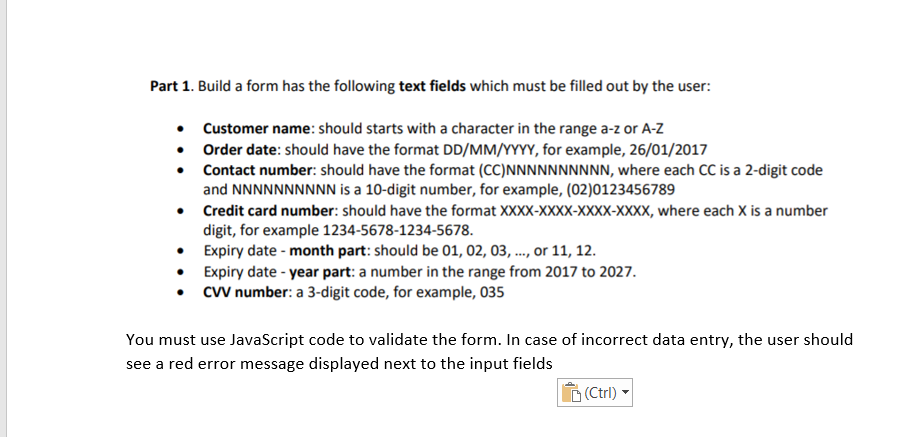
Part 1. Build a form has the following text fields which must be filled out by the user: Customer name: should starts with a character in the range a-z or A-Z Order date: should have the format DD/MM/YYYY, for example, 26/01/2017 Contact number: should have the format (CC)NNNNNNNNNN, where each CC is a 2-digit code and NNNNNNNNNN is a 10-digit number, for example, (02)0123456789 Credit card number: should have the format XXXX-XXXX-XXXX-XXXX, where each X is a number digit, for example 1234-5678-1234-5678. Expiry date-month part: should be 01, 02, 03, ..., or 11, 12. Expiry date - year part: a number in the range from 2017 to 2027. CW number: a 3-digit code, for example, 035 You must use JavaScript code to validate the form. In case of incorrect data entry, the user should see a red error message displayed next to the input fields (Ctrl)
Step by Step Solution
There are 3 Steps involved in it

Get step-by-step solutions from verified subject matter experts
 Study Help