







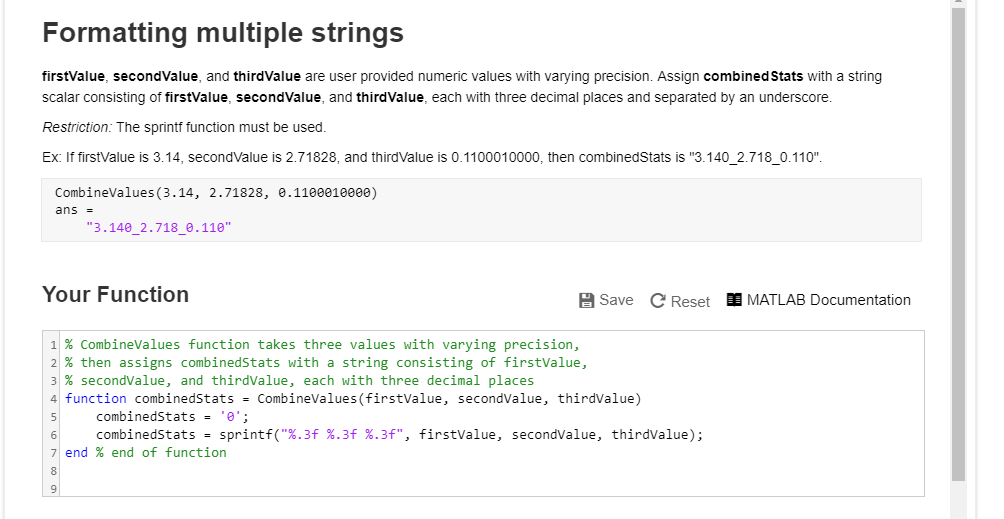
Question: Using Mathlab Formatting multiple strings firstValue, secondValue, and thirdValue are user provided numeric values with varying precision. Assign combined Stats with a string scalar consisting
Using Mathlab
Formatting multiple strings firstValue, secondValue, and thirdValue are user provided numeric values with varying precision. Assign combined Stats with a string scalar consisting of firstValue, secondValue, and thirdValue, each with three decimal places and separated by an underscore. Restriction: The sprintf function must be used. Ex If firstValue is 3.14, secondValue is 2.71828, and thirdValue is 0.1100010000, then combinedStats is "3.140 2.718_0.110" CombineValues (3.14, 2.71828, .1100e1e000) ans 3.140_2.718 .110" Your Function B Save C Reset MATLAB Documentation 1% combinevalues function takes three values with varying precision, 2% then assigns combinedStats with a string consisting of firstvalue, 3 % secondValue, and thirdvalue, each with three decimal places 4 function combinedstats - CombineValues(firstValue, secondValue, thirdValue) combinedStats -' combinedStats- sprintf("%.3f%.3f %.3f", firstvalue, secondValue, thirdvalue); end % end of function
Step by Step Solution
There are 3 Steps involved in it

Get step-by-step solutions from verified subject matter experts
 Study Help