







Question: Using Matlab Create a MATLAB script that imports the Rain.csv array and displays the monthly rainfall totals for 1994 in a bar plot. Include a
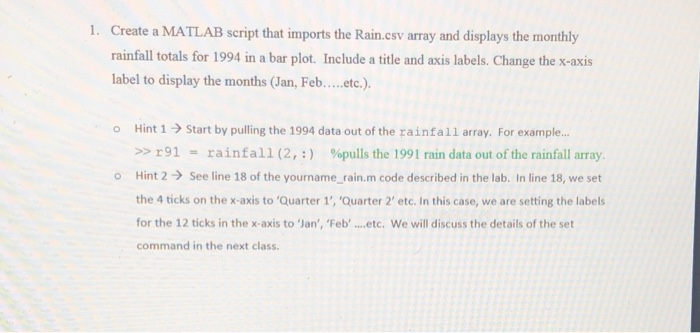
Create a MATLAB script that imports the Rain.csv array and displays the monthly rainfall totals for 1994 in a bar plot. Include a title and axis labels. Change the x-axis label to display the months (lan, Feb....etc.) 1. o Hint 1 Start by pulling the 1994 data out of the rainfall array. For example.. >> r91.. rainfall (2,:) %pulls the l991 rain data out of the rainfall array. Hint 2 See line 18 of the yourname-rain.m code described in the lab. In line 18, we set the 4 ticks on the x-axis to 'Quarter 1', 'Quarter 2' etc. In this case, we are setting the labels for the 12 ticks in the x-axis to 'Jan', 'Feb ...etc, We will discuss the details of the set command in the next class Create a MATLAB script that imports the Rain.csv array and displays the monthly rainfall totals for 1994 in a bar plot. Include a title and axis labels. Change the x-axis label to display the months (lan, Feb....etc.) 1. o Hint 1 Start by pulling the 1994 data out of the rainfall array. For example.. >> r91.. rainfall (2,:) %pulls the l991 rain data out of the rainfall array. Hint 2 See line 18 of the yourname-rain.m code described in the lab. In line 18, we set the 4 ticks on the x-axis to 'Quarter 1', 'Quarter 2' etc. In this case, we are setting the labels for the 12 ticks in the x-axis to 'Jan', 'Feb ...etc, We will discuss the details of the set command in the next class
Step by Step Solution
There are 3 Steps involved in it

Get step-by-step solutions from verified subject matter experts
 Study Help