







Question: Using Matlab .. I want to code this program 1. cellArea.m: Download the picture called cell.tif. Calculate the percent area covered by the cells. Your
Using Matlab .. I want to code this program
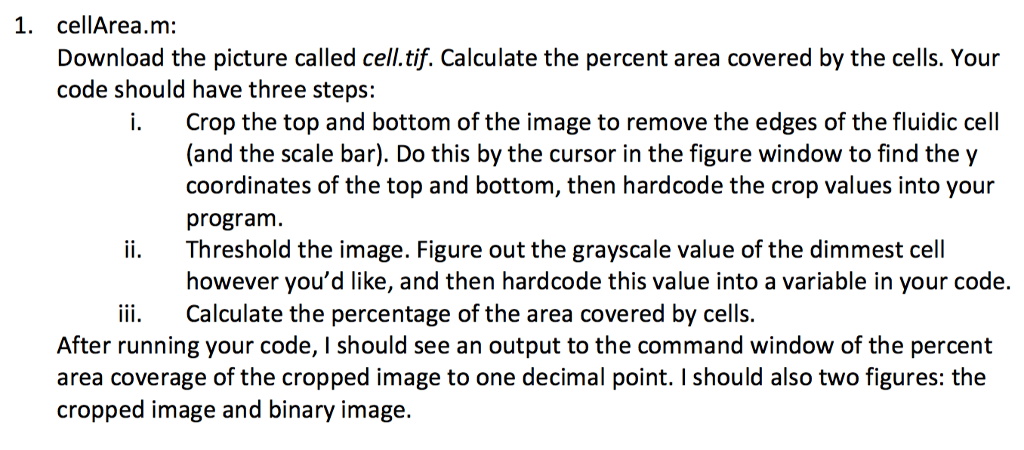
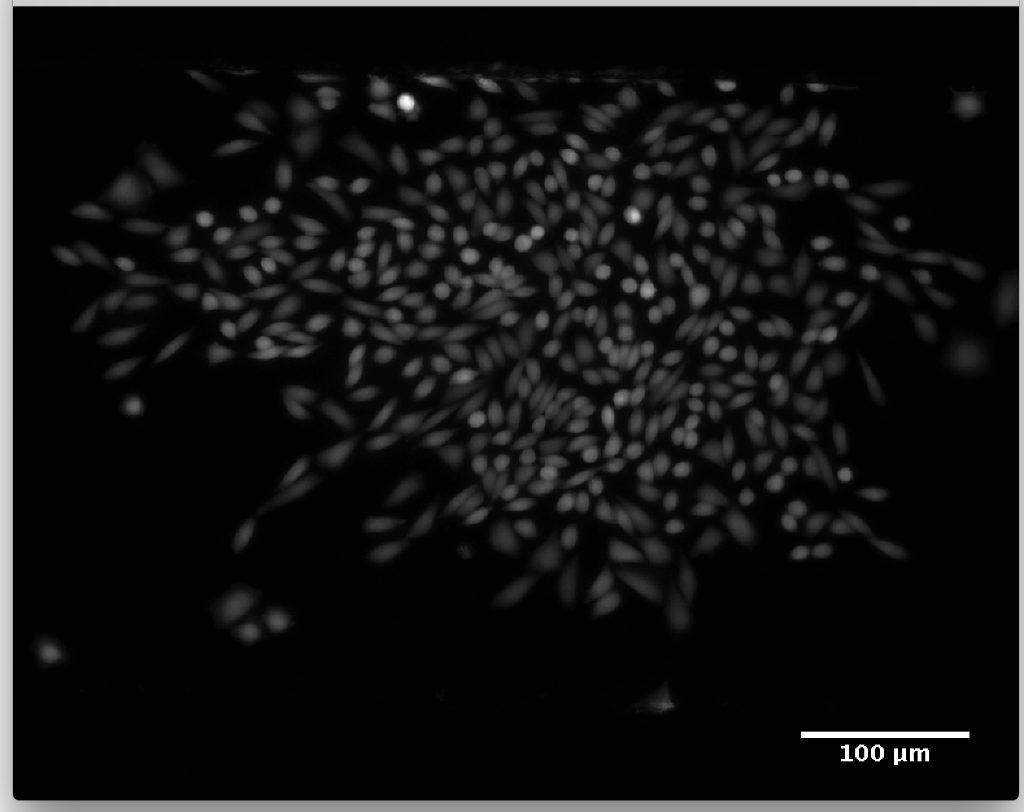
1. cellArea.m: Download the picture called cell.tif. Calculate the percent area covered by the cells. Your code should have three steps: i. Crop the top and bottom of the image to remove the edges of the fluidic cell (and the scale bar). Do this by the cursor in the figure window to find the y coordinates of the top and bottom, then hardcode the crop values into your program. ii. Threshold the image. Figure out the grayscale value of the dimmest cell however you'd like, and then hardcode this value into a variable in your code. ii Calculate the percentage of the area covered by cells. After running your code, I should see an output to the command window of the percent area coverage of the cropped image to one decimal point. I should also two figures: the cropped image and binary image. 1. cellArea.m: Download the picture called cell.tif. Calculate the percent area covered by the cells. Your code should have three steps: i. Crop the top and bottom of the image to remove the edges of the fluidic cell (and the scale bar). Do this by the cursor in the figure window to find the y coordinates of the top and bottom, then hardcode the crop values into your program. ii. Threshold the image. Figure out the grayscale value of the dimmest cell however you'd like, and then hardcode this value into a variable in your code. ii Calculate the percentage of the area covered by cells. After running your code, I should see an output to the command window of the percent area coverage of the cropped image to one decimal point. I should also two figures: the cropped image and binary image
Step by Step Solution
There are 3 Steps involved in it

Get step-by-step solutions from verified subject matter experts
 Study Help