







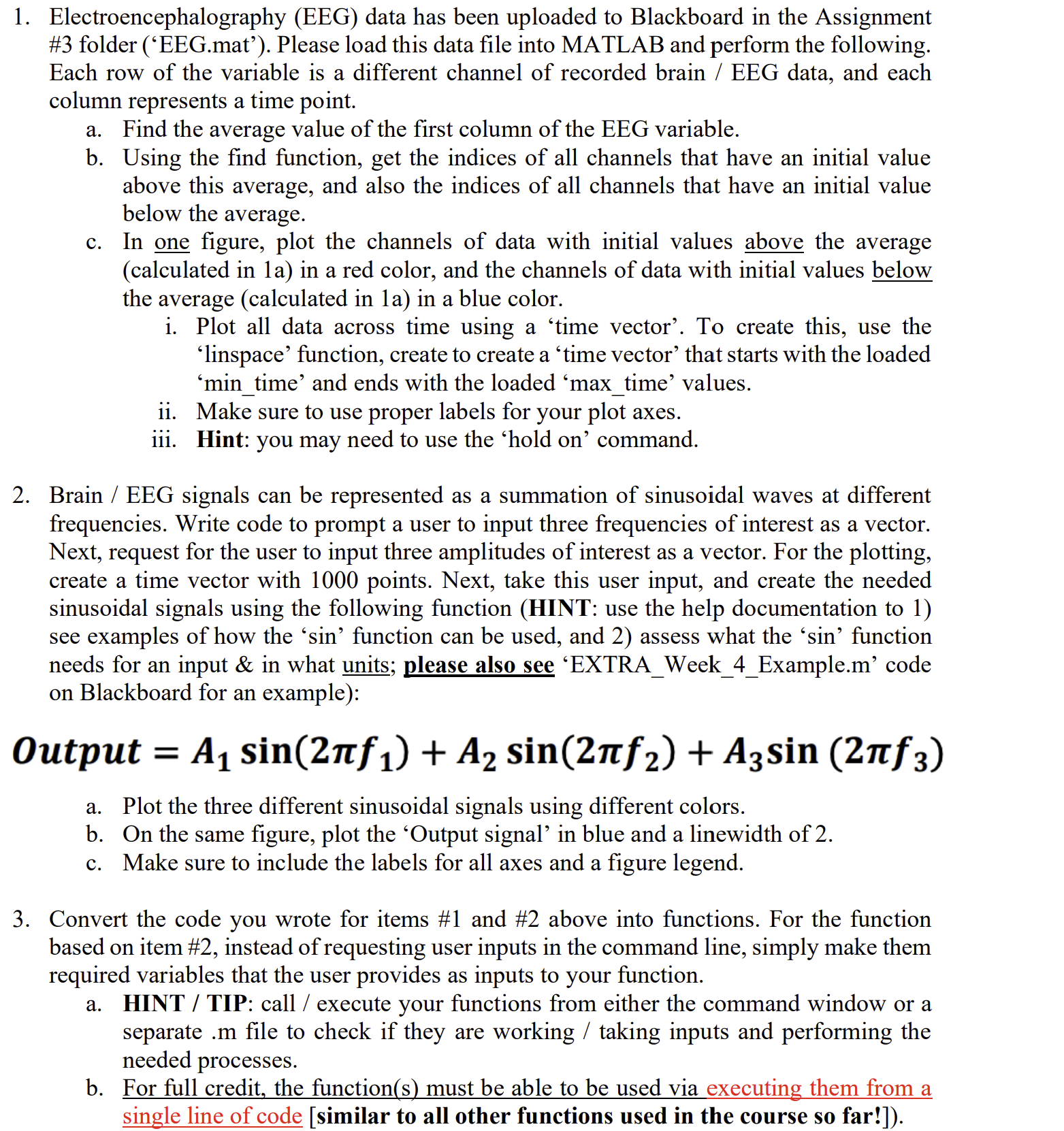
Question: Using Matlab perform the following: Electroencephalography ( EEG ) data has been uploaded as ( ' EEG . mat' ) . Please load this data
Using Matlab perform the following:
Electroencephalography EEG data has been uploaded as EEGmat' Please load this data file into MATLAB and perform the following.
Each row of the variable is a different channel of recorded brain EEG data, and each
column represents a time point.
a Find the average value of the first column of the EEG variable.
b Using the find function, get the indices of all channels that have an initial value
above this average, and also the indices of all channels that have an initial value
below the average.
c In one figure, plot the channels of data with initial values above the average
calculated in a in a red color, and the channels of data with initial values below
the average calculated in a in a blue color.
i Plot all data across time using a 'time vector'. To create this, use the
'linspace' function, create to create a 'time vector' that starts with the loaded
'mintime' and ends with the loaded 'maxtime' values.
ii Make sure to use proper labels for your plot axes.
iii. Hint: you may need to use the 'hold on command.
Brain EEG signals can be represented as a summation of sinusoidal waves at different
frequencies. Write code to prompt a user to input three frequencies of interest as a vector.
Next, request for the user to input three amplitudes of interest as a vector. For the plotting,
create a time vector with points. Next, take this user input, and create the needed
sinusoidal signals using the following function HINT: use the help documentation to
see examples of how the 'sin' function can be used, and assess what the 'sin' function
needs for an input & in what units; please also see 'EXTRAWeekExample.m code
on Blackboard for an example:
Output
a Plot the three different sinusoidal signals using different colors.
b On the same figure, plot the 'Output signal' in blue and a linewidth of
c Make sure to include the labels for all axes and a figure legend.
Convert the code you wrote for items # and # above into functions. For the function
based on item # instead of requesting user inputs in the command line, simply make them
required variables that the user provides as inputs to your function.
a HINT TIP: call execute your functions from either the command window or a
separate m file to check if they are working taking inputs and performing the
needed processes.
b For full credit, the functions must be able to be used via executing them from a
single line of code similar to all other functions used in the course so far!
Step by Step Solution
There are 3 Steps involved in it
1 Expert Approved Answer
Step: 1 Unlock

Question Has Been Solved by an Expert!
Get step-by-step solutions from verified subject matter experts
Step: 2 Unlock
Step: 3 Unlock
 Study Help