







Question: Using matlab The test suite generates a random M x N matrix with a random number of rows and columns that is assigned to the
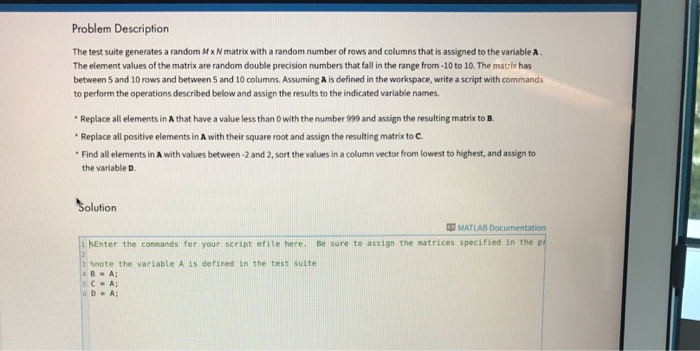
Problem Description The test suite generates a random MxN matrix with a random number of rows and columns that is assigned to the variable A The element values ofthe matrix are random double precision numbers that fall inthe range from-10to 10. The matrix has between 5 and 10 rowsand between 5 and 10 columns. Assuming A is defined in the workspace, write a script with commands to perform the operations described below and assign the results to the indicated variable names. Replace all elements in Athat have a value less than 0 with the number 999 and assign the resulting matrix to B. Replace all positive elements in A with their square root and assign the resulting matrix to C. Find all elements in A with values between .2 and 2, sort the values in acolumn vector from lowest to highest, and assign to the variable D olution MATLAB Documentation MEnter the connands for your script mfite here. Be sure to assign the matrices specified in the p 1 Anote the variable A is defined in the test suite 4B A: 6 D Al
Step by Step Solution
There are 3 Steps involved in it

Get step-by-step solutions from verified subject matter experts
 Study Help