







Question: Using MPLAP PIC18F45K80 Q1) 1. Complete the schematic below showing how to connect on a PIC18F4580: a- A pushbutton PBI connect to RAO, so that
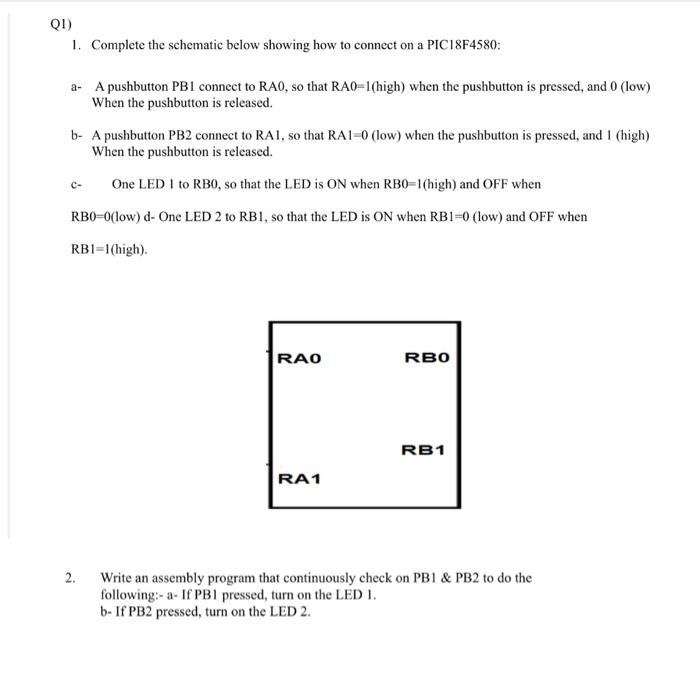
Q1) 1. Complete the schematic below showing how to connect on a PIC18F4580: a- A pushbutton PBI connect to RAO, so that RA0=1(high) when the pushbutton is pressed, and 0 (low) When the pushbutton is released. b- A pushbutton PB2 connect to RAI, so that RA1-0 (low) when the pushbutton is pressed, and I (high) When the pushbutton is released. One LED 1 to RBO, so that the LED is ON when RB0=1(high) and OFF when RBO-O(low) d-One LED 2 to RB1, so that the LED is ON when RB1=0 (low) and OFF when RBI=1(high). RAO RBO RB1 RA1 2. Write an assembly program that continuously check on PB1 & PB2 to do the following:- a- If PB1 pressed, turn on the LED I. b- If PB2 pressed, turn on the LED 2
Step by Step Solution
There are 3 Steps involved in it

Get step-by-step solutions from verified subject matter experts
 Study Help