







Question: Using python3.0 create a program to do this program Setup your Python program file 'lab6A.py' Open a new, blank Python program window. At the top
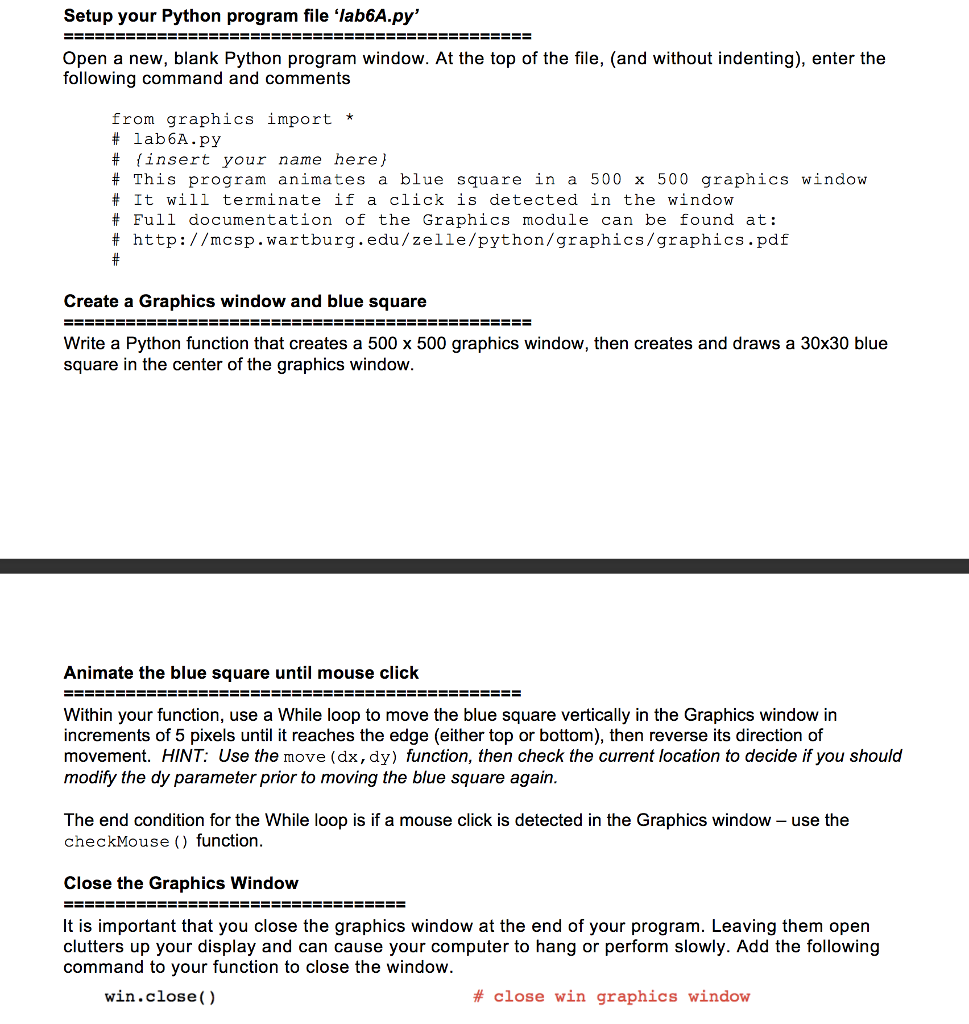 Using python3.0 create a program to do this program
Setup your Python program file 'lab6A.py' Open a new, blank Python program window. At the top of the file, (and without indenting), enter the following command and comments from graphics import * # lab6A.py # {insert your name here} # This program animates a blue square in a 500 times 500 graphics window # It will terminate if a click is detected in the window # Full documentation of the Graphics module can be found at: # http: //mcsp.wartburg.edu/ze11e/python/graphics/graphics.pdf # Create a Graphics window and blue square Write a Python function that creates a 500 times 500 graphics window, then creates and draws a 30 times 30 blue square in the center of the graphics window. Animate the blue square until mouse click Within your function, use a While loop to move the blue square vertically in the Graphics window in increments of 5 pixels until it reaches the edge (either top or bottom), then reverse its direction of movement. The end condition for the While loop is if a mouse click is detected in the Graphics window - use the checkMouse () function. Close the Graphics Window It is important that you close the graphics window at the end of your program. Leaving them open clutters up your display and can cause your computer to hang or perform slowly. Add the following command to your function to close the window. win.close() # close win graphics window
Step by Step Solution
There are 3 Steps involved in it

Get step-by-step solutions from verified subject matter experts
 Study Help