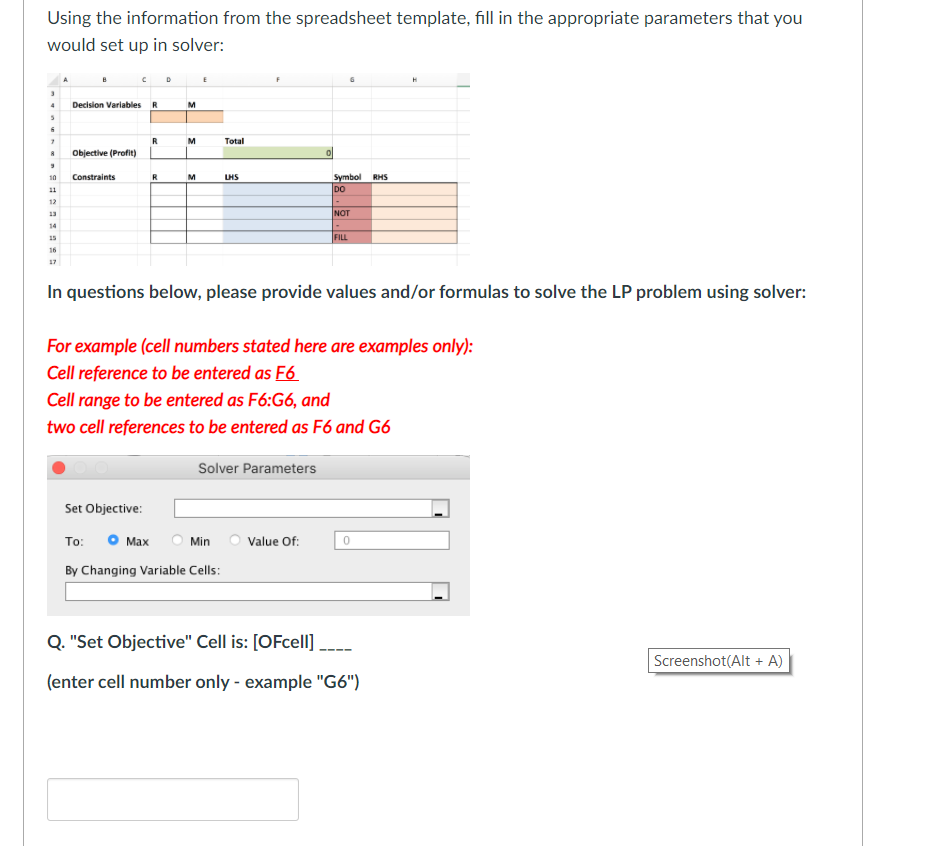
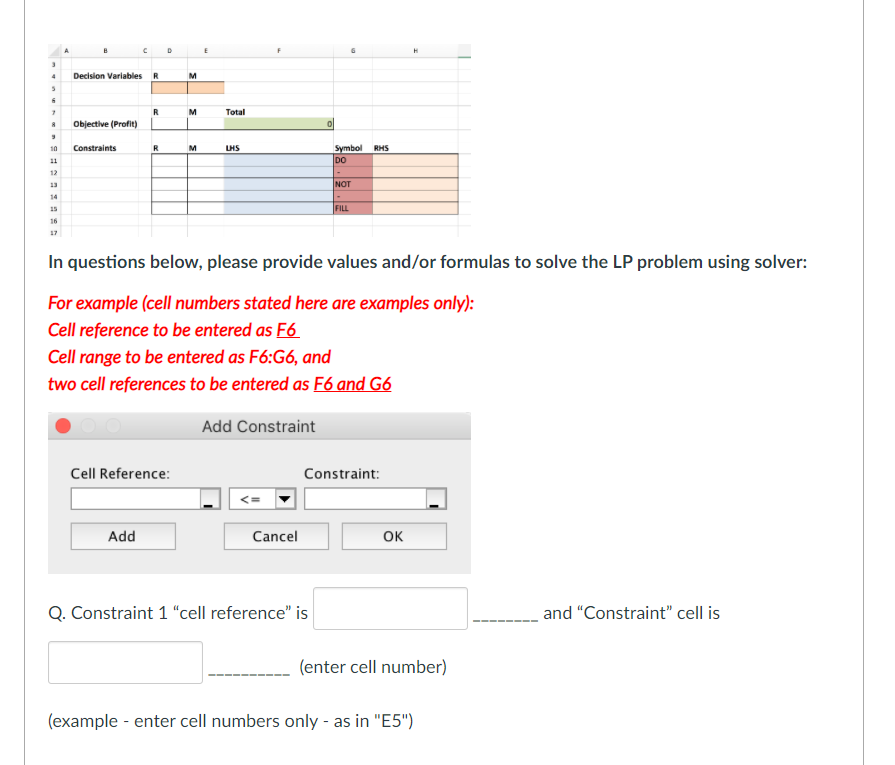
Question: Using the information from the spreadsheet template, fill in the appropriate parameters that you would set up in solver: Decision Variables R M R M
Using the information from the spreadsheetUsing the information from the spreadsheetUsing the information from the spreadsheetUsing the information from the spreadsheetUsing the information from the spreadsheet

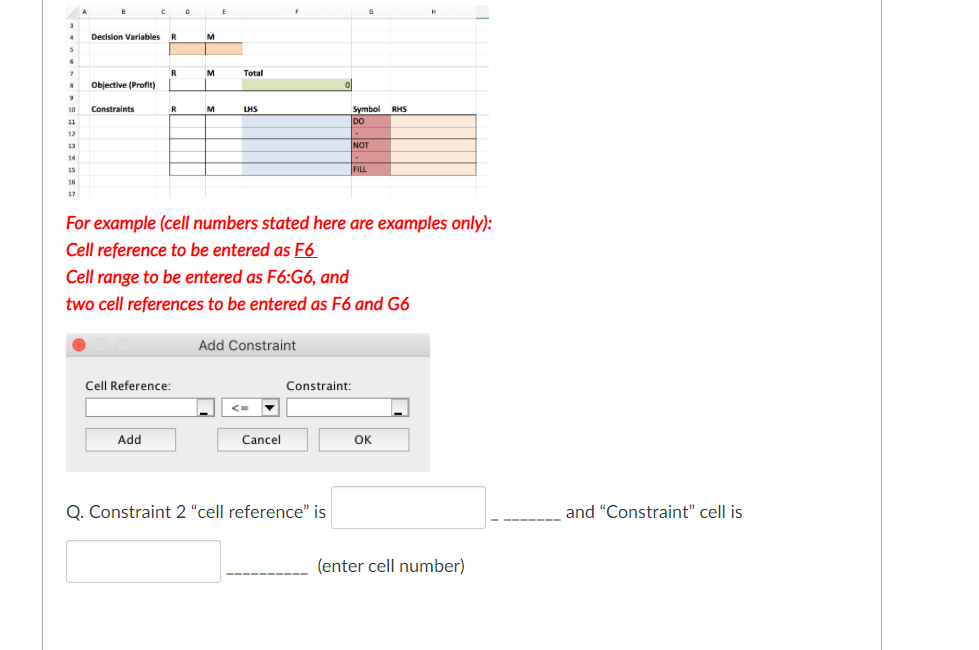
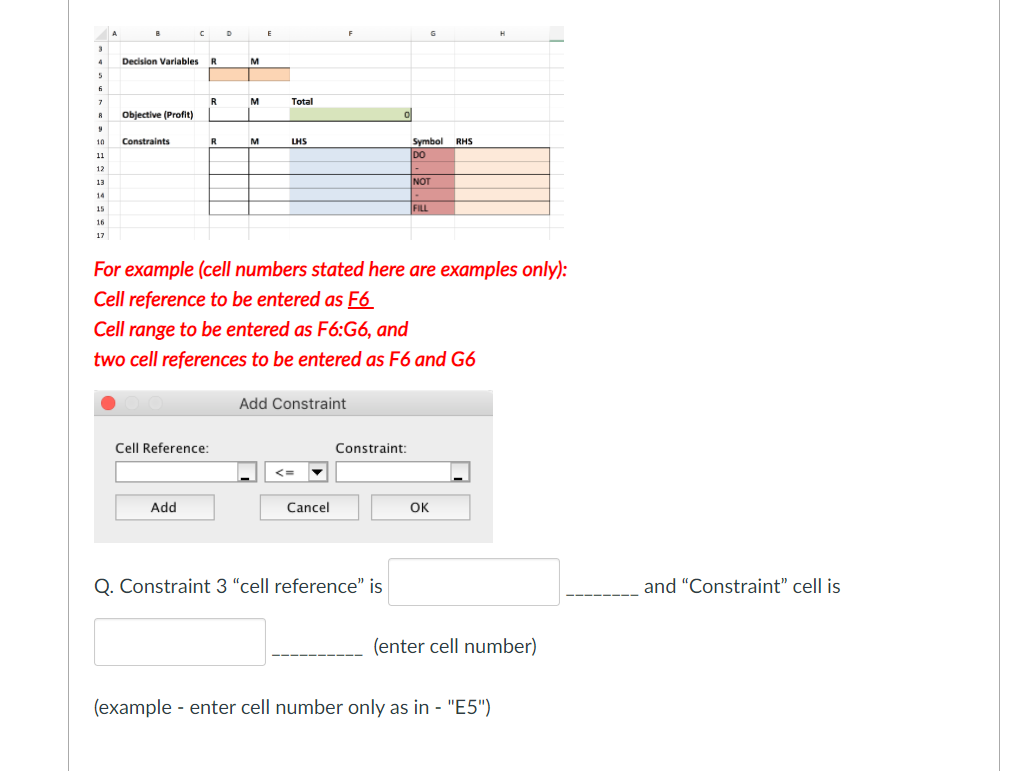
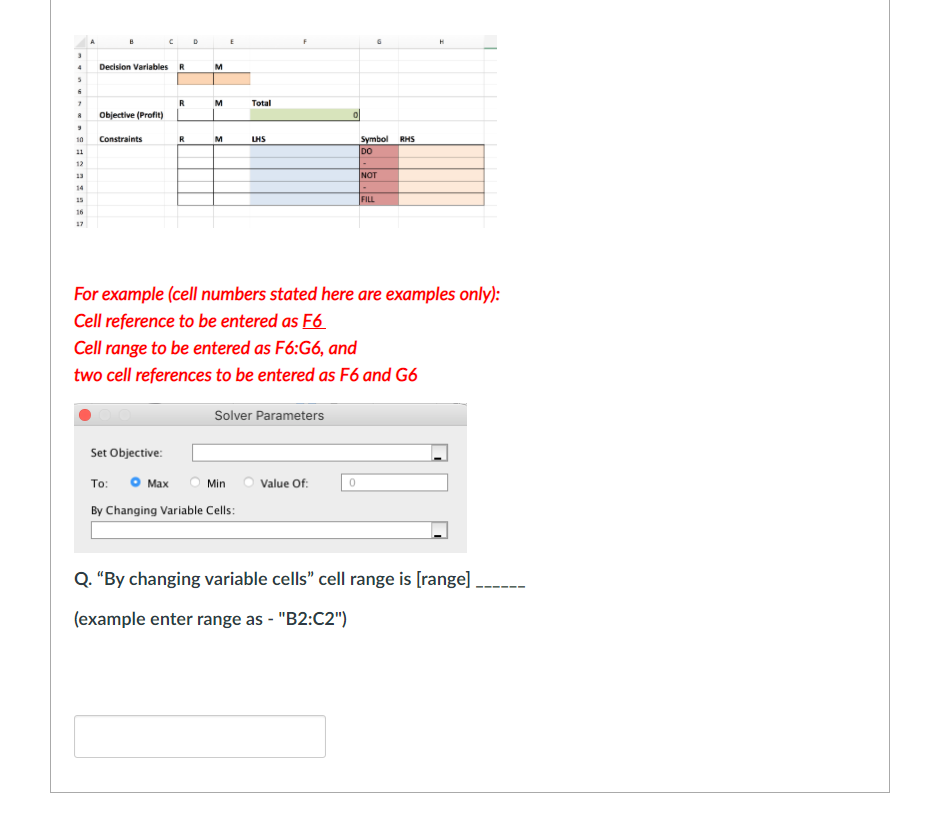
Using the information from the spreadsheet template, fill in the appropriate parameters that you would set up in solver: Decision Variables R M R M Total Objective (Profit) 0 8 9 10 11 Constraints R M LHS RHS Symbol DO 12 NOT 14 FILL 16 In questions below, please provide values and/or formulas to solve the LP problem using solver: For example (cell numbers stated here are examples only): Cell reference to be entered as F6 Cell range to be entered as F6:G6, and two cell references to be entered as F6 and G6 Solver Parameters Set Objective: To: oMax Min Value Of: 0 By Changing Variable Cells: Q. "Set Objective" Cell is: [OFcell] Screenshot(Alt + A) (enter cell number only - example "G6") D E H Decision Variables R M 5 G R M Total Objective (Profit) Constraints R M LHS RHS 10 11 Symbol DO NOT 14 FILL 16 17 For example (cell numbers stated here are examples only): Cell reference to be entered as F6 Cell range to be entered as F6:36, and two cell references to be entered as F6 and G6 Solver Parameters Set Objective: To: o Max By Changing Variable Cells: Min Value of: 0 Q. By changing variable cells" cell range is (range) (example enter range as - "B2:C2") E Decision Variables R M 5 6 7 8 R Total Objective (Profit) Constraints R M LHS 10 11 12 Symbol RHS DO NOT 14 FILL 16 17 In questions below, please provide values and/or formulas to solve the LP problem using solver: For example (cell numbers stated here are examples only): Cell reference to be entered as F6 Cell range to be entered as F6:G6, and two cell references to be entered as F6 and G6 Add Constraint Cell Reference: Constraint: Add Cancel OK Q. Constraint 1 'cell reference" is and "Constraint" cell is (enter cell number) (example - enter cell numbers only - as in "E5") C E Decision Variables R M G R M Total Objective (Profit) Constraints R M LHS 10 11 12 Symbol RHS DO NOT 14 16 17 For example (cell numbers stated here are examples only): Cell reference to be entered as F6 Cell range to be entered as F6:G6, and two cell references to be entered as F6 and G6 Add Constraint Cell Reference: Constraint: Add Cancel OK Q. Constraint 2 'cell reference" is and "Constraint" cell is (enter cell number) D E Decision Variables R M 5 7 R M Total B Objective (Profit) 10 Constraints R M LHS RHS Symbol DO 11 12 13 14 NOT 15 FILL 16 17 For example (cell numbers stated here are examples only): Cell reference to be entered as F6 Cell range to be entered as F6:G6, and two cell references to be entered as F6 and G6 Add Constraint Cell Reference: Constraint:
Step by Step Solution

There are 3 Steps involved in it

1 Expert Approved Answer
Step: 1 Unlock blur-text-image

Question Has Been Solved by an Expert!

Get step-by-step solutions from verified subject matter experts

Step: 2 Unlock
Step: 3 Unlock

Students Have Also Explored These Related General Management Questions!