







Question: Using the instructions from Closed Lab 01, create a new folder named Project01. Make sure that in the comments at the top of the java
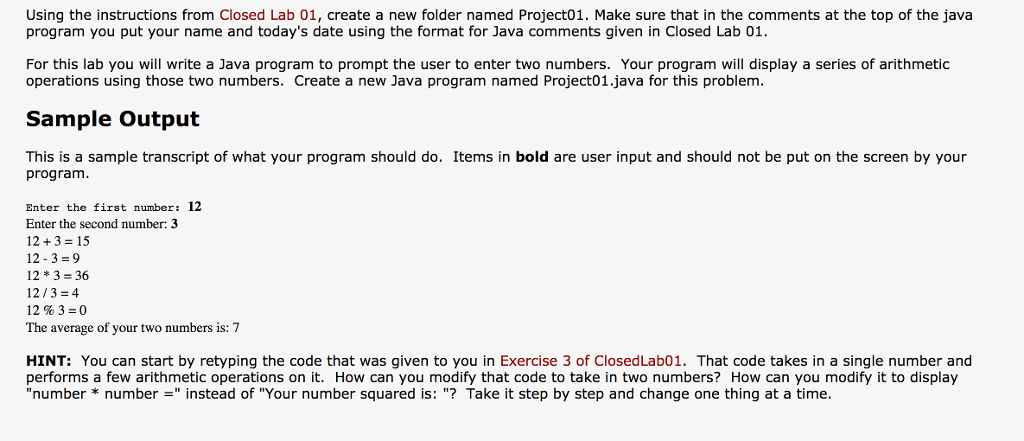
Using the instructions from Closed Lab 01, create a new folder named Project01. Make sure that in the comments at the top of the java program you put your name and today's date using the format for Java comments given in Closed Lab 01. For this lab you will write a Java program to prompt the user to enter two numbers. Your program will display a series of arithmetic operations using those two numbers. Create a new Java program named Project01.java for this problem. This is a sample transcript of what your program should do. Items in bold are user input and should not be put on the screen by your program. Enter the first number: 12 Enter the second number: 3 12 + 3 = 15 12 - 3 = 9 12*3 = 36 12/3 = 4 12 % 3 = 0 The average of your two numbers is: 7 That code takes in a single number and performs a few arithmetic operations on it. How can you modify that code to take in two numbers? How can you modify it to display "number * number =" instead of "Your number squared is: "? Take it step by step and change one thing at a time
Step by Step Solution
There are 3 Steps involved in it

Get step-by-step solutions from verified subject matter experts
 Study Help