







Question: using visual basic and visual studio Exercise 9-1 Work with dates and times In this exercise, you'll use the DateTime and TimeSpan structures. 1. Open
using visual basic and visual studio 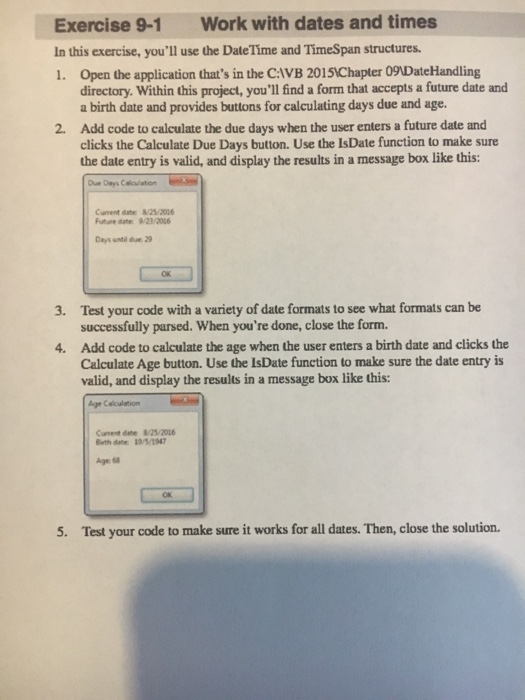
Exercise 9-1 Work with dates and times In this exercise, you'll use the DateTime and TimeSpan structures. 1. Open the application that's in the CAVB 20151IChapter 09DateHandling directory. Within this project, you'll find a form that accepts a future date and a birth date and provides buttons for calculating days due and age. Add code to calculate the due days when the user enters a future date and clicks the Calculate Due Days button. Use the IsDate function to make sure the date entry is valid, and display the results in a message box like this: 2. Cument date: 8/25/2016 Future date 9/23/206 OK Test your code with a variety of date formats to see what formats can be successfully parsed. When you're done, close the form. Add code to calculate the age when the user enters a birth date and clicks the Calculate Age button. Use the IsDate funetion to make sure the date entry is valid, and display the results in a message box like this: 3. 4. Cament dat8/25/2016 Bith date 10/5/1947 Age 68 OR 5. Test your code to make sure it works for all dates. Then, close the solution
Step by Step Solution
There are 3 Steps involved in it

Get step-by-step solutions from verified subject matter experts
 Study Help