







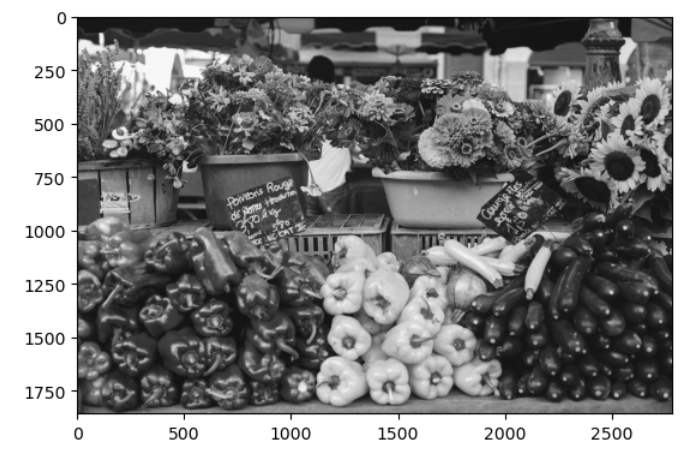
Question: Using your original photo from Problem 4 and the OpenCV library, draw an arrow on your picture. It can be any size, thickness and color.
Using your original photo from Problem 4 and the OpenCV library, draw an arrow on your picture. It can be any size, thickness and color.
What is the code to draw an arrow in a jpg image using the following parameters:
1) see uploaded image as an example for the starting and ending points
2) you can draw the arrow anywhere on the picture
3) write the python code to draw the arrow and display the arrow using Opencv
4) Display your original image from Problem 4 but read in by cv2.
5) Be sure to display in Jupyter Notebook with RGB.
An example: plt.imshow(cv2.cvtColor(veg2, cv2.COLOR_BGR2RGB))
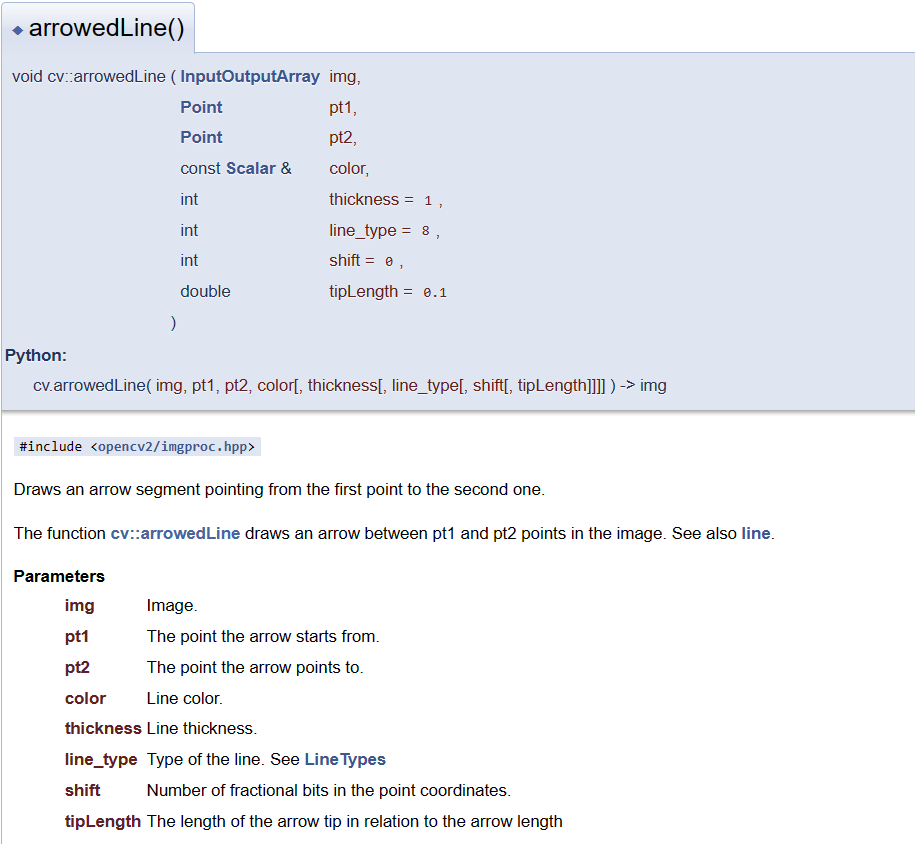
arrowedLine() void cV:.arrowedLine ( InputOutputArray img, \( \begin{array}{ll}\text { Point } & \text { pt1, } \\ \text { Point } & \text { pt2, } \\ \text { const Scalar \& } & \text { color, } \\ \text { int } & \text { thickness }=1 \\ \text { int } & \text { line_type }=8 \\ \text { int } & \text { shift }=0 \\ \text { double } & \text { tipLength }=0.1 \\ \text { ) } & \end{array} \) Python: cv.arrowedLine(img, pt1, pt2, color[, thickness[, line_type[, shift[, tipLength]]]] ) img Draws an arrow segment pointing from the first point to the second one. The function cv::arrowedLine draws an arrow between pt1 and pt2 points in the image. See also line. Parameters img Image. pt1 The point the arrow starts from. pt2 The point the arrow points to. color Line color. thickness Line thickness. line_type Type of the line. See LineTypes shift Number of fractional bits in the point coordinates. tipLength The length of the arrow tip in relation to the arrow length
Step by Step Solution
There are 3 Steps involved in it

Get step-by-step solutions from verified subject matter experts
 Study Help