







Question: Using your original photo from Problem 4 and the OpenCV library, draw an arrow on your picture. It can be any size, thickness and color.
Using your original photo from Problem 4 and the OpenCV library, draw an arrow on your picture. It can be any size, thickness and color. The problem I am having the adjusting the size of the arrow. The two side tails of the arrow are too long and I have not been able to figure out how to shorten the two side tails so it looks like a normal arrow.
What is the code to draw an arrow in a jpg image using the following parameters:
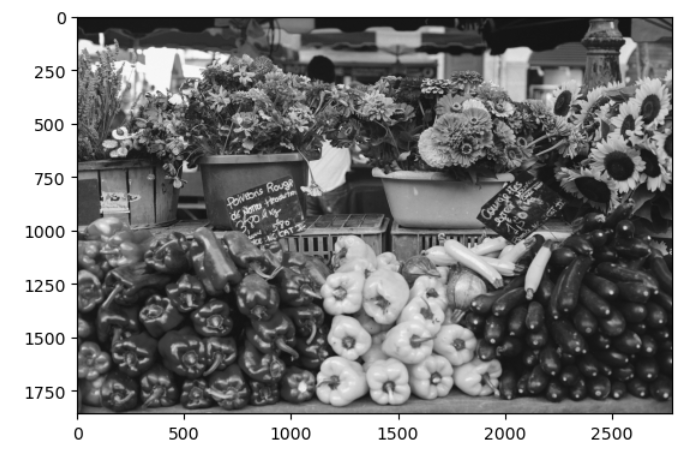
1) see uploaded image as an example for the starting and ending points
2) you can draw the arrow anywhere on the picture
3) write the python code to draw the arrow and display the arrow using Opencv
4) Display your original image from Problem 4 but read in by cv2.
5) Be sure to display in Jupyter Notebook with RGB.
An example: plt.imshow(cv2.cvtColor(veg2, cv2.COLOR_BGR2RGB))
My code:
start_point = (210, 75)
end_point = (370, 210)
#Draw the arrow on the image using cv2.arrowedLine():
color = (255, 0, 0) # Blue color
thickness = 3
arrow_tip_size = 10
cv2.arrowedLine(img, start_point, end_point, color, thickness, tipLength=arrow_tip_size)
#Display the image using plt.imshow():
plt.imshow(img)
plt.show()
#How do I adjust the size of the arrows so it looks like a normal arrow and both sides of the arrows are short while the tail is long? The arrow can be anywhere on the picture
I will insert an example picture
Step by Step Solution
There are 3 Steps involved in it

Get step-by-step solutions from verified subject matter experts
 Study Help