







Question: VISUAL BASIC! Directions: For this project, you'll create a form that lets the user display the incidents for a selected customer. Operation When this application
VISUAL BASIC!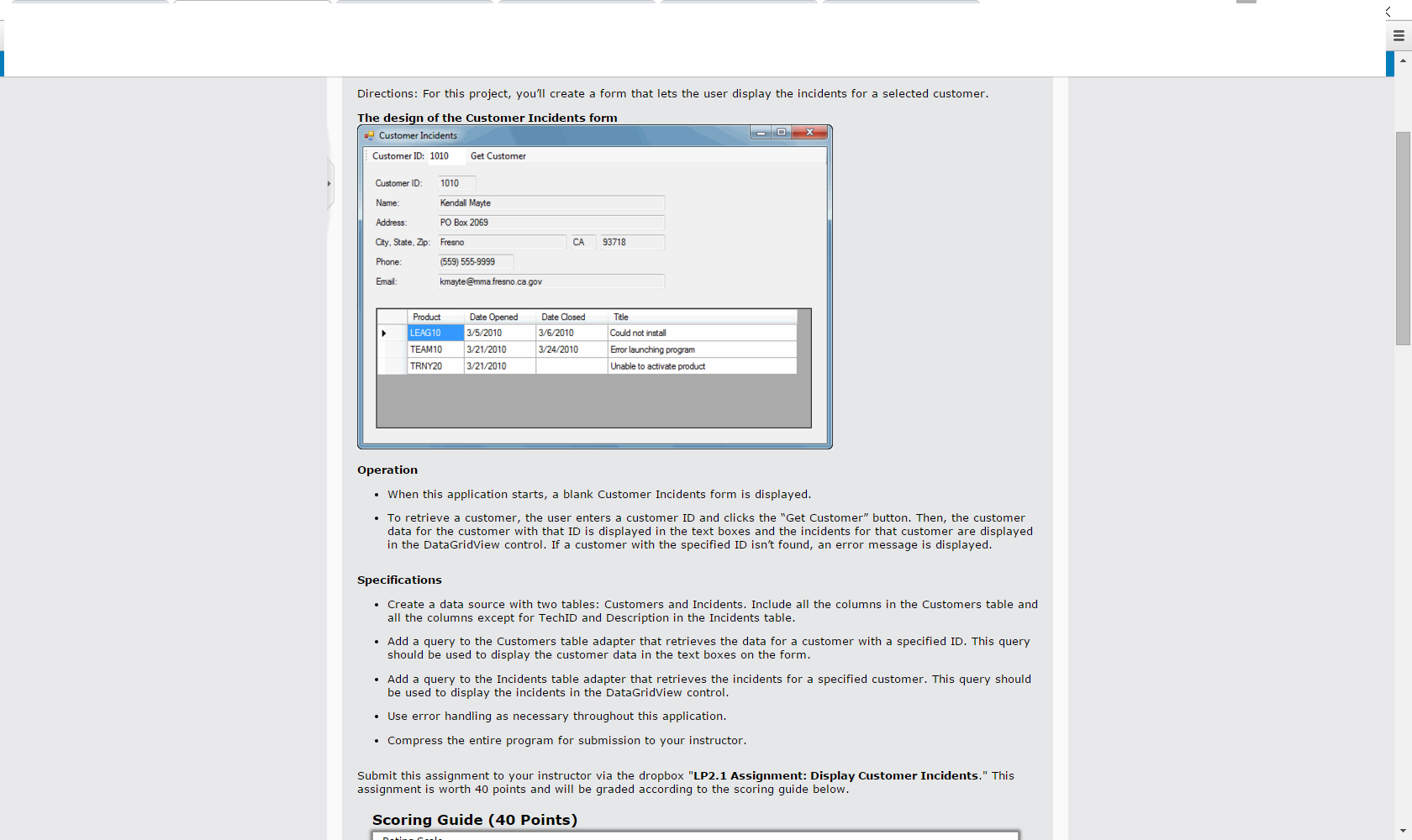
Directions: For this project, you'll create a form that lets the user display the incidents for a selected customer. Operation When this application starts, a blank Customer Incidents form is displayed. To retrieve a customer, the user enters a customer ID and clicks the "Get Customer" button. Then, the customer data for the customer with that ID is displayed in the text boxes and the incidents for that customer are displayed in the DataGridView control. If a customer with the specified ID isn't found, an error message is displayed. Specifications Create a data source with two tables: Customers and Incidents. Include all the columns in the Customers table and all the columns except for TechID and Description in the Incidents table. Add a query to the Customers table adapter that retrieves the data for a customer with a specified ID. This query should be used to display the customer data in the text boxes on the form. Add a query to the Incidents table adapter that retrieves the incidents for a specified customer. This query should be used to display the incidents in the DataGridView control. Use error handling as necessary throughout this application. Compress the entire program for submission to your instructor. Submit this assignment to your instructor via the dropbox "LP2.1 Assignment: Display Customer Incidents." This assignment is worth 40 points and will be graded according to the scoring guide below
Step by Step Solution
There are 3 Steps involved in it

Get step-by-step solutions from verified subject matter experts
 Study Help