







Question: Warm-up 1). Word count Write a function wordcount (fname) which takes in a string fname, opens the file at location fname, and counts the
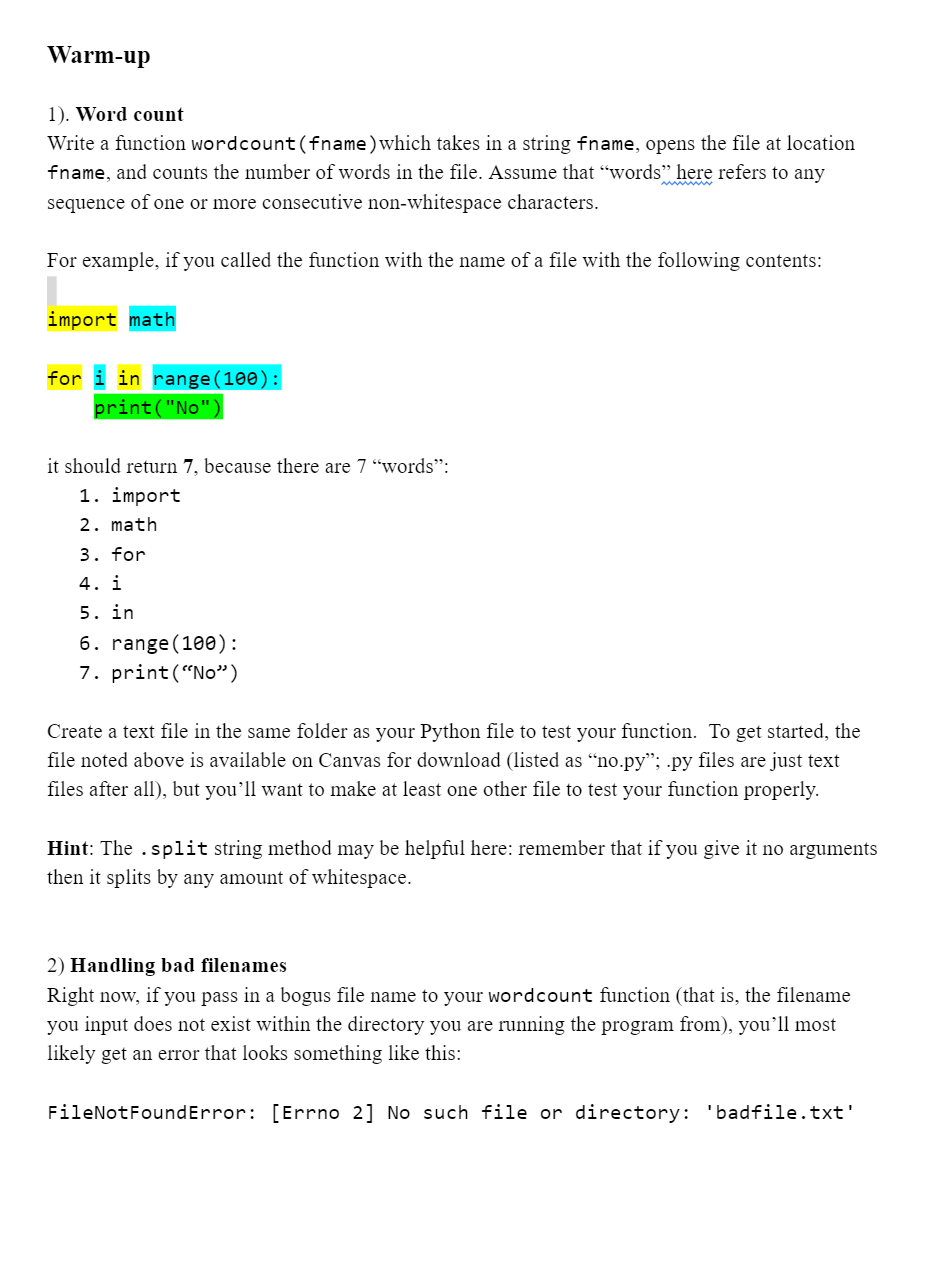

Warm-up 1). Word count Write a function wordcount (fname) which takes in a string fname, opens the file at location fname, and counts the number of words in the file. Assume that words" here refers to any sequence of one or more consecutive non-whitespace characters. For example, if you called the function with the name of a file with the following contents: import math for in range (100): print("No") it should return 7, because there are 7 "words": 1. import 2. math 3. for 4. i 5. in 6. range (100): 7. print ("No") Create a text file in the same folder as your Python file to test your function. To get started, the file noted above is available on Canvas for download (listed as "no.py"; .py files are just text files after all), but you'll want to make at least one other file to test your function properly. Hint: The .split string method may be helpful here: remember that if you give it no arguments then it splits by any amount of whitespace. 2) Handling bad filenames Right now, if you pass in a bogus file name to your wordcount function (that is, the filename you input does not exist within the directory you are running the program from), you'll most likely get an error that looks something like this: FileNotFound Error: [Errno 2] No such file or directory: 'badfile.txt' We could deal with this by using Python's os module to search our current directory and check whether the file the user is asking for actually exists before opening it. But there's an easier way to approach the problem by using exception handling.
Step by Step Solution
3.56 Rating (149 Votes )
There are 3 Steps involved in it
To solve the first problem of counting the number of words in a file we can create a function called ... View full answer

Get step-by-step solutions from verified subject matter experts
 Study Help