





Question: Web Programming Need help in doing all these steps! Instructions: 1. Make a folder or project named a2-firstname-lastname. 2. Make a HTML file and save

Web Programming
Need help in doing all these steps!
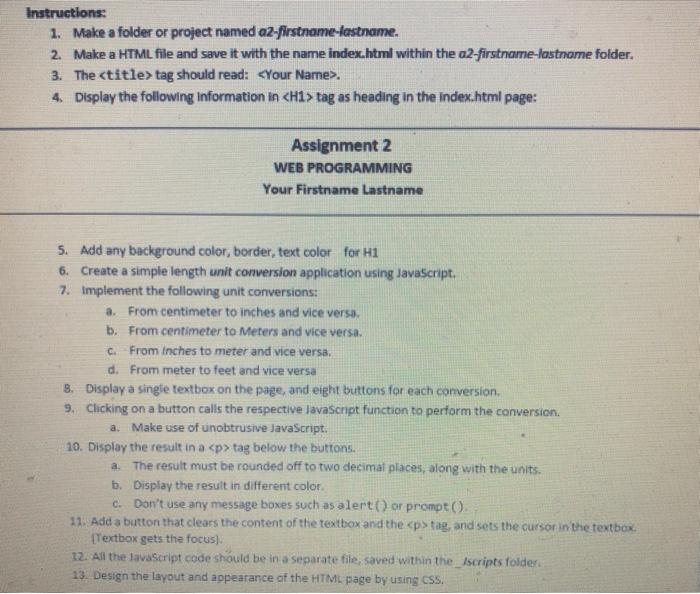
Web Programming Need help in doing all these steps! Instructions: 1. Make

Instructions: 1. Make a folder or project named a2-firstname-lastname. 2. Make a HTML file and save it with the name index.html within the a2-firstname-lastname folder. 3. The

tag should read: <your name> 4. Display the following information in <h1> tag as heading in the index.html page: Assignment 2 WEB PROGRAMMING Your Firstname Lastname 5. Add any background color, border, text color for H1 6. Create a simple length unit conversion application using JavaScript. 7. Implement the following unit conversions: a. From centimeter to inches and vice versa. b. From centimeter to Meters and vice versa. c. From Inches to meter and vice versa, d. From meter to feet and vice versa 8. Display a single textbox on the page, and eight buttons for each conversion 9. Clicking on a button calls the respective JavaScript function to perform the conversion a. Make use of unobtrusive JavaScript. 10. Display the result in a </h1><p> tag below the buttons. a. The result must be rounded off to two decimal places, along with the units. b. Display the result in different color. c. Don't use any message boxes such as alert() or prompt(). 11. Add a button that clears the content of the textbox and the </p><p> tag, and sets the cursor in the textbox. [Textbox gets the focus) 12. All the lavaScript code should be in a separate file, saved within the_Iscripts folder 13. Design the layout and appearance of the HTML page by using CSS</p></your>

Step by Step Solution

There are 3 Steps involved in it

1 Expert Approved Answer
Step: 1 Unlock blur-text-image

Question Has Been Solved by an Expert!

Get step-by-step solutions from verified subject matter experts

Step: 2 Unlock
Step: 3 Unlock

Students Have Also Explored These Related Databases Questions!