Question: Week 3 Assignment Worksheet No matter how well we plan, things can go wrong. Power outages, extreme weather, family emergencies, internet service disruptions, and computer
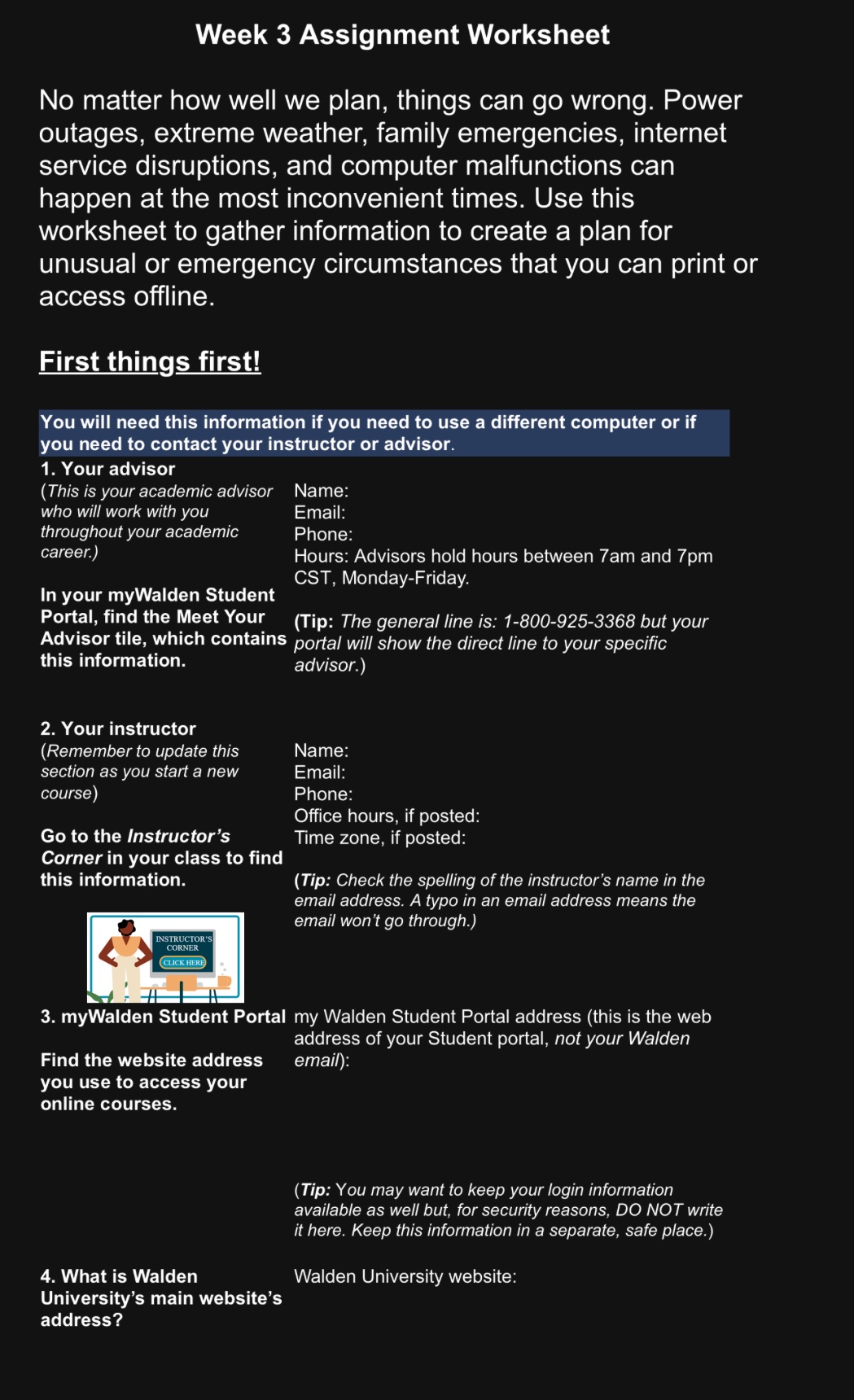
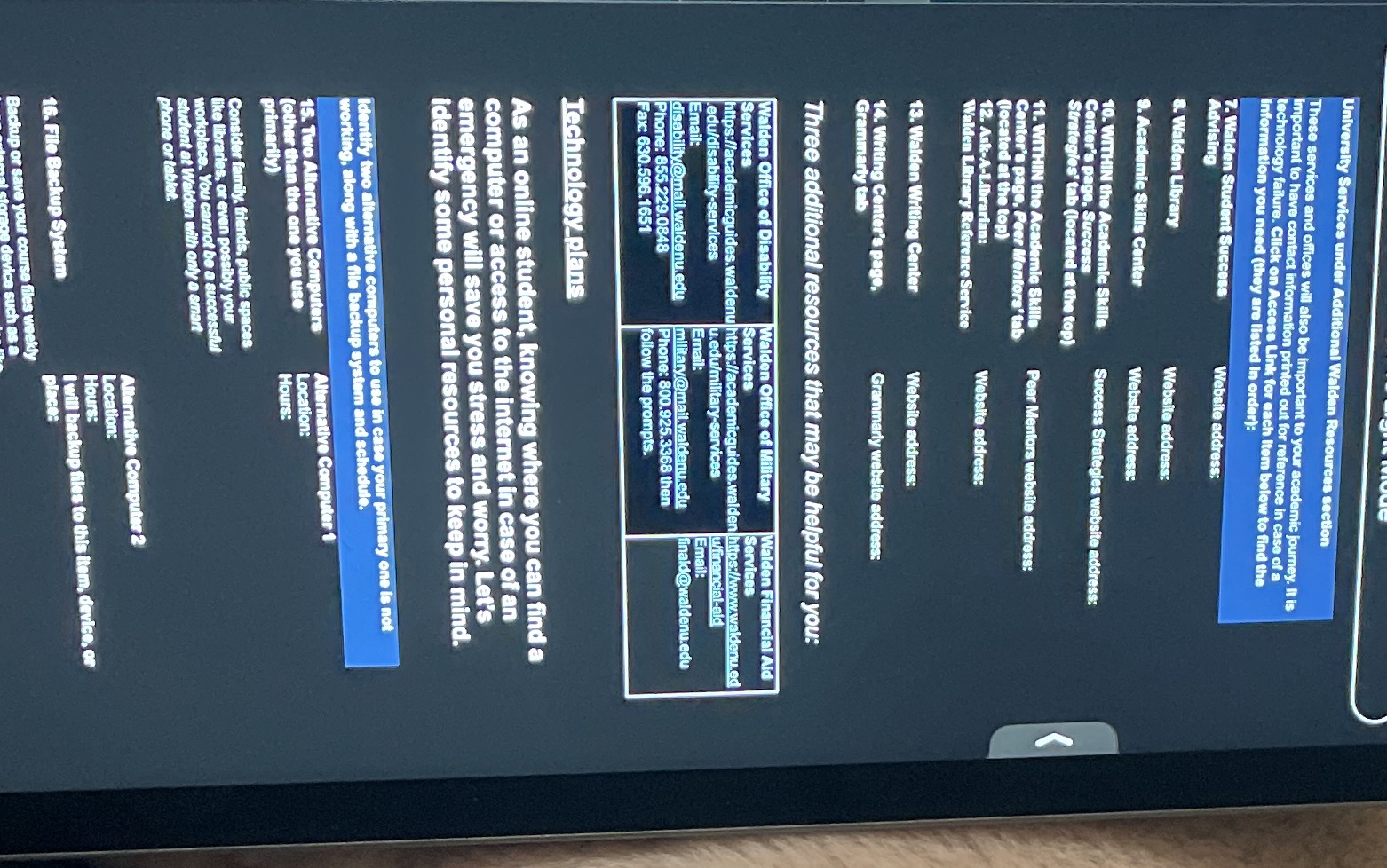
Week 3 Assignment Worksheet No matter how well we plan, things can go wrong. Power outages, extreme weather, family emergencies, internet service disruptions, and computer malfunctions can happen at the most inconvenient times. Use this worksheet to gather information to create a plan for unusual or emergency circumstances that you can print or Il =N o)l First things first! You will need this information if you need to use a different computer or if you need to contact your instructor or advisor. 1. Your advisor (This is your academic advisor Name: who will work with you Email: throughout your academic Phone: career.) Hours: Advisors hold hours between 7am and 7pm CST, Monday-Friday. In your myWalden Student Portal, find the Meet Your (Tip: The general line is: 1-800-925-3368 but your Advisor tile, which contains portal will show the direct line to your specific this information. advisor.) 2. Your instructor (Remember to update this Name: section as you start a new Email: course) (Sl s =N Office hours, if posted: Go to the Instructor's Time zone, if posted: Corner in your class to find this information. (Tip: Check the spelling of the instructor's name in the email address. A typo in an email address means the email won't go through.) INSTRUCTOR'S| & [y -~ 11 3. myWalden Student Portal my Walden Student Portal address (this is the web address of your Student portal, not your Walden Find the website address emall): you use to access your online courses. (Tip: You may want to keep your login information available as well but, for security reasons, DO NOT write it here. Keep this information in a separate, safe place.) 4. What is Walden Walden University website: University's main website's address? University Services under Resources section These services and offices will also be important to your academic journey. It is important to have contact information printed out for reference in case of a technology failure. Click on Access Link for each Item below to find the Information you need (they are listed In order): 7. Walden Student Success Advising Website address: 8. Walden Library Website address: . Academic Skills Center Website address: 10. WITHIN the Academic Skills Center's page, Success Success Strategies website address: Strategies' tab (located at the top) 11. WITHIN the Academic Skills Center's page, Peer Mentors' tab Peer Mentors website address: (located at the top) 12. Ask-A-Librarian: Website address: lden Library Reference Service 13. Walden Writing Center Website address: 14. Writing Center's page, Grammarly website address: Grammarly tab Three additional resources that may be helpful for you: Walden Office of Disability Walden Office of Military Walden Financial Aid Services Services Services https://academicguides.waldenujhttps://academicguides.walden https://www.waldenu.ed edu/disability-services u.edu/military-services w/financial-aid Email: Email: Email: disability @mail waldenu.edu military@mail.waldenu.edu finald@waldenu.edu Phone: 855.229.0848 Phone: 800.925.3368 then Fax: 630.596.1651 follow the prompts. Technology plans As an online student, knowing where you can find a computer or access to the internet in case of an emergency will save you stress and worry. Let's identify some personal resources to keep in mind. Identify two alternative computers to use in case your primary one is not working, along with a file backup system and schedule. 15.1 ternative Computers Alternative Computer 1 Location: (other an the one you use Hours: primarily Consider family, friends, public spaces like libraries, or even possibly your workplace. You cannot be a successful student at Walden with only a smart phone or tablet. Alternative Computer 2 Location: Hours: I backup files to this item, device, or 16. File Backup System place: Backup or save your course files v levice such asa









 Study Help