







Question: when doing the goal seeking I have been using set cell D18 to value 0 by changing cell D6 but it just keeps giving me
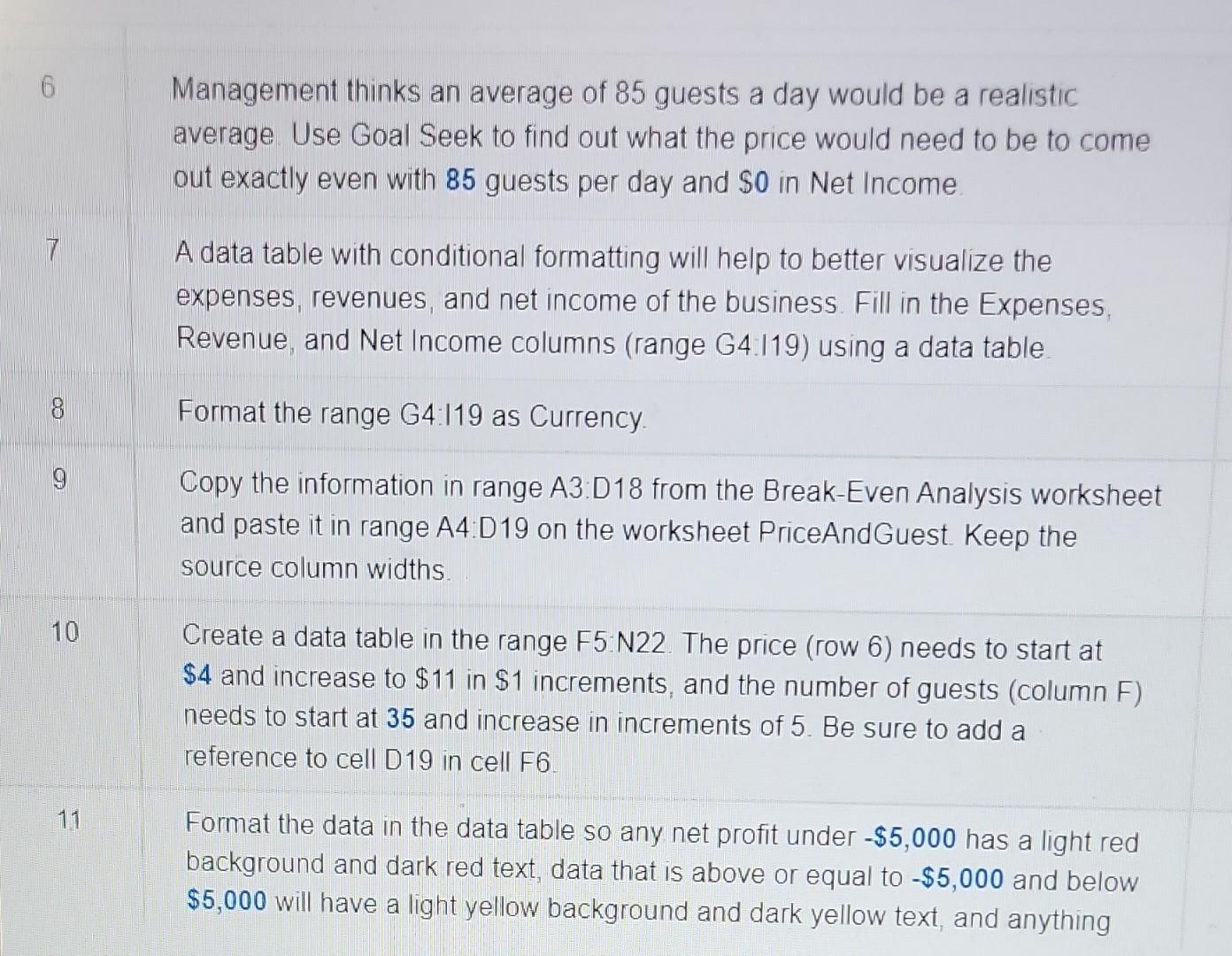
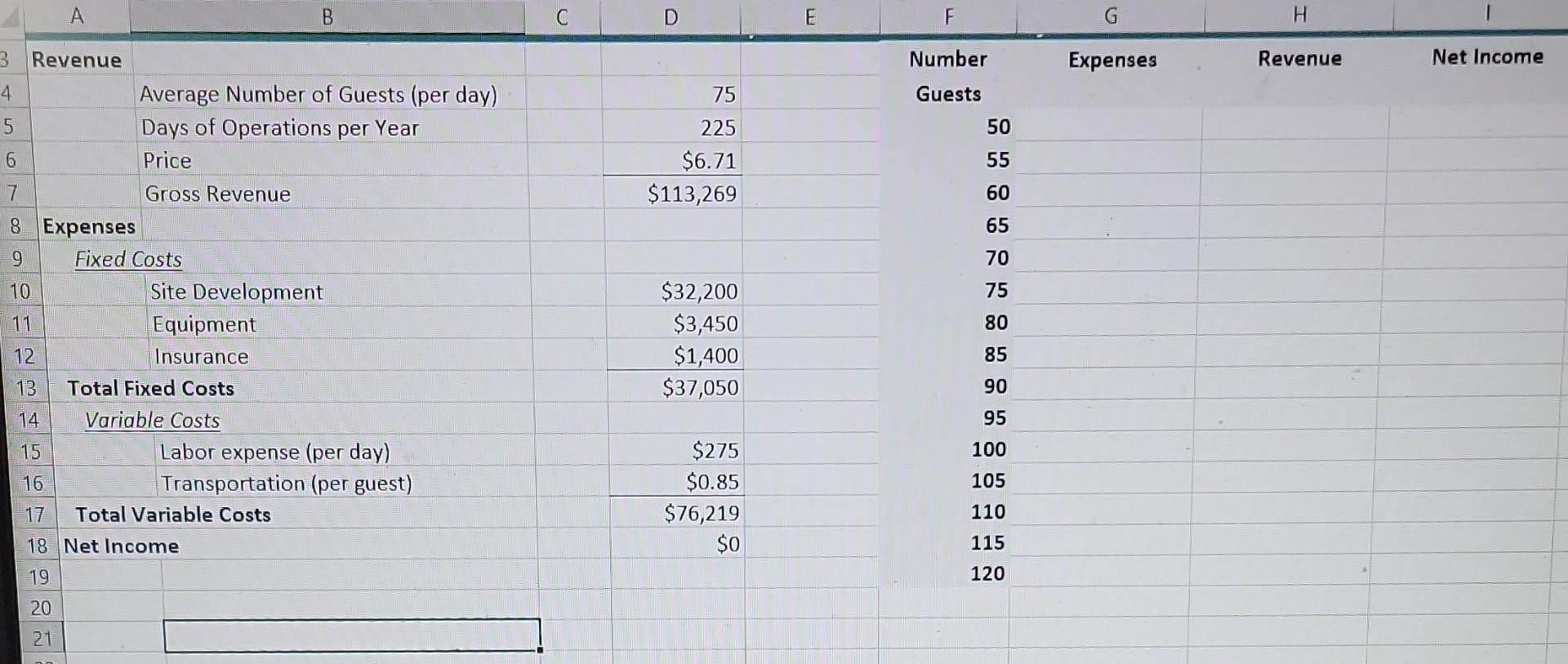
when doing the goal seeking I have been using set cell D18 to value 0 by changing cell D6 but it just keeps giving me an error code saying the cell must contain a value
Management thinks an average of 85 guests a day would be a realistic average. Use Goal Seek to find out what the price would need to be to come out exactly even with 85 guests per day and $0 in Net Income. A data table with conditional formatting will help to better visualize the expenses, revenues, and net income of the business. Fill in the Expenses, Revenue, and Net Income columns (range G4.l19) using a data table. Format the range G4119 as Currency. Copy the information in range A3:D18 from the Break-Even Analysis worksheet and paste it in range A4:D19 on the worksheet PriceAndGuest. Keep the source column widths. 10 Create a data table in the range F5.N22. The price (row 6) needs to start at $4 and increase to $11 in $1 increments, and the number of guests (column F) needs to start at 35 and increase in increments of 5 . Be sure to add a reference to cell D19 in cell F6. 11 Format the data in the data table so any net profit under $5,000 has a light red background and dark red text, data that is above or equal to $5,000 and below $5,000 will have a light yellow background and dark yellow text, and anything Management thinks an average of 85 guests a day would be a realistic average. Use Goal Seek to find out what the price would need to be to come out exactly even with 85 guests per day and $0 in Net Income. A data table with conditional formatting will help to better visualize the expenses, revenues, and net income of the business. Fill in the Expenses, Revenue, and Net Income columns (range G4.l19) using a data table. Format the range G4119 as Currency. Copy the information in range A3:D18 from the Break-Even Analysis worksheet and paste it in range A4:D19 on the worksheet PriceAndGuest. Keep the source column widths. 10 Create a data table in the range F5.N22. The price (row 6) needs to start at $4 and increase to $11 in $1 increments, and the number of guests (column F) needs to start at 35 and increase in increments of 5 . Be sure to add a reference to cell D19 in cell F6. 11 Format the data in the data table so any net profit under $5,000 has a light red background and dark red text, data that is above or equal to $5,000 and below $5,000 will have a light yellow background and dark yellow text, and anything
Step by Step Solution
There are 3 Steps involved in it

Get step-by-step solutions from verified subject matter experts
 Study Help