







Question: without using applet!! Develop a paint application which includes functionality for drawing different shapes. These diagrams can be drawn using different color and fill options.
without using applet!!
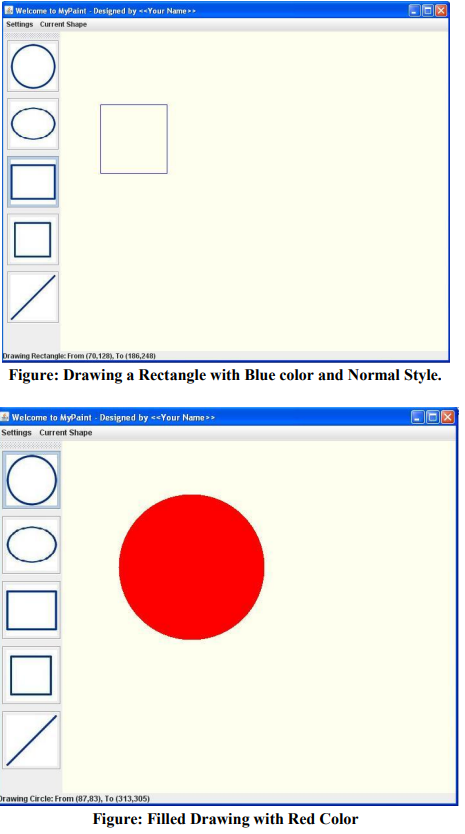
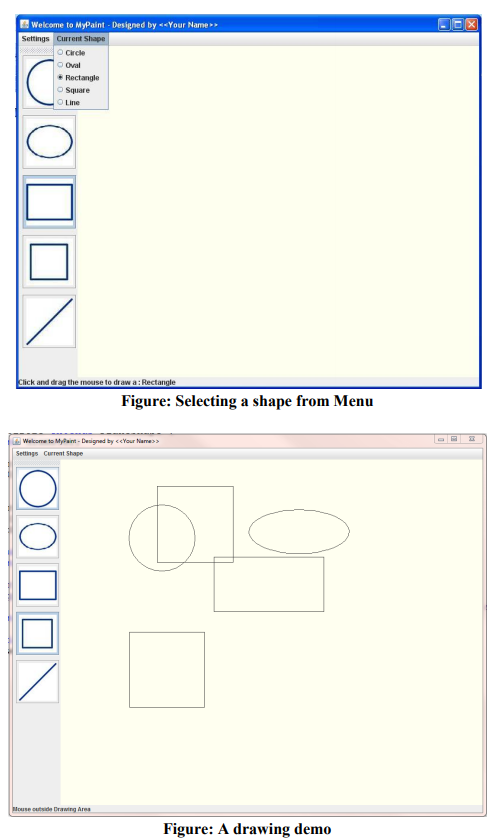
Develop a paint application which includes functionality for drawing different shapes. These diagrams can be drawn using different color and fill options. The application should have menus as well as toolbar to select different shapes. A sample application window is as shown in the diagram:
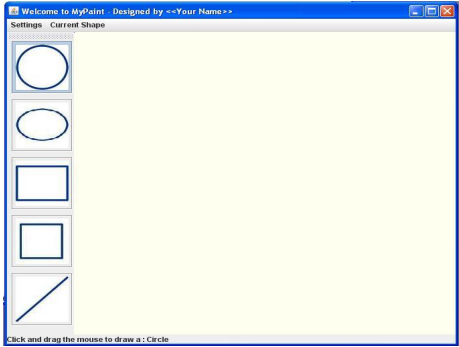
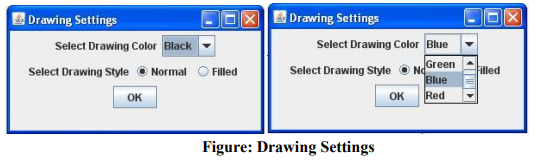
Following points need to be noted for developing the application: 1. A toolbar (JToolBar) should contain a number of buttons each representing a shape to be drawn. Once a shape is selected by mouse, the button is shown pressed. The shapes to be drawn are Circles, Ovals, Rectangles, Squares and Lines. Buttons in the toolbar should have appropriate icons and tooltips. 2. A shape can also be selected from the menu Current Shape. The menu has JRadioButtonMenuItems so that only one is selected at any given time. It is important that the toolbar selection and menu item selection is synchronized. 3. A settings menu has a menu item called Drawing Settings. Once clicked, it opens a window to select the drawing settings like Color, Style: Normal or Style: Filled. Hint: You can use JColorChooser class to get a user color option. 4. A status bar (JLabel) at the bottom of the application shows some status messages like the current selected shape, the mouse coordinates etc. as shown in sample figures. 5. Bonus (optional): Clicking mouse over a shape highlights the shape and if you right click on the selected shape, a popup menu (JPopupMenu) appears which gives an option to see the shape properties. If selected, it opens a window which shows the details about the shape like:
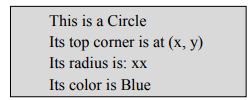
Figure: Selecting properties from popup menu
6. Bonus (optional): Saving the drawing on a file so that it can be opened later.
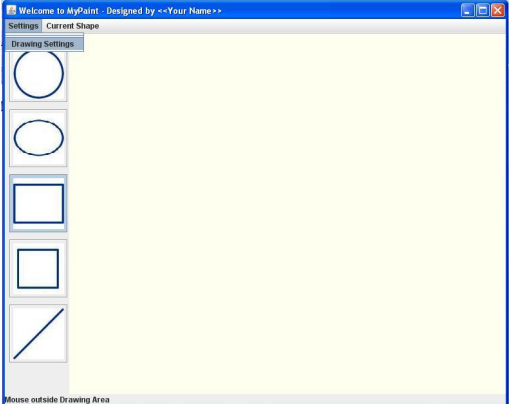
welcome to Mypaint . Designed by > Settings Current Shape Click and drag the mouse to draw a: Circle
Step by Step Solution
There are 3 Steps involved in it

Get step-by-step solutions from verified subject matter experts
 Study Help