







Question: write a C program to practice simple mathematical operations (Addition, Subtraction, Multiplication, Division) with integer numbers. This project serves to reinforce the C fundamentals,
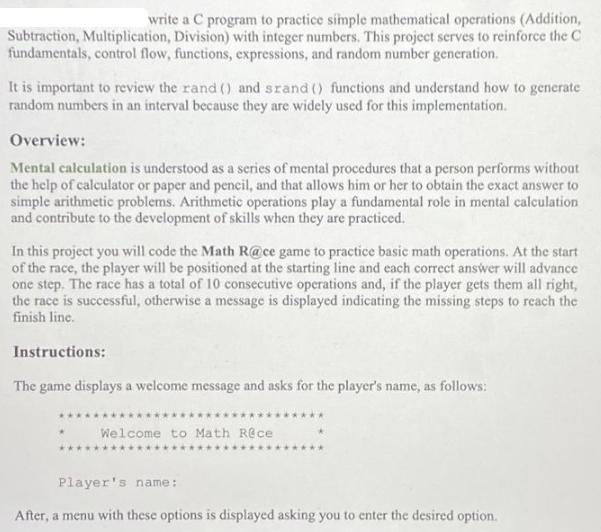
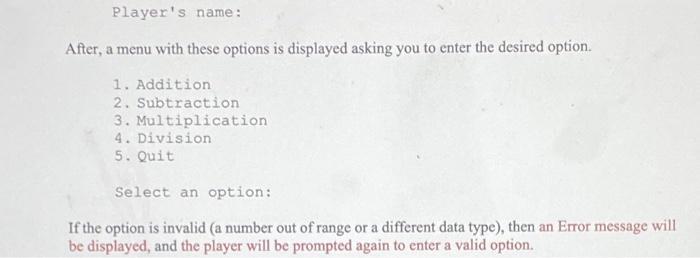
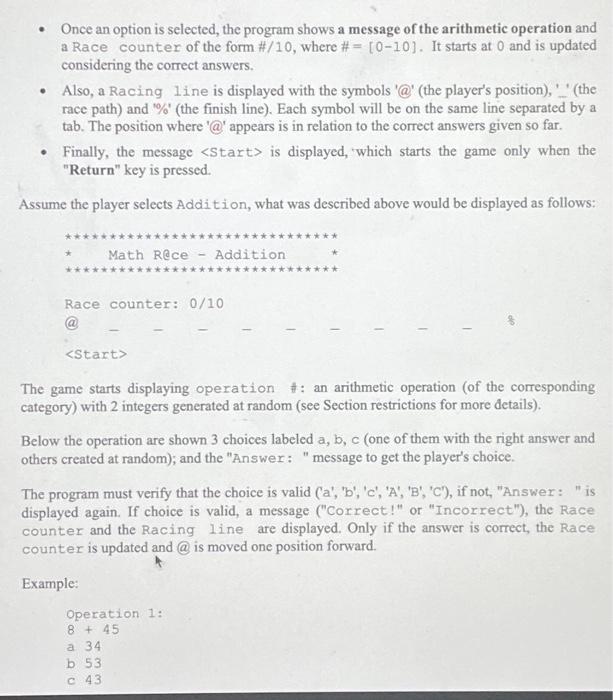
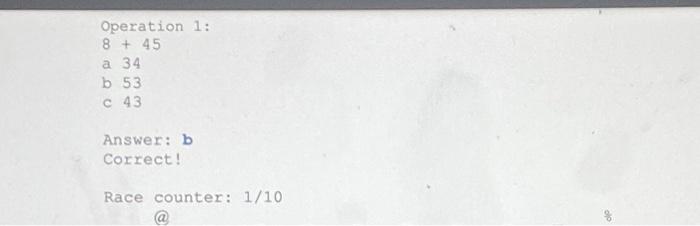
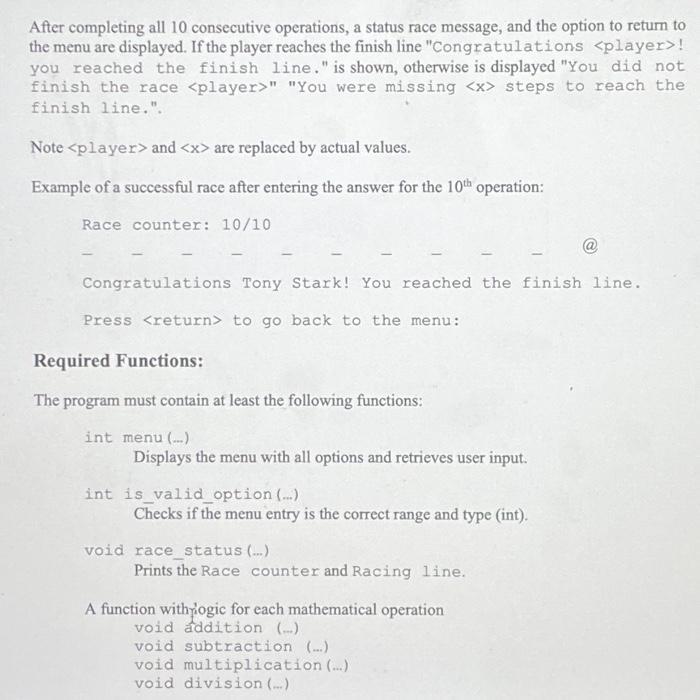
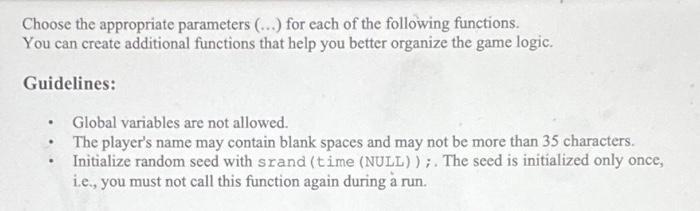
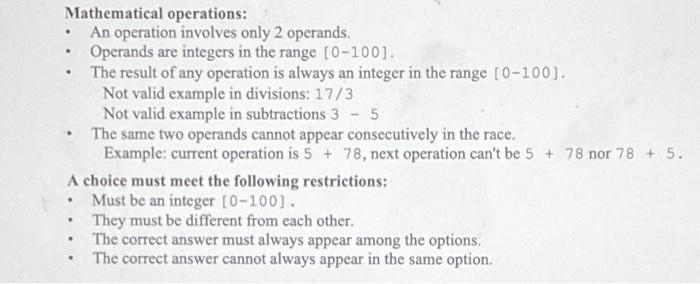
write a C program to practice simple mathematical operations (Addition, Subtraction, Multiplication, Division) with integer numbers. This project serves to reinforce the C fundamentals, control flow, functions, expressions, and random number generation. It is important to review the rand () and srand () functions and understand how to generate random numbers in an interval because they are widely used for this implementation. Overview: Mental calculation is understood as a series of mental procedures that a person performs without the help of calculator or paper and pencil, and that allows him or her to obtain the exact answer to simple arithmetic problems. Arithmetic operations play a fundamental role in mental calculation and contribute to the development of skills when they are practiced. In this project you will code the Math R@ce game to practice basic math operations. At the start of the race, the player will be positioned at the starting line and each correct answer will advance one step. The race has a total of 10 consecutive operations and, if the player gets them all right, the race is successful, otherwise a message is displayed indicating the missing steps to reach the finish line. Instructions: The game displays a welcome message and asks for the player's name, as follows: Welcome to Math Rece Player's name: After, a menu with these options is displayed asking you to enter the desired option. Player's name: After, a menu with these options is displayed asking you to enter the desired option. 1. Addition 2. Subtraction 3. Multiplication 4. Division 5. Quit Select an option: If the option is invalid (a number out of range or a different data type), then an Error message will be displayed, and the player will be prompted again to enter a valid option. . Once an option is selected, the program shows a message of the arithmetic operation and a Race counter of the form #/10, where #= [0-10]. It starts at 0 and is updated considering the correct answers. Also, a Racing line is displayed with the symbols '@' (the player's position),'__' (the race path) and "%" (the finish line). Each symbol will be on the same line separated by a tab. The position where '@' appears is in relation to the correct answers given so far. Finally, the message is displayed, which starts the game only when the "Return" key is pressed. Assume the player selects Addition, what was described above would be displayed as follows: Math Rece- Addition Race counter: 0/10 The game starts displaying operation #: an arithmetic operation (of the corresponding category) with 2 integers generated at random (see Section restrictions for more details). Below the operation are shown 3 choices labeled a, b, c (one of them with the right answer and others created at random); and the "Answer: "message to get the player's choice. The program must verify that the choice is valid ('a', 'b', 'c', 'A', 'B', 'C), if not, "Answer: "is displayed again. If choice is valid, a message ("Correct!" or "Incorrect"), the Race counter and the Racing line are displayed. Only if the answer is correct, the Race counter is updated and @is moved one position forward. Example: Operation 1: 8 + 45 a 34 b 53 c 43 Operation 1: 8 + 45 a 34 b 53 c 43 Answer: b Correct! Race counter: 1/10 After completing all 10 consecutive operations, a status race message, and the option to return to the menu are displayed. If the player reaches the finish line "Congratulations ! you reached the finish line." is shown, otherwise is displayed "You did not finish the race " "You were missing steps to reach the finish line.". Note and are replaced by actual values. Example of a successful race after entering the answer for the 10th operation: Race counter: 10/10 Congratulations Tony Stark! You reached the finish line. Press to go back to the menu: Required Functions: The program must contain at least the following functions: int menu (...) Displays the menu with all options and retrieves user input. int is_valid_option (...) Checks if the menu entry is the correct range and type (int). void race_status (...) Prints the Race counter and Racing line. A function with logic for each mathematical operation void addition () void subtraction (...) void multiplication (...) void division (...) Choose the appropriate parameters (...) for each of the following functions. You can create additional functions that help you better organize the game logic. Guidelines: Global variables are not allowed. The player's name may contain blank spaces and may not be more than 35 characters. Initialize random seed with srand (time (NULL)) ;. The seed is initialized only once, i.e., you must not call this function again during run. . Mathematical operations: An operation involves only 2 operands. . A choice must meet the following restrictions: Must be an integer [0-100]. They must be different from each other. The correct answer must always appear among the options. The correct answer cannot always appear in the same option. . . Operands are integers in the range [0-100]. The result of any operation is always an integer in the range [0-100]. Not valid example in divisions: 17/3 Not valid example in subtractions 3 5 The same two operands cannot appear consecutively in the race. Example: current operation is 5 + 78, next operation can't be 5 + 78 nor 78 + 5. .
Step by Step Solution
3.37 Rating (150 Votes )
There are 3 Steps involved in it
Creating a complete C program that implements the Math Race game as described is quite a lengthy tas... View full answer

Get step-by-step solutions from verified subject matter experts
 Study Help