







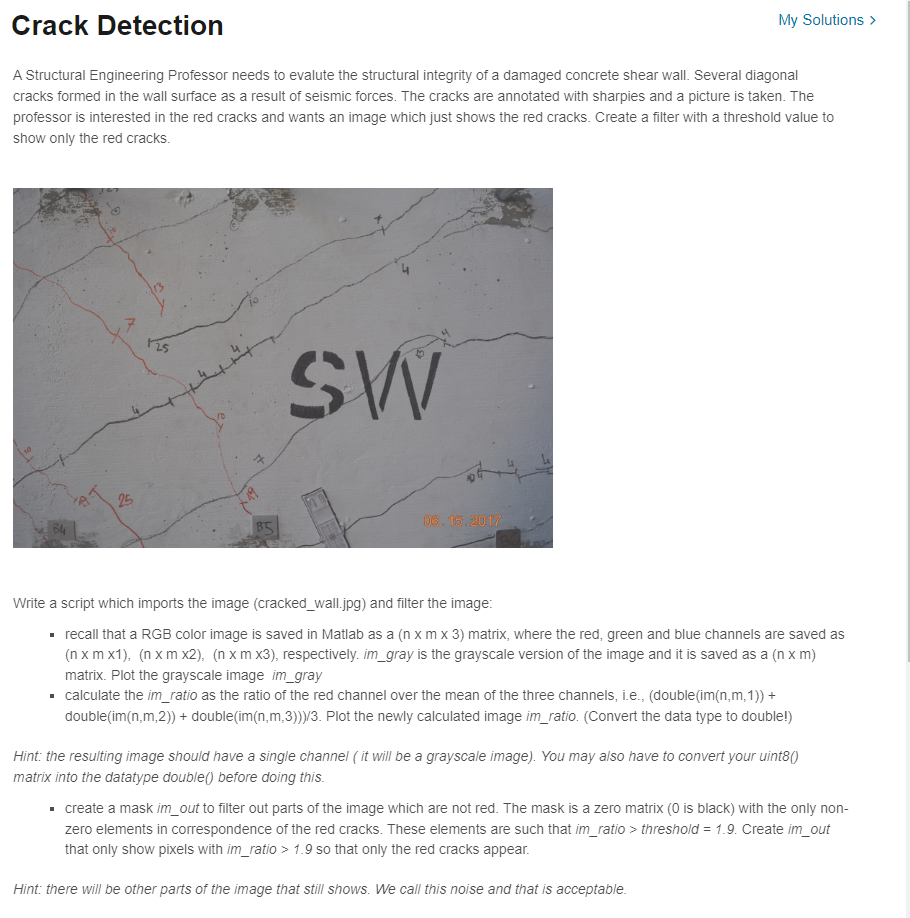
Question: Write a script which imports the image ( cracked _ wall.jpg ) and filter the image: recall that a RGB color image is saved in
Write a script which imports the image crackedwall.jpg and filter the image:
recall that a RGB color image is saved in Matlab as a matrix, where the red, green and blue channels are saved as
x m x x m x x m x respectively. imgray is the grayscale version of the image and it is saved as a x m
matrix. Plot the grayscale image imgray
calculate the imratio as the ratio of the red channel over the mean of the three channels, iedoubleimnm
doubleimnm doubleimnm Plot the newly calculated image imratio. Convert the data type to double!
Hint: the resulting image should have a single channel it will be a grayscale image You may also have to convert your uint
matrix into the datatype double before doing this.
create a mask imout to filter out parts of the image which are not red. The mask is a zero matrix is black with the only non
zero elements in correspondence of the red cracks. These elements are such that imratio threshod Create imout
that only show pixels with imratio so that only the red cracks appear.
Hint: there will be other parts of the image that still shows. We call this noise and that is acceptable.
Step by Step Solution
There are 3 Steps involved in it
1 Expert Approved Answer
Step: 1 Unlock

Question Has Been Solved by an Expert!
Get step-by-step solutions from verified subject matter experts
Step: 2 Unlock
Step: 3 Unlock
 Study Help