







Question: Write a script which imports the image ( cracked _ wall.jpg ) and filter the image: Hint: the resulting image should have a single channel
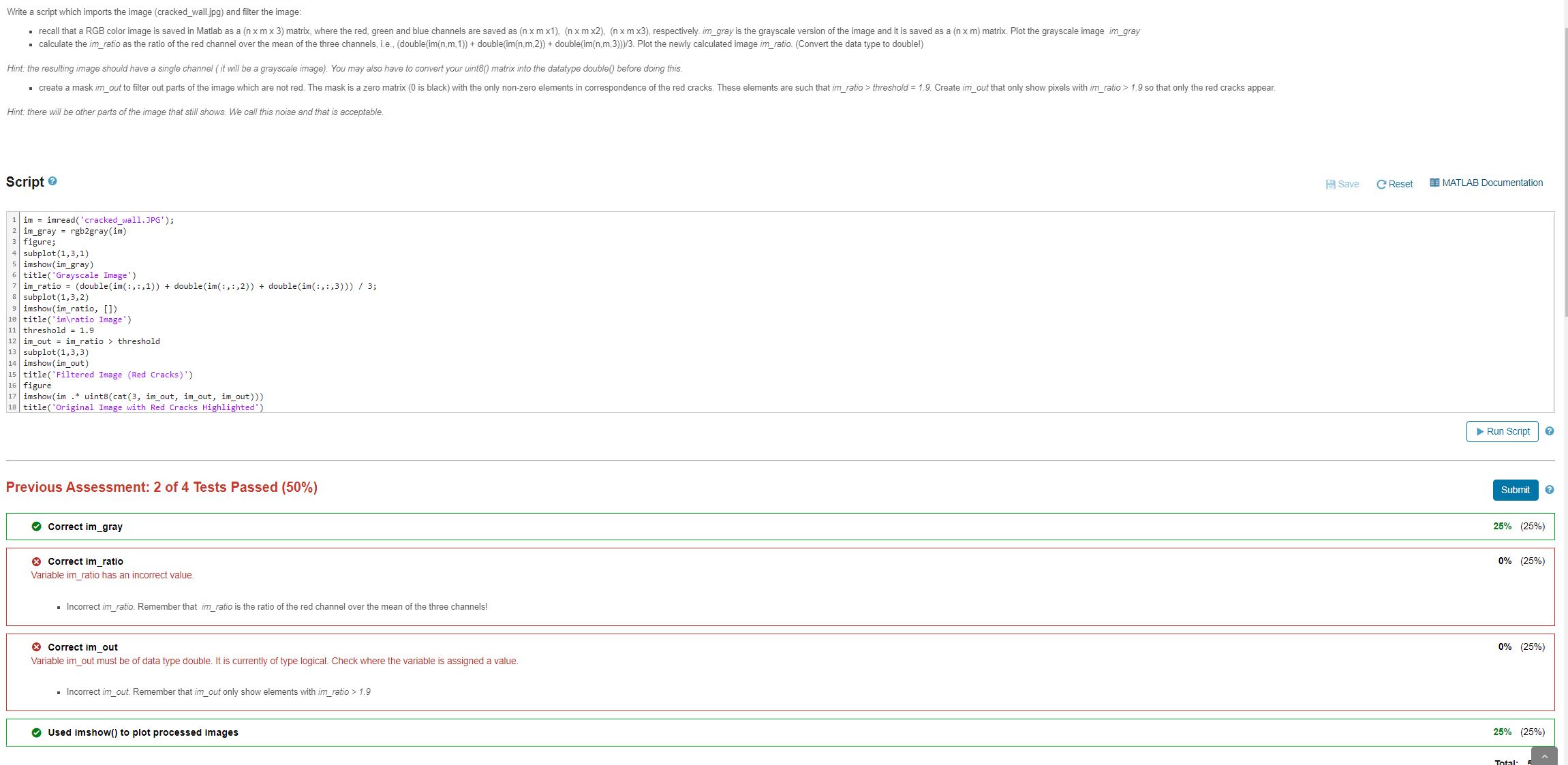
Write a script which imports the image crackedwall.jpg and filter the image:
Hint: the resulting image should have a single channel it will be a grayscale image You may also have to convert your uint matrix into the datatype double before doing this.
Hint: there will be other parts of the image that still shows. We call this noise and that is acceptable.
Script
im imreadcrackedwall.JPG;
im imread cracked imgray rgbgrayim figure;
figure;
subplot imshowim gray
imshowimgray
imratio ;
subplot
imshow imratio,
titleimratio Image'
threshold
imout imratio threshold
subplot
titleFiltered Image Red Cracks
figure
imshow im uintcat imout, imout, imout
imshowim uintcat imout, imout, imout titleOriginal Image with Red Cracks Highlighted'
Previous Assessment: of Tests Passed
Correct imgray
Correct imratio
Variable imratio has an incorrect value.
Incorrect imratio. Remember that ratio is the ratio of the red channel over the mean of the three channels!
Correct imout
Variable imout must be of data type double. It is currently of type logical Check where the variable is assigned a value.
Incorrect imout. Remember that imout only show elements with imratio
Step by Step Solution
There are 3 Steps involved in it
1 Expert Approved Answer
Step: 1 Unlock

Question Has Been Solved by an Expert!
Get step-by-step solutions from verified subject matter experts
Step: 2 Unlock
Step: 3 Unlock
 Study Help