







Question: Write a simple quiz application in Android Studio using Java. 1. The initial screen shows a list of possible quizzes. A. Look for files named
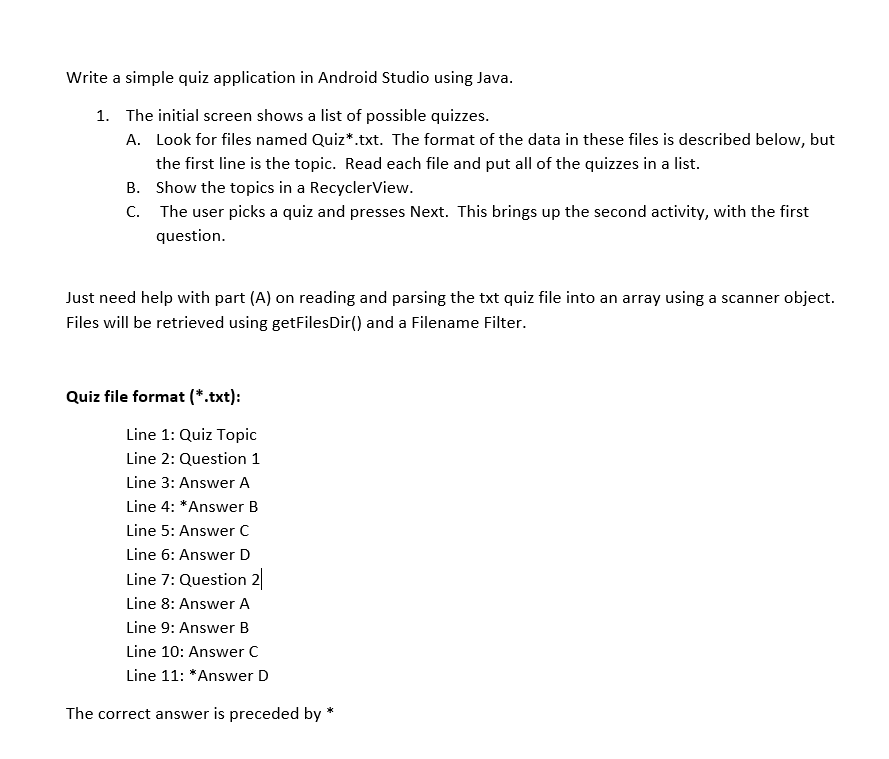
Write a simple quiz application in Android Studio using Java. 1. The initial screen shows a list of possible quizzes. A. Look for files named Quiz*.txt. The format of the data in these files is described below, but the first line is the topic. Read each file and put all of the quizzes in a list. B. Show the topics in a RecyclerView. C. The user picks a quiz and presses Next. This brings up the second activity, with the first question. Just need help with part (A) on reading and parsing the txt quiz file into an array using a scanner object. Files will be retrieved using getFilesDir() and a Filename Filter. Quiz file format (*.txt): Line 1: Quiz Topic Line 2: Question 1 Line 3: Answer A Line 4: *Answer B Line 5: Answer C Line 6: Answer D Line 7: Question 2 Line 8: Answer A Line 9: Answer B Line 10: Answer C Line 11: *Answer D The correct answer is preceded by Write a simple quiz application in Android Studio using Java. 1. The initial screen shows a list of possible quizzes. A. Look for files named Quiz*.txt. The format of the data in these files is described below, but the first line is the topic. Read each file and put all of the quizzes in a list. B. Show the topics in a RecyclerView. C. The user picks a quiz and presses Next. This brings up the second activity, with the first question. Just need help with part (A) on reading and parsing the txt quiz file into an array using a scanner object. Files will be retrieved using getFilesDir() and a Filename Filter. Quiz file format (*.txt): Line 1: Quiz Topic Line 2: Question 1 Line 3: Answer A Line 4: *Answer B Line 5: Answer C Line 6: Answer D Line 7: Question 2 Line 8: Answer A Line 9: Answer B Line 10: Answer C Line 11: *Answer D The correct answer is preceded by
Step by Step Solution
There are 3 Steps involved in it

Get step-by-step solutions from verified subject matter experts
 Study Help