







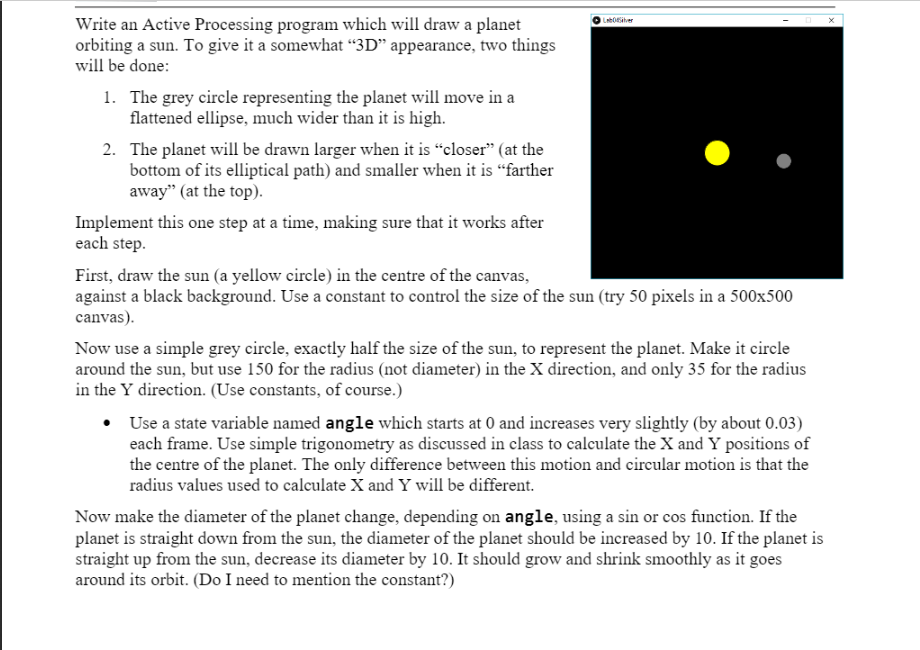
Question: Write an Active Processing program which will draw a planet orbiting a sun. To give it a somewhat 3D appearance, two things will be done:
Write an Active Processing program which will draw a planet
orbiting a sun. To give it a somewhat
3D
appearance, two things
will be done:
1.
The grey circle representing the planet will move in a
flattened ellipse, much wider than it is high.
2.
The planet wil
l be drawn larger when it is
closer
(at the
bottom of its elliptical path) and smaller when it is
farther
away
(at the top).
Implement this one step at a time, making sure that it works after
each step.
First, draw the sun (a yellow circle) in the cent
re of the canvas,
against a black background. Use a constant to control the size of the sun (try 50 pixels in a 500x500
canvas).
Now use a simple grey circle, exactly half the size of the sun, to represent the planet. Make it circle
around the sun, but use
150 for the radius (not diameter) in the X direction, and only 35 for the radius
in the Y direction. (Use constants, of course.)
Use a state variable named
angle
which starts at 0 and increases very slightly (by about 0.03)
each frame. Use simple trigonom
etry as discussed in class to calculate the X and Y positions of
the centre of the planet. The only difference between this motion and circular motion is that the
radius values used to calculate X and Y will be different.
Now make the diameter of the plane
t change, depending on
angle
, using a sin or cos function.
If the
planet is straight down from the sun, the diameter of the planet
should be increased
by 10. If the plane
t
is
straight up from the sun, decrease
its diameter by 10. It should grow and
shrink smoothly as it goes
around its orbit
.
(Do I need to mention the constant?
Please use Java Processing for this question
Write an Active Processing program which will draw a planet orbiting a sun. To give it a somewhat 3D appearance, two things will be done: 1. The grey circle representing the planet will move in a flattened ellipse, much wider than it is high. 2. The planet will be drawn larger when it is closer (at the bottom of its elliptical path) and smaller when it is farther away" (at the top). Implement this one step at a time, making sure that it works after each step. First, draw the sun (a yellow circle) in the centre of the canvas, against a black background. Use a constant to control the size of the sun (try 50 pixels in a 500x500 canvas). Now use a simple grey circle, exactly half the size of the sun, to represent the planet. Make it circle around the sun, but use 150 for the radius (not diameter) in the X direction, and only 35 for the radius in the Y direction. (Use constants, of course.) Use a state variable named angle which starts at 0 and increases very slightly (by about 0.03) each frame. Use simple trigonometry as discussed in class to calculate the X and Y positions of the centre of the planet. The only difference between this motion and circular motion is that the radius values used to calculate X and Y will be different. Now make the diameter of the planet change, depending on angle, using a sin or cos function. If the planet is straight down from the sun, the diameter of the planet should be increased by 10. If the planet is straight up from the sun, decrease its diameter by 10. It should grow and shrink smoothly as it goes around its orbit. (Do I need to mention the constant?) Write an Active Processing program which will draw a planet orbiting a sun. To give it a somewhat 3D appearance, two things will be done: 1. The grey circle representing the planet will move in a flattened ellipse, much wider than it is high. 2. The planet will be drawn larger when it is closer (at the bottom of its elliptical path) and smaller when it is farther away" (at the top). Implement this one step at a time, making sure that it works after each step. First, draw the sun (a yellow circle) in the centre of the canvas, against a black background. Use a constant to control the size of the sun (try 50 pixels in a 500x500 canvas). Now use a simple grey circle, exactly half the size of the sun, to represent the planet. Make it circle around the sun, but use 150 for the radius (not diameter) in the X direction, and only 35 for the radius in the Y direction. (Use constants, of course.) Use a state variable named angle which starts at 0 and increases very slightly (by about 0.03) each frame. Use simple trigonometry as discussed in class to calculate the X and Y positions of the centre of the planet. The only difference between this motion and circular motion is that the radius values used to calculate X and Y will be different. Now make the diameter of the planet change, depending on angle, using a sin or cos function. If the planet is straight down from the sun, the diameter of the planet should be increased by 10. If the planet is straight up from the sun, decrease its diameter by 10. It should grow and shrink smoothly as it goes around its orbit. (Do I need to mention the constant?)
Step by Step Solution
There are 3 Steps involved in it

Get step-by-step solutions from verified subject matter experts
 Study Help