







Question: Write an C++ shell program that can run other programs both foreground and background. Details attached. 1 Introduction The purpose of this assignment is to
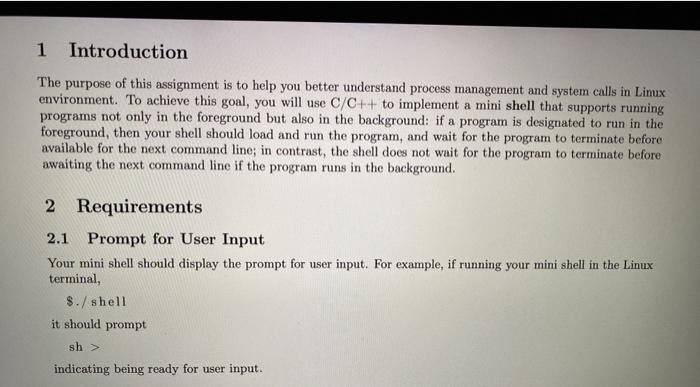
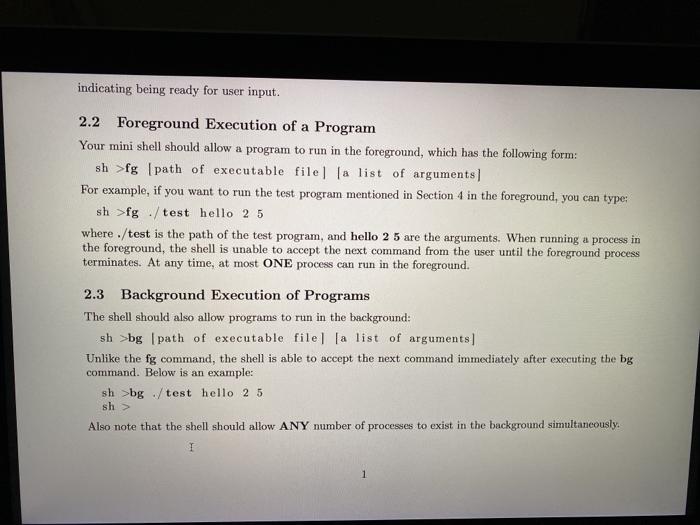
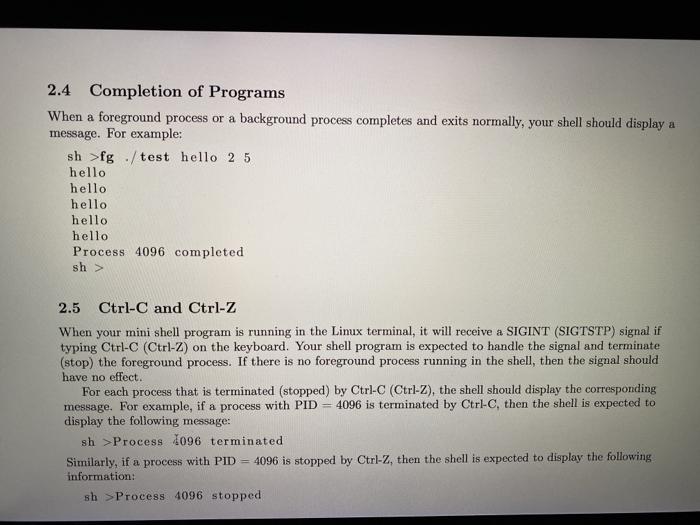
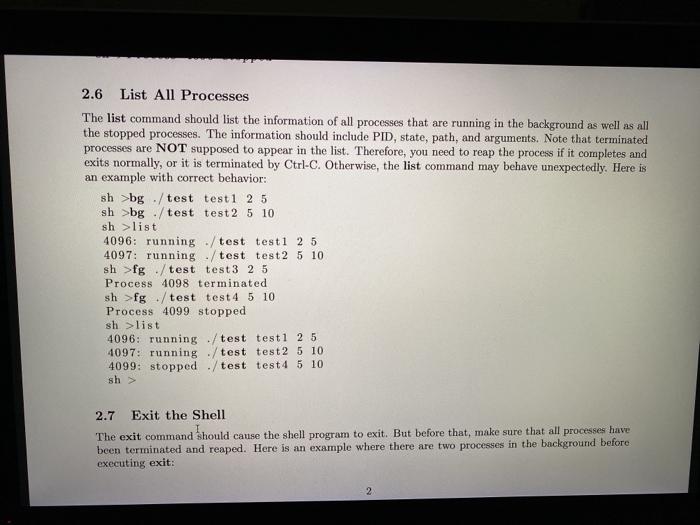
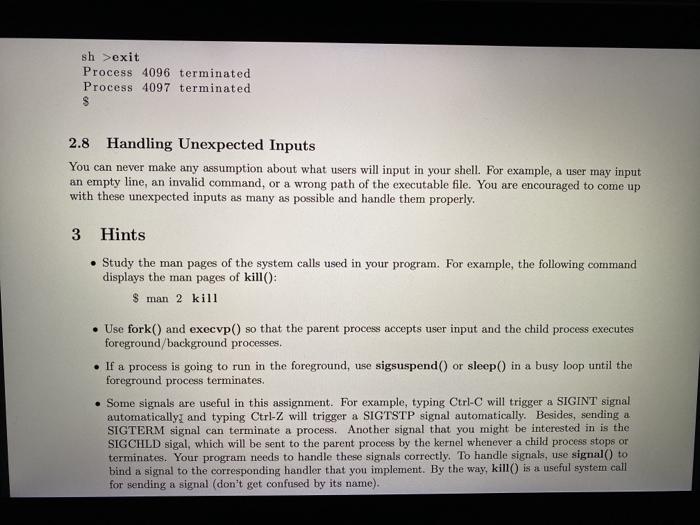
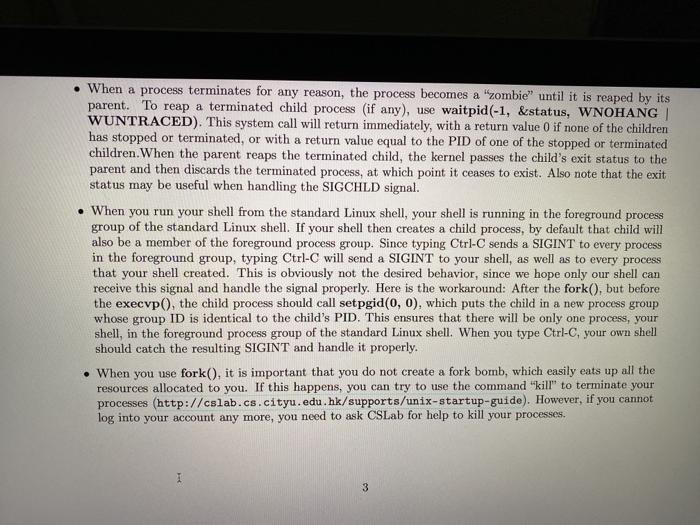
1 Introduction The purpose of this assignment is to help you better understand process management and system calls in Linux environment. To achieve this goal, you will use C/C++ to implement a mini shell that supports running programs not only in the foreground but also in the background: if a program is designated to run in the foreground, then your shell should load and run the program, and wait for the program to terminate before available for the next command line; in contrast, the shell does not wait for the program to terminate before awaiting the next command line if the program runs in the background. 2 Requirements 2.1 Prompt for User Input Your mini shell should display the prompt for user input. For example, if running your mini shell in the Linux terminal, $./ shell it should prompt sh> indicating being ready for user input. indicating being ready for user input. 2.2 Foreground Execution of a Program Your mini shell should allow a program to run in the foreground, which has the following form: sh >fg path of executable file la list of arguments] For example, if you want to run the test program mentioned in Section 4 in the foreground, you can type: sh >fg /test hello 2 5 where ./test is the path of the test program, and hello 2 5 are the arguments. When running a process in the foreground, the shell is unable to accept the next command from the user until the foreground process terminates. At any time, at most ONE process can run in the foreground. 2.3 Background Execution of Programs The shell should also allow programs to run in the background: sh >bg path of executable file la list of arguments) Unlike the fg command, the shell is able to accept the next command immediately after executing the bg command. Below is an example: sh>bg/test hello 2 5 sh> Also note that the shell should allow ANY number of processes to exist in the background simultaneously. I 1 2.4 Completion of Programs When a foreground process or a background process completes and exits normally, your shell should display a message. For example: sh >fg / test hello 2 5 hello hello hello hello hello Process 4096 completed sh> 2.5 Ctrl-C and Ctrl-Z When your mini shell program is running in the Linux terminal, it will receive a SIGINT (SIGTSTP) signal if typing Ctrl-C (Ctrl-Z) on the keyboard. Your shell program is expected to handle the signal and terminate (stop) the foreground process. If there is no foreground process running in the shell, then the signal should have no effect. For each process that is terminated (stopped) by Ctrl-C (Ctrl-Z), the shell should display the corresponding message. For example, if a process with PID = 4096 is terminated by Ctrl-C, then the shell is expected to display the following message: sh>Process 1096 terminated Similarly, if a process with PID = 4096 is stopped by Ctrl-Z, then the shell is expected to display the following information: sh > Process 4096 stopped 2.6 List All Processes The list command should list the information of all processes that are running in the background as well as all the stopped processes. The information should include PID, state, path, and arguments. Note that terminated processes are NOT supposed to appear in the list. Therefore, you need to reap the process if it completes and exits normally, or it is terminated by Ctrl-C. Otherwise, the list command may behave unexpectedly. Here is an example with correct behavior: sh >bg / test test1 2 5 sh >bg / test test 2 5 10 shlist 4096: running / test testi 2 5 4097: running - / test test2 5 10 sh >fg / test test 3 2 5 Process 4098 terminated sh >fg / test test 4 5 10 Process 4099 stopped shlist 4096: running ./ test testl 2 5 4097: running ./test test 2 5 10 4099: stopped ./test test 4 5 10 sh> 2.7 Exit the Shell The exit command should cause the shell program to exit. But before that, make sure that all processes have been terminated and reaped. Here is an example where there are two processes in the background before executing exit: 2 sh>exit Process 4096 terminated Process 4097 terminated $ 2.8 Handling Unexpected Inputs You can never make any assumption about what users will input in your shell. For example, a user may input an empty line, an invalid command, or a wrong path of the executable file. You are encouraged to come up with these unexpected inputs as many as possible and handle them properly. 3 Hints Study the man pages of the system calls used in your program. For example, the following command displays the man pages of kill(): $ man 2 kill Use fork() and execup() so that the parent process accepts user input and the child process executes foreground/background processes. If a process is going to run in the foreground, use sigsuspend) or sleep() in a busy loop until the foreground process terminates. Some signals are useful in this assignment. For example, typing Ctrl-C will trigger a SIGINT signal automatically and typing Ctrl-Z will trigger a SIGTSTP signal automatically. Besides, sending a SIGTERM signal can terminate a process. Another signal that you might be interested in is the SIGCHLD sigal, which will be sent to the parent process by the kernel whenever a child process stops or terminates. Your program needs to handle these signals correctly. To handle signals, use signal to bind a signal to the corresponding handler that you implement. By the way, kill is a useful system call for sending a signal (don't get confused by its name). When a process terminates for any reason, the process becomes a "zombie until it is reaped by its parent. To reap a terminated child process (if any), use waitpid (-1, &status, WNOHANG WUNTRACED). This system call will return immediately, with a return value 0 if none of the children has stopped or terminated, or with a return value equal to the PID of one of the stopped or terminated children. When the parent reaps the terminated child, the kernel passes the child's exit status to the parent and then discards the terminated process, at which point it ceases to exist. Also note that the exit status may be useful when handling the SIGCHLD signal. When you run your shell from the standard Linux shell, your shell is running in the foreground process group of the standard Linux shell. If your shell then creates a child process, by default that child will also be a member of the foreground process group. Since typing Ctrl-Csends a SIGINT to every process in the foreground group, typing Ctrl-C will send a SIGINT to your shell, as well as to every process that your shell created. This is obviously not the desired behavior, since we hope only our shell can receive this signal and handle the signal properly. Here is the workaround: After the fork(), but before the execvp(), the child process should call set pgid(0, 0), which puts the child in a new process group whose group ID is identical to the child's PID. This ensures that there will be only one process, your shell, in the foreground process group of the standard Linux shell. When you type Ctrl-C, your own shell should catch the resulting SIGINT and handle it properly. When you use fork(), it is important that you do not create a fork bomb, which easily eats up all the resources allocated to you. If this happens, you can try to use the command "kill" to terminate your processes (http://cslab.cs.cityu.edu.hk/supports/unix-startup-guide). However, if you cannot log into your account any more, you need to ask CSLab for help to kill your processes. 3 1 Introduction The purpose of this assignment is to help you better understand process management and system calls in Linux environment. To achieve this goal, you will use C/C++ to implement a mini shell that supports running programs not only in the foreground but also in the background: if a program is designated to run in the foreground, then your shell should load and run the program, and wait for the program to terminate before available for the next command line; in contrast, the shell does not wait for the program to terminate before awaiting the next command line if the program runs in the background. 2 Requirements 2.1 Prompt for User Input Your mini shell should display the prompt for user input. For example, if running your mini shell in the Linux terminal, $./ shell it should prompt sh> indicating being ready for user input. indicating being ready for user input. 2.2 Foreground Execution of a Program Your mini shell should allow a program to run in the foreground, which has the following form: sh >fg path of executable file la list of arguments] For example, if you want to run the test program mentioned in Section 4 in the foreground, you can type: sh >fg /test hello 2 5 where ./test is the path of the test program, and hello 2 5 are the arguments. When running a process in the foreground, the shell is unable to accept the next command from the user until the foreground process terminates. At any time, at most ONE process can run in the foreground. 2.3 Background Execution of Programs The shell should also allow programs to run in the background: sh >bg path of executable file la list of arguments) Unlike the fg command, the shell is able to accept the next command immediately after executing the bg command. Below is an example: sh>bg/test hello 2 5 sh> Also note that the shell should allow ANY number of processes to exist in the background simultaneously. I 1 2.4 Completion of Programs When a foreground process or a background process completes and exits normally, your shell should display a message. For example: sh >fg / test hello 2 5 hello hello hello hello hello Process 4096 completed sh> 2.5 Ctrl-C and Ctrl-Z When your mini shell program is running in the Linux terminal, it will receive a SIGINT (SIGTSTP) signal if typing Ctrl-C (Ctrl-Z) on the keyboard. Your shell program is expected to handle the signal and terminate (stop) the foreground process. If there is no foreground process running in the shell, then the signal should have no effect. For each process that is terminated (stopped) by Ctrl-C (Ctrl-Z), the shell should display the corresponding message. For example, if a process with PID = 4096 is terminated by Ctrl-C, then the shell is expected to display the following message: sh>Process 1096 terminated Similarly, if a process with PID = 4096 is stopped by Ctrl-Z, then the shell is expected to display the following information: sh > Process 4096 stopped 2.6 List All Processes The list command should list the information of all processes that are running in the background as well as all the stopped processes. The information should include PID, state, path, and arguments. Note that terminated processes are NOT supposed to appear in the list. Therefore, you need to reap the process if it completes and exits normally, or it is terminated by Ctrl-C. Otherwise, the list command may behave unexpectedly. Here is an example with correct behavior: sh >bg / test test1 2 5 sh >bg / test test 2 5 10 shlist 4096: running / test testi 2 5 4097: running - / test test2 5 10 sh >fg / test test 3 2 5 Process 4098 terminated sh >fg / test test 4 5 10 Process 4099 stopped shlist 4096: running ./ test testl 2 5 4097: running ./test test 2 5 10 4099: stopped ./test test 4 5 10 sh> 2.7 Exit the Shell The exit command should cause the shell program to exit. But before that, make sure that all processes have been terminated and reaped. Here is an example where there are two processes in the background before executing exit: 2 sh>exit Process 4096 terminated Process 4097 terminated $ 2.8 Handling Unexpected Inputs You can never make any assumption about what users will input in your shell. For example, a user may input an empty line, an invalid command, or a wrong path of the executable file. You are encouraged to come up with these unexpected inputs as many as possible and handle them properly. 3 Hints Study the man pages of the system calls used in your program. For example, the following command displays the man pages of kill(): $ man 2 kill Use fork() and execup() so that the parent process accepts user input and the child process executes foreground/background processes. If a process is going to run in the foreground, use sigsuspend) or sleep() in a busy loop until the foreground process terminates. Some signals are useful in this assignment. For example, typing Ctrl-C will trigger a SIGINT signal automatically and typing Ctrl-Z will trigger a SIGTSTP signal automatically. Besides, sending a SIGTERM signal can terminate a process. Another signal that you might be interested in is the SIGCHLD sigal, which will be sent to the parent process by the kernel whenever a child process stops or terminates. Your program needs to handle these signals correctly. To handle signals, use signal to bind a signal to the corresponding handler that you implement. By the way, kill is a useful system call for sending a signal (don't get confused by its name). When a process terminates for any reason, the process becomes a "zombie until it is reaped by its parent. To reap a terminated child process (if any), use waitpid (-1, &status, WNOHANG WUNTRACED). This system call will return immediately, with a return value 0 if none of the children has stopped or terminated, or with a return value equal to the PID of one of the stopped or terminated children. When the parent reaps the terminated child, the kernel passes the child's exit status to the parent and then discards the terminated process, at which point it ceases to exist. Also note that the exit status may be useful when handling the SIGCHLD signal. When you run your shell from the standard Linux shell, your shell is running in the foreground process group of the standard Linux shell. If your shell then creates a child process, by default that child will also be a member of the foreground process group. Since typing Ctrl-Csends a SIGINT to every process in the foreground group, typing Ctrl-C will send a SIGINT to your shell, as well as to every process that your shell created. This is obviously not the desired behavior, since we hope only our shell can receive this signal and handle the signal properly. Here is the workaround: After the fork(), but before the execvp(), the child process should call set pgid(0, 0), which puts the child in a new process group whose group ID is identical to the child's PID. This ensures that there will be only one process, your shell, in the foreground process group of the standard Linux shell. When you type Ctrl-C, your own shell should catch the resulting SIGINT and handle it properly. When you use fork(), it is important that you do not create a fork bomb, which easily eats up all the resources allocated to you. If this happens, you can try to use the command "kill" to terminate your processes (http://cslab.cs.cityu.edu.hk/supports/unix-startup-guide). However, if you cannot log into your account any more, you need to ask CSLab for help to kill your processes. 3
Step by Step Solution
There are 3 Steps involved in it

Get step-by-step solutions from verified subject matter experts
 Study Help