







Question: Write Code In Visual Basic 15 pts 10 pts 5 pts 33 pts Application 1 - Display user's full name o See screen print below.
Write Code In Visual Basic
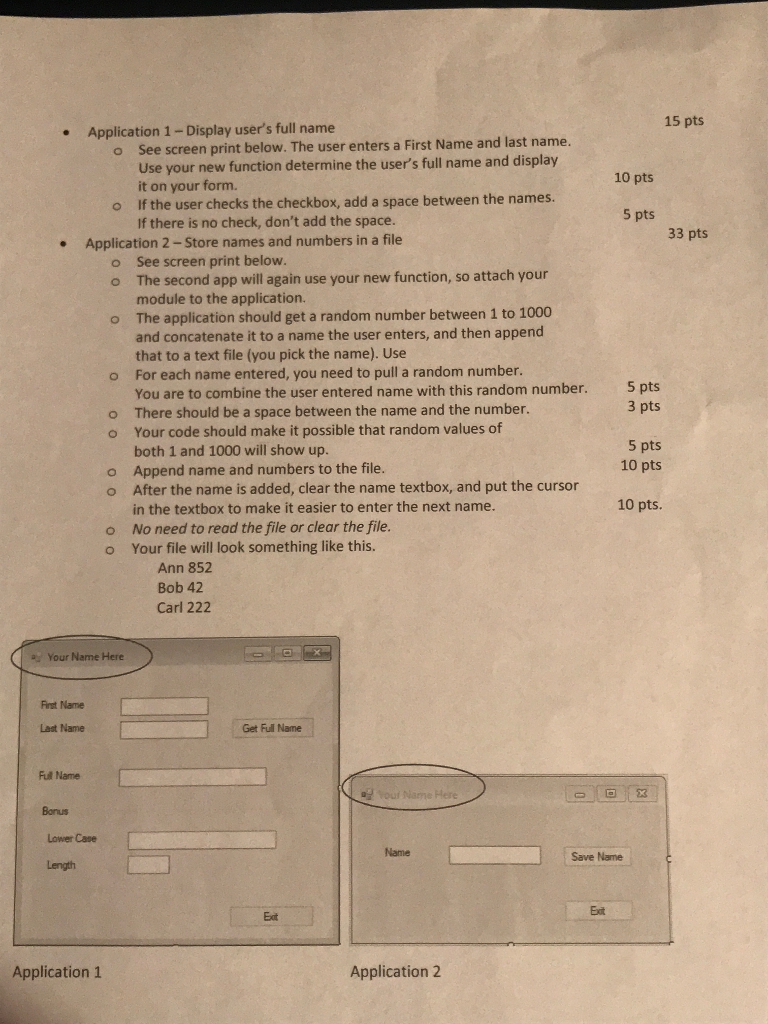
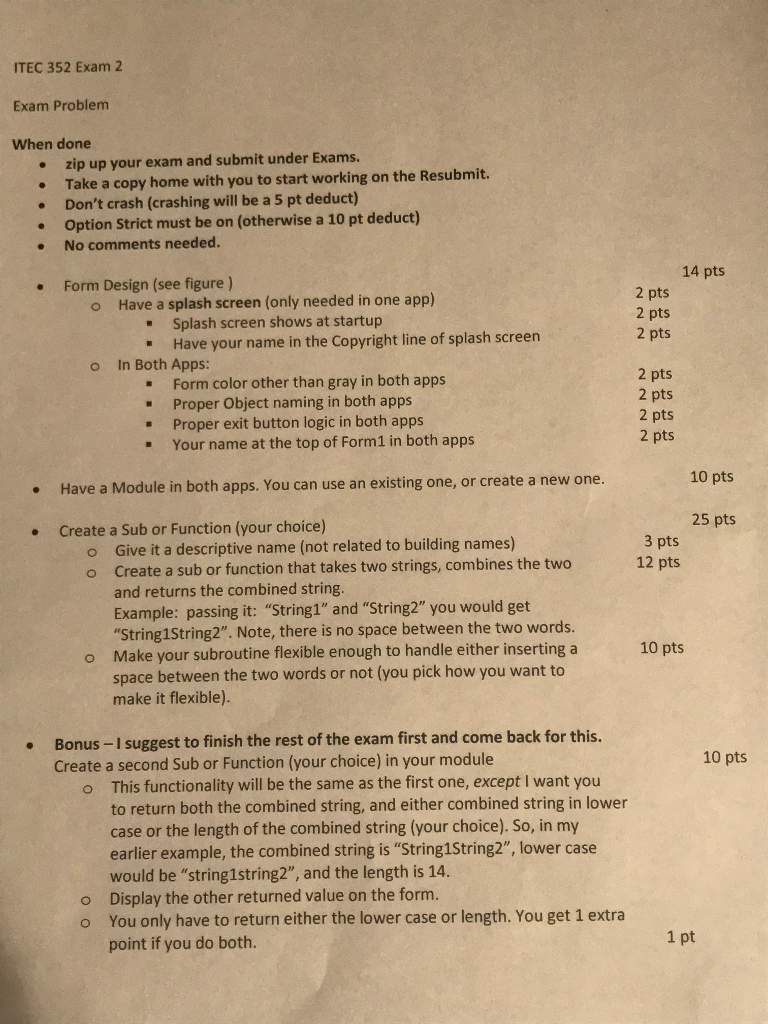
15 pts 10 pts 5 pts 33 pts Application 1 - Display user's full name o See screen print below. The user enters a First Name and last name. Use your new function determine the user's full name and display it on your form. o If the user checks the checkbox, add a space between the names. If there is no check, don't add the space. Application 2-Store names and numbers in a file o See screen print below. o The second app will again use your new function, so attach your module to the application. o The application should get a random number between 1 to 1000 and concatenate it to a name the user enters, and then append that to a text file (you pick the name). Use o For each name entered, you need to pull a random number. You are to combine the user entered name with this random number. o There should be a space between the name and the number. o Your code should make it possible that random values of both 1 and 1000 will show up. o Append name and numbers to the file. o After the name is added, clear the name textbox, and put the cursor in the textbox to make it easier to enter the next name. o No need to read the file or clear the file. O Your file will look something like this. Ann 852 Bob 42 Carl 222 5 pts 3 pts 5 pts 10 pts 10 pts. y Your Name Here First Name Last Name Get Full Name Fult Name Your Name Here O % Bonus Lower care Length Name Save Name Application 1 Application 2
Step by Step Solution
There are 3 Steps involved in it

Get step-by-step solutions from verified subject matter experts
 Study Help