







Question: write html Exercise 4: Creating view component - JSP Task 1: Create a JSP to add new employee. a) Right click on the WebPages folder,
write html
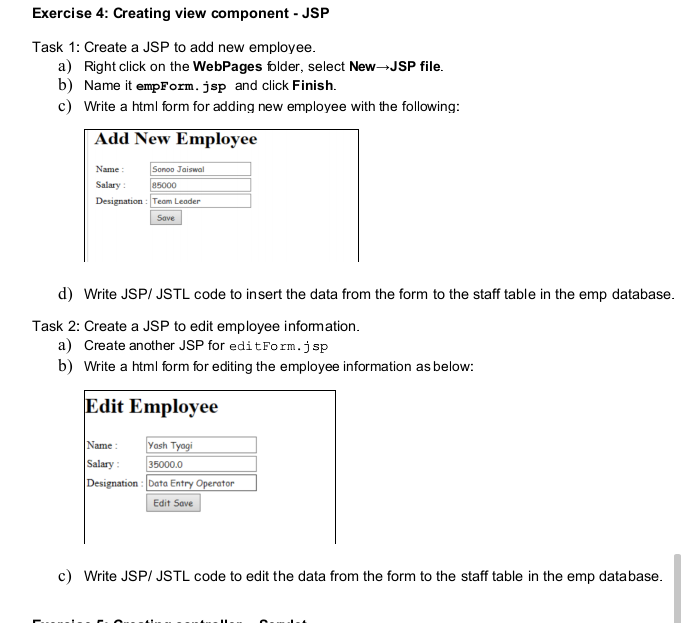
Exercise 4: Creating view component - JSP Task 1: Create a JSP to add new employee. a) Right click on the WebPages folder, select NewJSP file. b) Name it empForm.jsp and click Finish. c) Write a html form for adding new employee with the following: Add New Employee Name: Sonoo Jaiswal Salary: 85000 Designation Team Leader Save d) Write JSP/JSTL code to insert the data from the form to the staff table in the emp database. Task 2: Create a JSP to edit employee information. a) Create another JSP for editForm.jsp b) Write a html form for editing the employee information as below: Edit Employee Name: Yash Tyagi Salary 35000.0 Designation : Data Entry Operator Edit Save c) Write JSP/JSTL code to edit the data from the form to the staff table in the emp database
Step by Step Solution
There are 3 Steps involved in it

Get step-by-step solutions from verified subject matter experts
 Study Help