







Question: Write python coding for: 17. Wi-Fi Diagnostic Tree Figure 3-19 shows a simplified flowchart for troubleshooting a bad Wi-Fi connection. Use the flowchart to create
Write python coding for:
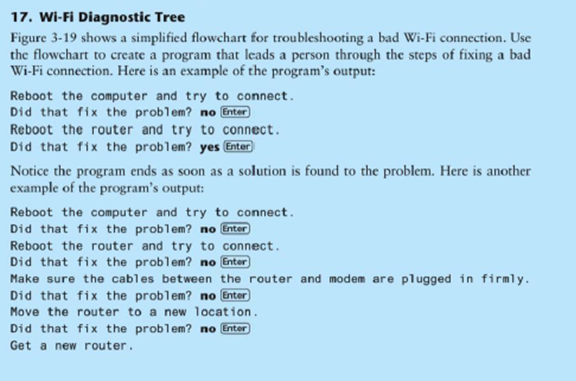
17. Wi-Fi Diagnostic Tree Figure 3-19 shows a simplified flowchart for troubleshooting a bad Wi-Fi connection. Use the flowchart to create a program that leads a person through the steps of fixing a bad Wi-Fi connection. Here is an example of the program's output: Reboot the computer and try to connect Did that fix the problem? no Enter Reboot the router and try to connect. Did that fix the problem? yes Enter Notice the program ends as soon as a solution is found to the problem. Here is another example of the program's output: Reboot the computer and try to connect Did that fix the problem? no Enter Reboot the router and try to connect Did that fix the problem? no Enter Make sure the cables between the router and modem are plugged in firmly Did that fix the problem? no Enter Move the router to a new 1ocation Did that fix the problem? no Enter Get a new router
Step by Step Solution
There are 3 Steps involved in it

Get step-by-step solutions from verified subject matter experts
 Study Help