







Question: Write the classes described below to allow an alien to teleport, based on AlienDirection.java. In this application, two Rectangles will represent teleports, and the alien
Write the classes described below to allow an alien to teleport, based on AlienDirection.java. In this application, two Rectangles will represent teleports, and the alien image can move between them.
a. Write a Region class that defines a square region of 2D space. This class will be used to store the location and size of the alien and the two teleports. It will have the following features:
Three private instance variables (integers): x coordinate, y coordinate, and size which serves as the width and height.
The constructor receives values for all of the instance variables.
Three getter methods return the values of the instance variables, respectively.
A move method is used to change the coordinates of the Region. It will only be used to move the aliens Region incrementally. It receives one integer that is added to the x coordinate and a second integer that is added to the y coordinate. It returns nothing (void return type).
A moveImageViewToRegion method is used to teleport the alien by immediately changing the aliens ImageView and Region coordinates. It receives two parameters: one instance of the ImageView class and one instance of the Region class. It returns nothing (void return type). The Region parameter is the destination of the alien and will be one of the two teleports. The method performs two tasks: (i) changes the coordinates to be the same as the coordinates of the destination Region, and (ii) sets the coordinates of the ImageView parameter to be the same as the coordinates of the destination Region.
An inRegion method is used to determine whether the aliens Region is within the bounds of a teleport Region. It receives only one instance of the Region class, and this will be a teleport region. It returns a boolean value that is true if the calling instance (the alien Region) is within the bounds of the parameter Region (one of the two teleports). Being within the bounds means that the aliens left edge is greater than or equal to the teleports left edge, etc.
b. Write an application class Problem3.java, adapted from AlienDirection.java, that works as described below.
Create three instances variables of type Region: one for the alien and two for the teleports. You may use any coordinates and sizes for the teleports. The alien can start with any coordinates you wish, but the size should agree with your .png file. The default image is 100x100, but you may use any image you wish. Note that the aliens Region should have coordinates that match those of the ImageView.
In the start method, create at least two Rectangles to represent the teleports, using the Region getter methods for the coordinates and sizes. Do not just copy the coordinates and sizes you used for the Region instance variables.
In the start method, set the aliens image coordinates using the getter methods for the aliens Region. Do not just copy the coordinates and size you used for the Region instance variable.
In the processKeyPress method, call the move method for the aliens Region to update its position for every move. This is done so that the aliens Region can be used for the teleport.
In the processKeyPress method, after the switch statement, use the inRegion method to determine if the aliens region is within the bounds of either teleport. If it is, then use the moveImageToViewRegion method to instantly move the aliens ImageView and Region to the coordinates of the destination teleport.
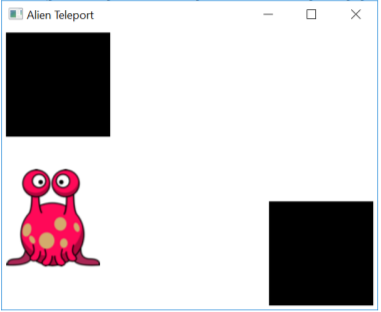
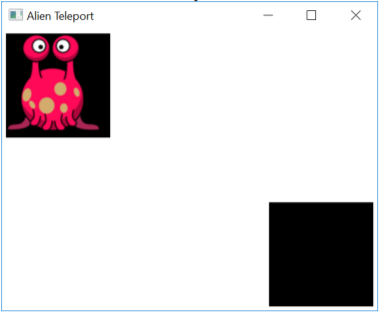
Below are snapshots of an example. You may use different sizes, colors, images, and quantity of teleports (at least 2). SPECIAL NOTE: For the instructions given above, a teleport move will actually place the alien within the bounds of the other teleport! However, moving up or to the left will successfully prevent the alien from being re-teleported.
Starting view (you may initialize your Scene any way you wish):
Moves up toward teleport #1, but not within bounds yet:
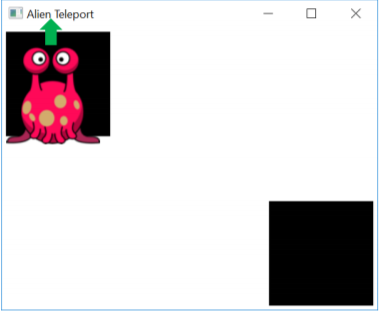
Moves up into teleport #1, which immediately causes the alien to be moved to teleport #2:
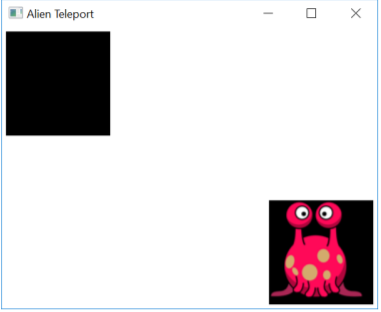
Moves left out of teleport #2:
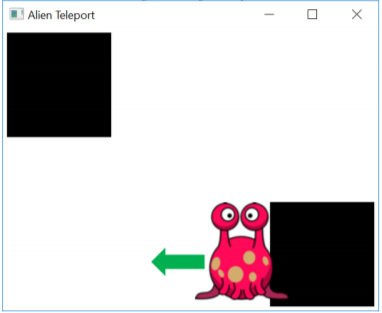
Moves right toward teleport #2, but not within bounds yet:
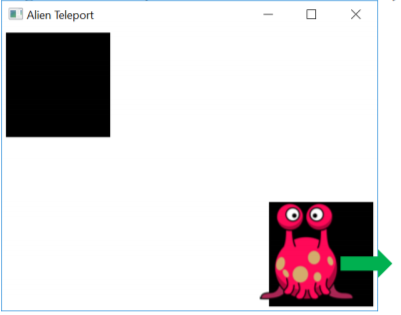
Moves right into teleport #2, which immediately causes the alien to be moved to teleport #1:
AlienDirection.java:
import javafx.application.Application; import javafx.scene.Group; import javafx.scene.Scene; import javafx.scene.image.Image; import javafx.scene.image.ImageView; import javafx.scene.input.KeyEvent; import javafx.scene.paint.Color; import javafx.stage.Stage;
//************************************************************************ // AlienDirection.java Author: Lewis/Loftus // // Demonstrates the handling of keyboard events. //************************************************************************
public class AlienDirection extends Application { public final static int JUMP = 10; private ImageView imageView;
//-------------------------------------------------------------------- // Displays an image that can be moved using the arrow keys. //-------------------------------------------------------------------- public void start(Stage primaryStage) { Image alien = new Image("alien.png"); imageView = new ImageView(alien); imageView.setX(20); imageView.setY(20); Group root = new Group(imageView);
Scene scene = new Scene(root, 400, 200, Color.BLACK); scene.setOnKeyPressed(this::processKeyPress);
primaryStage.setTitle("Alien Direction"); primaryStage.setScene(scene); primaryStage.show(); } //-------------------------------------------------------------------- // Modifies the position of the image view when an arrow key is // pressed. //-------------------------------------------------------------------- public void processKeyPress(KeyEvent event) { switch (event.getCode()) { case UP: imageView.setY(imageView.getY() - JUMP); break; case DOWN: imageView.setY(imageView.getY() + JUMP); break; case RIGHT: imageView.setX(imageView.getX() + JUMP); break; case LEFT: imageView.setX(imageView.getX() - JUMP); break; default: break; // do nothing if it's not an arrow key } } public static void main(String[] args) { launch(args); } }
Alien Teleport
Step by Step Solution
There are 3 Steps involved in it

Get step-by-step solutions from verified subject matter experts
 Study Help