







Question: You are tasked to make your flashdrive ready for installation of OS files. List down the things that you observed in each step and
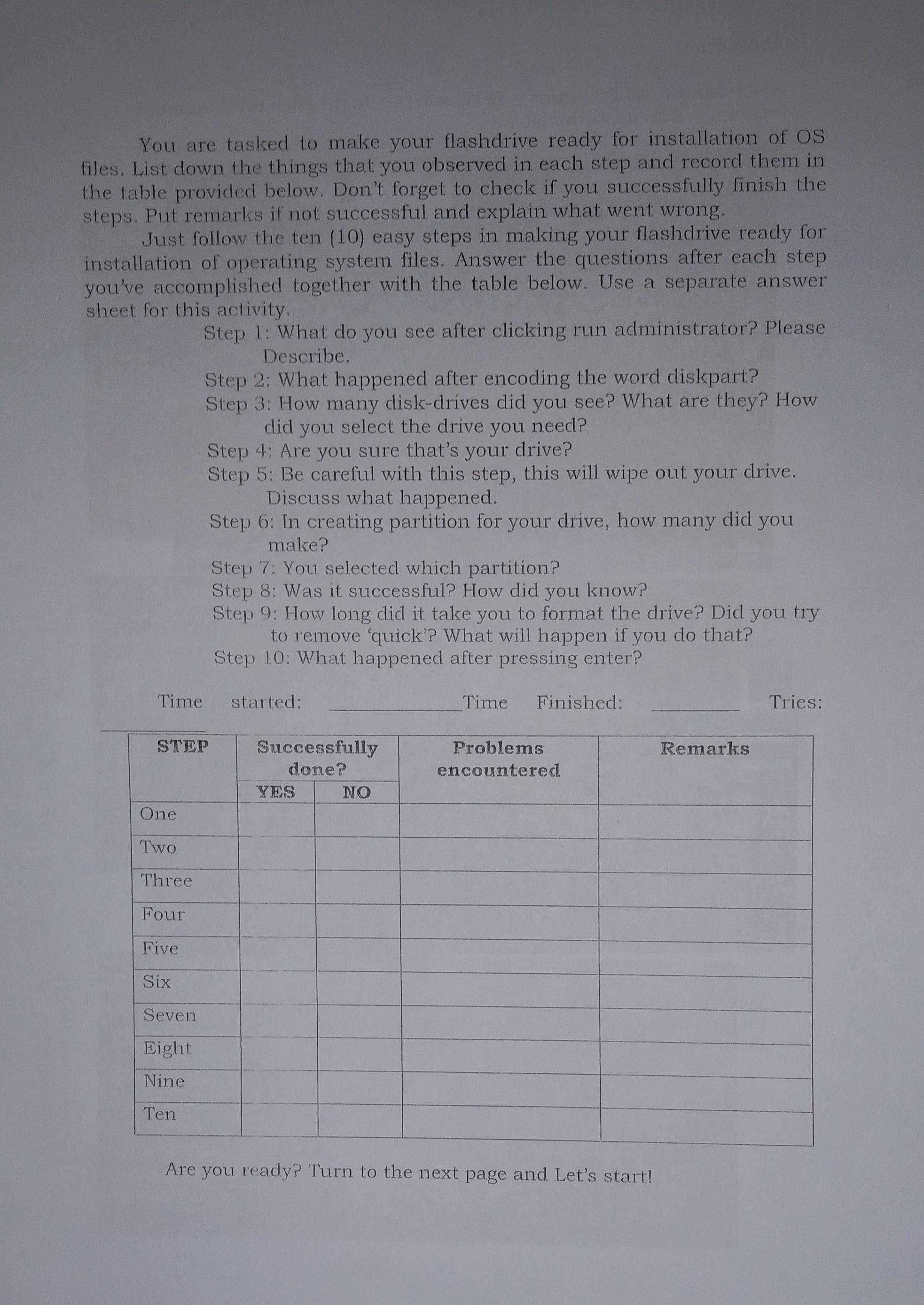
You are tasked to make your flashdrive ready for installation of OS files. List down the things that you observed in each step and record them in the table provided below. Don't forget to check if you successfully finish the steps. Put remarks if not successful and explain what went wrong. Just follow the ten (10) easy steps in making your flashdrive ready for installation of operating system files. Answer the questions after each step you've accomplished together with the table below. Use a separate answer sheet for this activity. Time One Two Three Four Five Six Step 1: What do you see after clicking run administrator? Please Describe. Seven Eight Nine Ten Step 2: What happened after encoding the word diskpart? Step 3: How many disk-drives did you see? What are they? How did you select the drive you need? STEP Step 4: Are you sure that's your drive? Step 5: Be careful with this step, this will wipe out your drive. Discuss what happened. Step 6: In creating partition for your drive, how many did you make? Step 7: You selected which partition? Step 8: Was it successful? How did you know? Step 9: How long did it take you to format the drive? Did you try to remove 'quick'? What will happen if you do that? Step 10: What happened after pressing enter? started: Successfully done? YES NO Time Finished: Problems encountered Are you ready? Turn to the next page and Let's start! Remarks Tries:
Step by Step Solution
3.44 Rating (147 Votes )
There are 3 Steps involved in it
Step 1 After clicking run as administrator a command prompt window with elevated privileges opens up Step 2 After typing diskpart in the command promp... View full answer

Get step-by-step solutions from verified subject matter experts
 Study Help