







Question: You have all this thing in your Hyper-V without Router. Complete this following. 1. Create Virtual Machine (VM) and Install Guest operating system 2. Configure
You have all this thing in your Hyper-V without Router. Complete this following. 1. Create Virtual Machine (VM) and Install Guest operating system
2. Configure VM settings
3. Create and Configure Virtual Switch
4. Create and Configure Network Adaptors/IP settings
5. Create and Configure Private Virtual Network
6. Install and Configure routing service
7. Verifying connectivity
Note: take screen short for all steps and use Hyper -V 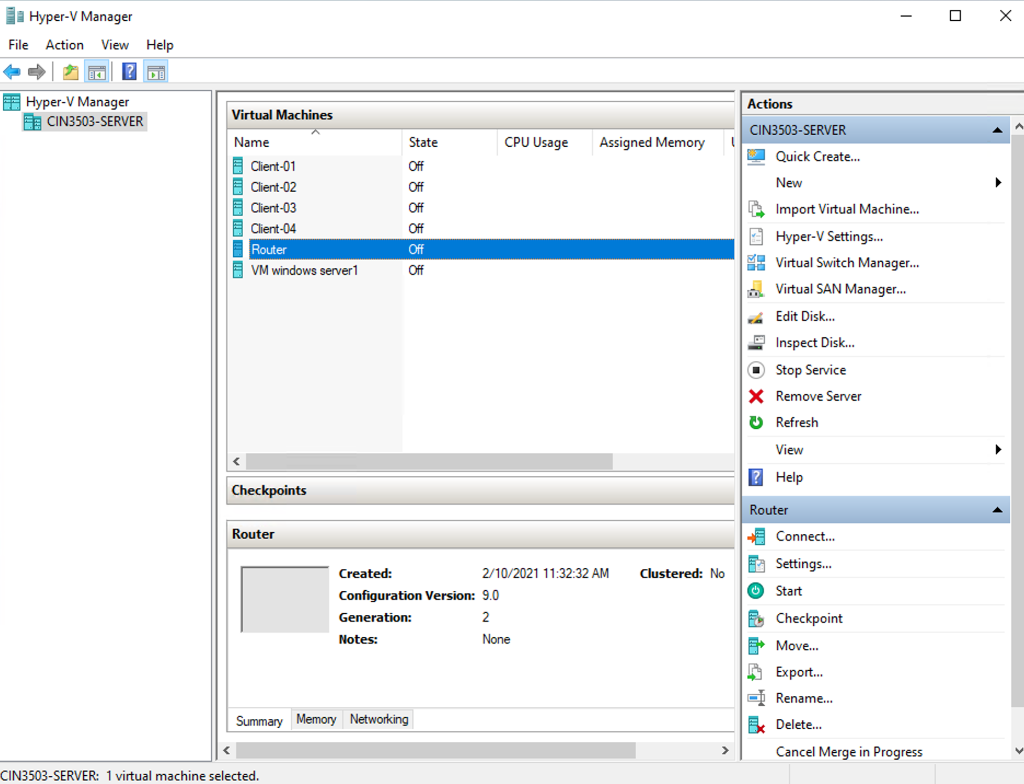
Fa Hyper-V Manager File Action View Help Actions 3 Hyper-V Manager DE CIN3503-SERVER Virtual Machines CIN3503-SERVER Name State CPU Usage Assigned Memory Quick Create... New Off Off Client-01 Client-02 Client-03 Client-04 Router VM windows server1 Off Off Off Import Virtual Machine... Hyper-V Settings... Virtual Switch Manager... Virtual SAN Manager... 1. Edit Disk... Inspect Disk... O Stop Service X Remove Server Refresh View ? Help Checkpoints Router Router Connect... Ea Settings... Clustered: No 0 Start Created: 2/10/2021 11:32:32 AM Configuration Version: 9.0 Generation: 2 Notes: None E Checkpoint Move. Export... Rename... Ex Delete... Cancel Merge in Progress Summary Memory Networking CIN3503-SERVER: 1 virtual machine selected
Step by Step Solution
There are 3 Steps involved in it

Get step-by-step solutions from verified subject matter experts
 Study Help