


Question: You have created a query based on the Employee Info table that calculates projected salary increases for 2019. The field in the table is formatted
You have created a query based on the Employee
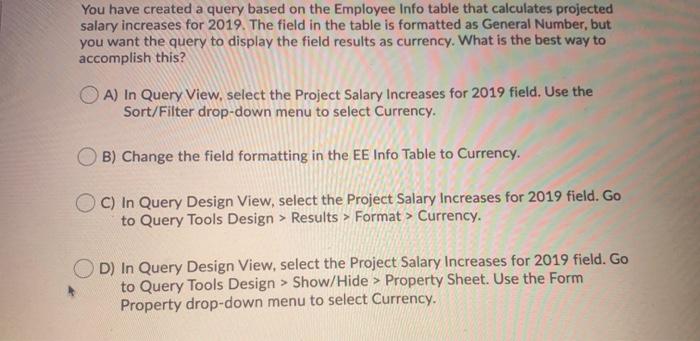
You have created a query based on the Employee Info table that calculates projected salary increases for 2019. The field in the table is formatted as General Number, but you want the query to display the field results as currency. What is the best way to accomplish this? A) In Query View, select the Project Salary Increases for 2019 field. Use the Sort/Filter drop-down menu to select Currency. B) Change the field formatting in the EE Info Table to Currency. OC) In Query Design View, select the Project Salary Increases for 2019 field. Go to Query Tools Design > Results > Format > Currency. D) In Query Design View, select the Project Salary Increases for 2019 field. Go to Query Tools Design > Show/Hide > Property Sheet. Use the Form Property drop-down menu to select Currency

Step by Step Solution

There are 3 Steps involved in it

1 Expert Approved Answer
Step: 1 Unlock blur-text-image

Question Has Been Solved by an Expert!

Get step-by-step solutions from verified subject matter experts

Step: 2 Unlock
Step: 3 Unlock

Students Have Also Explored These Related General Management Questions!